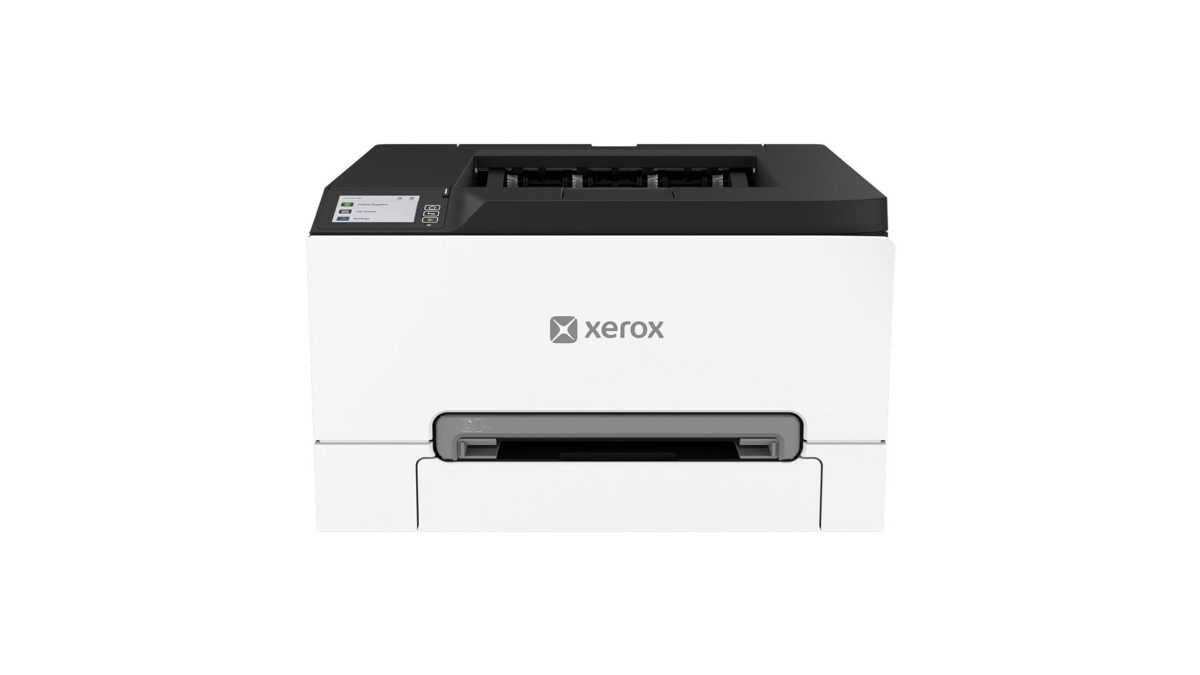
Xerox has introduced its C240/C245, C255a, and C300/C303a/C305ae A4 color printers and multifunction printers — the first hardware launched under the unified Xerox brand following the company’s integration with Lexmark. Announced on June 23, 2026 from Norwalk, Connecticut, the lineup targets the small workgroup segment and is already shipping in North America, Western Europe, Australia, and New Zealand.
Key points include the combined Xerox and Lexmark portfolio, built-in post-quantum cryptography (PQC), setup without dedicated IT support, and more than 50% post-consumer recycled plastic in the hardware.
Several of these models are now listed on Amazon US, with the Xerox C245 multifunction printer and the Xerox C300 printer available for pre-order ahead of their July 2026 release dates.
The launch marks the point where Xerox now operates as one technology company spanning print, IT infrastructure, and intelligent digital services. Following the Lexmark integration, Xerox refreshed its brand identity — including a new logo — and these printers are the first products to carry the combined portfolio to market.
“The integration of Xerox and Lexmark has expanded what we can deliver, and these products reflect that directly,” said Jacques-Edouard Gueden, chief revenue officer at Xerox. He described the line as a straightforward solution for small workgroup clients built on the resources of both companies, and a stronger portfolio for channel partners to sell.
Built for Small Workgroups and Hybrid Offices
Xerox is aiming the A4 lineup at a segment it describes as growing, driven by hybrid work and demand for print hardware that can be deployed without an IT team on hand. The C240/C245, C255a, and C300/C303a/C305ae share a compact footprint, simplified setup, and built-in security.
The C240/C245 and C255a are positioned for reliable everyday use, while the C300/C303a/C305ae are built to cover a broader range of small workgroup needs, including more demanding environments.
Post-Quantum Cryptography Built In
Security is one focus of the announcement. Each model includes built-in security features to protect the device, documents, and network access, with integrated post-quantum cryptography (PQC) support. PQC is designed to resist attacks from future quantum computers, including “store now, decrypt later” approaches where encrypted data is captured today to be broken later — making it a forward-looking addition on hardware in this price class.
Setup Without IT Support
Each printer supports the Xerox Easy Assist App and the Xerox Print and Scan Experience App, which guide installation, management, printing, and scanning from a phone or desktop. Xerox states the devices require no IT support to set up, with intuitive interfaces and a simplified first-run process.
Compact Design and Recycled Materials
The form factors are built to fit small offices and shared workspaces. On sustainability, Xerox lists energy-efficient operation and more than 50% post-consumer recycled plastic content across the hardware, tied to its stated commitment to responsible innovation.
Amazon US Pricing & Availability
Some models in the lineup are listed on Amazon US. Two are open for pre-order with confirmed prices and release dates:
The C240 and C305ae complete the announced lineup; UPCs above reflect the Amazon US listings provided at the time of writing.
FAQ / Common Questions
When are the Xerox C245 and C300 released on Amazon US? The Xerox C245 multifunction printer is set to release on July 6, 2026, and the Xerox C300 printer on July 21, 2026. Both are open for pre-order now.
How much do the Xerox C245 and C300 cost on Amazon US? The C245 is listed at $584.00 and the C300 at $698.00, both recorded as the lowest price on June 29, 2026. Final pricing is confirmed at release.
Are these Xerox or Lexmark printers? They are Xerox-branded products. They are the first hardware launched after Xerox’s integration with Lexmark and combine technology from both companies under a single Xerox brand.
What is post-quantum cryptography on these printers? It is encryption built to resist attacks from future quantum computers. Xerox includes PQC support across the lineup to guard against evolving threats, including data captured now to be decrypted later.
Where are these printers available? The lineup is shipping in North America, Western Europe, Australia, and New Zealand, with additional regions to be announced as the global rollout continues.
Note: Details above are based on Xerox’s announcement on June 23, 2026, and Amazon US listings at the time of writing, and are subject to change. Final pricing, release dates, and regional availability may vary. Verify against Xerox’s official channels and the Amazon product page before relying on any specific detail.
Disclaimer: We strongly recommend reading verified purchase reviews before making any online purchase. Always buy from trusted sellers. As an Amazon Associate, we may earn a commission from qualifying purchases made through links on this blog.
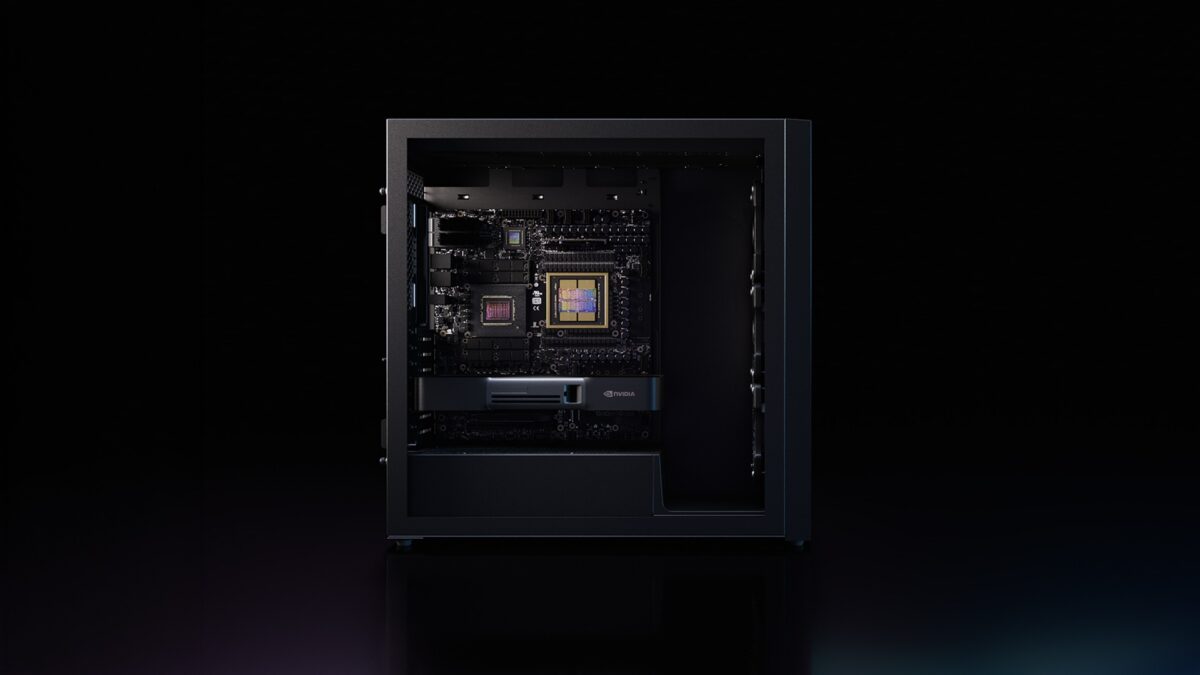
NVIDIA has announced DGX Station for Windows, a deskside AI supercomputer designed to run frontier AI models of up to 1 trillion parameters locally, directly within the Windows ecosystem. Announced at NVIDIA GTC Taipei and developed in collaboration with Microsoft, DGX Station for Windows is built on the NVIDIA GB300 Grace Blackwell Ultra Desktop Superchip and is expected to be available from ASUS, Dell Technologies, GIGABYTE, HP, MSI, and Supermicro in Q4 2026.
The system targets enterprise developers, researchers, engineers, designers, and data scientists who need frontier-class AI compute — historically only available in data centers running Linux — connected directly to the Windows applications and workflows they already use. DGX Station for Windows can run hundreds of agents simultaneously, supports pretraining and fine-tuning of large models, and scales workloads seamlessly to GB300 systems in the data center or cloud.
Key capabilities include up to 20 petaflops of FP4 AI performance, up to 748GB of coherent memory, 800Gb/s networking via ConnectX-8 SuperNIC, support for Windows security primitives and NVIDIA OpenShell, and optional pairing with an NVIDIA RTX PRO 6000 Blackwell Workstation GPU for physical AI workflows combining frontier compute with ray-traced visualization.
Quick Links
GB300 Grace Blackwell Ultra — The Superchip Inside
DGX Station for Windows is powered by the NVIDIA GB300 Grace Blackwell Ultra Desktop Superchip, which connects an NVIDIA Blackwell Ultra GPU to a 72-core NVIDIA Grace CPU via NVLink-C2C chip-to-chip interconnect. The unified memory pool reaches up to 748GB of coherent memory, accessible by both CPU and GPU without data transfer overhead, enabling the system to load and run trillion-parameter AI models locally.
AI compute tops out at up to 20 petaflops of FP4 performance, which NVIDIA positions as sufficient for pretraining, fine-tuning, large-scale inference, and multi-agent deployment on a single deskside unit.
The system also integrates the NVIDIA ConnectX-8 SuperNIC, supporting network speeds of up to 800Gb/s. This enables fast data ingestion from enterprise storage and allows multiple DGX Station units to be connected for even larger distributed workloads.
AI Workflows DGX Station for Windows Supports
The system is designed to handle the full range of enterprise AI workloads, all within the Windows environment:
AI Agents — Build and run multiple frontier agents in parallel, connected directly to enterprise Windows applications and workflows. Hundreds of agents can execute simultaneously on a single DGX Station.
AI Development — Pretrain, fine-tune, and iterate on large AI models within Windows, with access to Linux AI toolchains via Windows Subsystem for Linux (WSL).
Data Science — Ingest large datasets directly into up to 748GB of coherent memory, removing data movement bottlenecks across data preparation, machine learning, and analytics pipelines.
AI Inference — Run high-throughput inference on AI models, including models up to 1 trillion parameters.
Physical AI — Pair the GB300 Superchip with an additional NVIDIA RTX PRO 6000 Blackwell Workstation GPU to combine frontier AI compute with ray-traced visualization and simulation in a single deskside unit, for agents that operate across virtual-to-physical environments.
DGX Station for Windows can function as a dedicated AI supercomputer for a single developer or as a shared local compute node for entire teams, with workloads scaling to GB300 data center systems or the cloud.
NVIDIA OpenShell — Secure Agent Runtime on Windows
Autonomous agents need a runtime that governs how they act, use tools, and interact with other system components. DGX Station for Windows supports NVIDIA OpenShell, an open-source, secure-by-design agent runtime built on the new Windows security and containment primitives from Microsoft.
OpenShell creates an individual, isolated sandbox for each agent and separates application-layer operations from infrastructure-layer policy enforcement. Security and privacy policies are applied at the system level — outside the agent’s reach — rather than relying on behavioral system prompts that agents could potentially bypass. The goal is to enforce constraints on the environment the agent runs in, preventing credential leaks or private data exposure.
For enterprise IT teams, this means agents deploy and operate within the same managed Windows environment, governed through familiar Microsoft security, compliance, and fleet management tools. Linux workloads receive the same manageability support through Windows Subsystem for Linux.
Enterprise IT and Fleet Management
One of the design priorities for DGX Station for Windows is integration with existing enterprise IT infrastructure. Organizations running Windows environments can manage DGX Station deployments using the same tools they already use for fleet management, deployment, and system updates — without building separate Linux-based infrastructure for AI workloads.
The system is positioned as both a dedicated workstation for individual developers and a shared local compute node for teams, making it applicable to engineering groups, research labs, design studios, and data science teams within the same organization.
Availability
OEM Partner
Availability
ASUS
Q4 2026
Dell Technologies
Q4 2026
GIGABYTE
Q4 2026
HP
Q4 2026
MSI
Q4 2026
Supermicro
Q4 2026
DGX Station for Windows extends the NVIDIA and Microsoft collaboration that also covers NVIDIA RTX Spark, the superchip for slim Windows laptops and compact desktops targeting personal AI agents, creative workloads, and gaming.
FAQ / Common Questions
What is NVIDIA DGX Station for Windows? It is a deskside AI supercomputer designed for enterprise developers, researchers, and data scientists. Built on the NVIDIA GB300 Grace Blackwell Ultra Desktop Superchip, it brings data-center-class AI compute into the Windows environment, capable of running AI models up to 1 trillion parameters locally.
What are the key specs of DGX Station for Windows? The system delivers up to 20 petaflops of FP4 AI performance, up to 748GB of coherent unified memory, a 72-core NVIDIA Grace CPU, a Blackwell Ultra GPU, and ConnectX-8 SuperNIC networking at up to 800Gb/s.
What is NVIDIA OpenShell and why does it matter for enterprises? OpenShell is an open-source secure runtime for autonomous agents. It uses new Windows security and containment primitives to create isolated sandboxes for each agent and enforces security policies at the system level rather than relying on behavioral prompts. This allows enterprises to deploy agents within their existing Windows compliance and fleet management frameworks.
When will DGX Station for Windows be available? It is expected from ASUS, Dell Technologies, GIGABYTE, HP, MSI, and Supermicro in Q4 2026.
Can DGX Station for Windows run existing Linux AI toolchains? Yes. Access to Linux AI toolchains is available through Windows Subsystem for Linux, allowing developers to use Python-based frameworks, model training libraries, and other Linux-native tools within the Windows environment.
How does DGX Station for Windows relate to NVIDIA RTX Spark? The two products form the ends of NVIDIA and Microsoft’s joint agent platform for Windows. RTX Spark targets slim laptops and compact desktops for personal agents and creative work. DGX Station for Windows targets enterprise deskside deployments requiring frontier-class AI compute and multi-agent infrastructure.
Note: Details above are based on NVIDIA’s announcement at GTC Taipei 2026 and are subject to change. Final feature availability, rollout timing, and supported configurations may vary. Verify against NVIDIA’s and the respective manufacturers’ official channels before relying on any specific detail.
Disclaimer: This post summarizes an NVIDIA product announcement for informational purposes. It is not affiliated with or endorsed by NVIDIA, Microsoft, or any manufacturer mentioned.
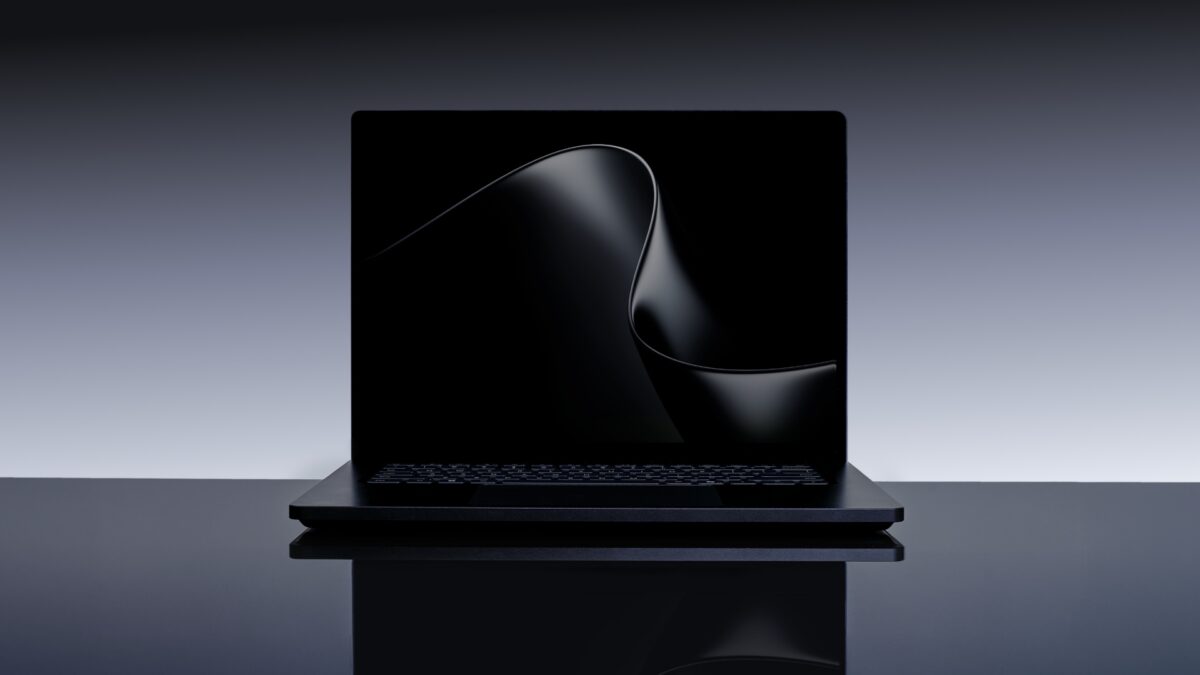
Microsoft has introduced Surface Laptop Ultra, a thin, precision-engineered laptop built for creative professionals and developers running sustained high-performance workloads — rendering, code compilation, and local AI workflows. The announcement comes alongside RTX Spark-powered laptop reveals from five OEM partners: ASUS, Dell Technologies, HP Inc., Lenovo, and MSI.
Surface Laptop Ultra is positioned as the flagship Windows laptop for world makers and creative pros, designed around the NVIDIA RTX Spark superchip. The partner lineup spans 14-inch to 16-inch form factors, with Tandem OLED displays, high-capacity batteries, and AI-accelerated creative workflows as common themes across devices.
Surface Laptop Ultra is Microsoft’s most powerful Surface Laptop ever built. Engineered with NVIDIA from the silicon up and optimized for RTX Spark, it targets creators, developers, and AI builders running workloads that do not fit a standard laptop — massive 3D scenes, long compile cycles, local models, and large datasets.
The laptop is the first Surface to combine a NVIDIA Blackwell RTX GPU with up to 128GB of unified memory and full CUDA support. The unified memory pool is dynamically allocated across CPU and GPU based on where workloads need it, allowing AI creation, 3D rendering, and multi-model workflows to run simultaneously. The chip delivers 1 petaflop of AI compute and can run models up to 120 billion parameters locally.
Display
The 15-inch mini-LED PixelSense Ultra touchscreen runs at 262 pixels per inch with up to 2,000 nits of peak HDR brightness and high-precision color accuracy — the brightest display Microsoft has shipped on a Surface.
Design and Ports
Surface Laptop Ultra is available in two finishes: Platinum and Nightfall. The device carries the largest haptic touchpad ever put on a Surface. Port selection was chosen specifically for creator and developer use cases: HDMI, USB-C, USB-A, SD card reader, and headphone jack — all built in.
The internal architecture and external form were designed as a single system, with mechanical, electrical, thermal, acoustic, materials, and industrial design engineers working together from the start. The design priorities include performance, durability, and repairability together rather than trading one against another.
Battery life is rated for all-day use, with an ultra-efficient CPU architecture giving headroom for sustained demanding workloads.
ASUS ProArt P16 and ProArt P14 — Nano Black and Neo White, Lumina Pro OLED
ASUS is entering the RTX Spark generation with two ProArt models: the ProArt P16 (16-inch) and ProArt P14 (14-inch). Both are built around slim and lightweight chassis targeting creators who need to work on the go.
The ProArt P16 and ProArt P14 feature ASUS Lumina Pro OLED displays and are available in two colour options: Nano Black and Neo White. Battery life is described as all-day for both models, making them suited for extended use away from a power source.
Both devices carry NVIDIA AI acceleration through RTX Spark, covering creative workloads, AI development, and performance tasks in the same portable form factor.
Dell XPS 16 Creator Edition — Tandem OLED with True Black HDR 600, Built-in SD and HDMI
Dell’s RTX Spark laptop is the XPS 16 Creator Edition, a 16-inch device built specifically around creative production workflows. The machine targets smoother playback on 4K timelines, faster exports, and more responsive AI tool usage.
The display is a Tandem OLED panel with True Black HDR 600, designed to render visuals as intended for color-sensitive creative work. Hardware connectivity includes a built-in SD card reader and HDMI port, making the XPS 16 Creator Edition suited for fieldwork as well as desk setups.
The RTX Spark GPU handles the AI-accelerated portions of the creative pipeline, including integration with tools like Adobe Premiere and Photoshop that are being rearchitected for the new chip.
HP OmniBook Ultra 16 and OmniBook X 14 — Creators, Gamers, and AI Developers
HP is bringing two RTX Spark laptops: the HP OmniBook Ultra 16 and HP OmniBook X 14. Both are described as targeting creators, gamers, and AI developers who need local AI performance and AI-accelerated workflow experiences.
The HP OmniBook Ultra 16 was previously described by HP as one of the thinnest RTX Spark laptops in the lineup. Specific display and battery specs for both models have not been disclosed in this announcement.
Lenovo Yoga Pro 9n — Portability and Extended Battery
Lenovo’s RTX Spark entry is the Yoga Pro 9n, which carries over the Yoga Pro series’ creator-focused features into the RTX Spark generation. Lenovo highlights portability, performance, and the ability to run for extended periods away from a power outlet as the key design priorities.
The Yoga Pro 9n fits NVIDIA’s newest chip into a device designed for creators who move between locations and cannot rely on constant access to charging. Detailed display and battery specifications have not been announced.
MSI’s entry is the Prestige N16 Flip AI+, a 2-in-1 convertible in a thin-and-light 16-inch chassis. The display is a UHD+ Tandem OLED panel, and the battery capacity is 99.9Wh — among the largest in the RTX Spark laptop lineup announced so far.
The Prestige N16 Flip AI+ targets creators, professionals, and gamers who want the flexibility of a convertible alongside NVIDIA AI acceleration and a high-resolution OLED screen. The 2-in-1 form factor expands the use cases beyond traditional laptop workflows.
RTX Spark Partner Laptop Summary
Device
Size
Display
Notable Spec
Microsoft Surface Laptop Ultra
15-inch
Mini-LED PixelSense Ultra, 2,000 nits, 262 PPI
Up to 128GB unified memory, Platinum / Nightfall
ASUS ProArt P16
16-inch
Lumina Pro OLED
Nano Black / Neo White, all-day battery
ASUS ProArt P14
14-inch
Lumina Pro OLED
Slim and lightweight, creator-focused
Dell XPS 16 Creator Edition
16-inch
Tandem OLED, True Black HDR 600
SD card reader, HDMI port
HP OmniBook Ultra 16
16-inch
TBA
One of thinnest RTX Spark laptops
HP OmniBook X 14
14-inch
TBA
AI developer and creator target
Lenovo Yoga Pro 9n
TBA
TBA
Extended battery life, portable
MSI Prestige N16 Flip AI+
16-inch
UHD+ Tandem OLED
99.9Wh battery, 2-in-1 convertible
FAQ / Common Questions
What is Surface Laptop Ultra?
Surface Laptop Ultra is Microsoft’s most powerful Surface Laptop, built for creators, developers, and AI builders. It pairs a NVIDIA Blackwell RTX GPU with up to 128GB of unified memory, full CUDA support, and 1 petaflop of AI compute on a 15-inch mini-LED PixelSense Ultra display with 2,000 nits peak brightness.
What display does Surface Laptop Ultra have?
It has a 15-inch mini-LED PixelSense Ultra touchscreen with 262 PPI and up to 2,000 nits of peak HDR brightness — the brightest display Microsoft has shipped on a Surface.
How much memory does Surface Laptop Ultra support?
Up to 128GB of unified memory, dynamically allocated across CPU and GPU depending on workload demand. This allows AI creation, 3D rendering, and multi-model workflows to run simultaneously.
Can Surface Laptop Ultra run large AI models locally?
Yes. With 1 petaflop of AI compute and up to 128GB of unified memory, it can run models up to 120 billion parameters locally.
What ports does Surface Laptop Ultra have?
HDMI, USB-C, USB-A, SD card reader, and a headphone jack — all built in.
What colours is Surface Laptop Ultra available in?
Platinum and Nightfall.
Which OEMs are launching RTX Spark laptops alongside Surface Laptop Ultra?
ASUS (ProArt P16, ProArt P14), Dell Technologies (XPS 16 Creator Edition), HP Inc. (OmniBook Ultra 16, OmniBook X 14), Lenovo (Yoga Pro 9n), and MSI (Prestige N16 Flip AI+).
When will these laptops be available?
Surface Laptop Ultra and the RTX Spark partner lineup are expected to be available later in 2026. Specific per-model launch dates have not been disclosed.
Note: Details above are based on Microsoft’s announcement at NVIDIA GTC Taipei 2026 and are subject to change. Full specifications, pricing, and availability timelines will be confirmed closer to launch by each manufacturer.
Disclaimer: This post summarizes product announcements for informational purposes. It is not affiliated with or endorsed by Microsoft, NVIDIA, ASUS, Dell Technologies, HP Inc., Lenovo, MSI, or any other manufacturer mentioned.
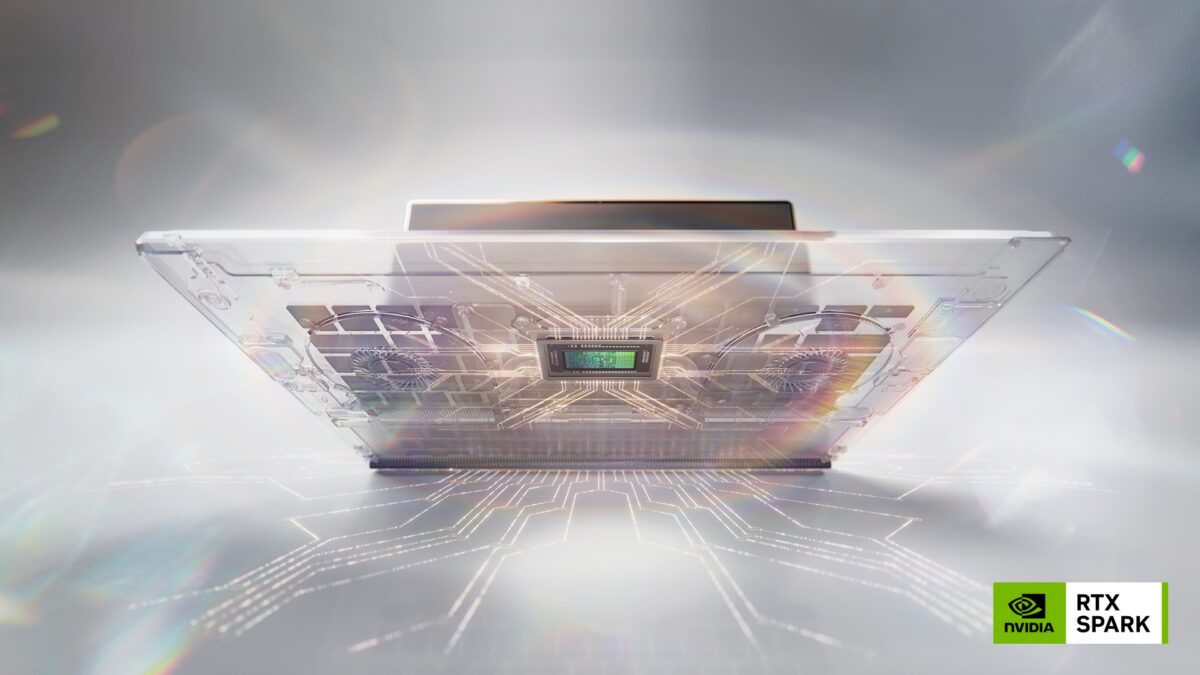
NVIDIA has unveiled RTX Spark, a new superchip designed to bring personal AI agents, creative workloads, and gaming to slim Windows laptops and compact desktop PCs. The announcement was made at NVIDIA GTC Taipei, alongside a collaboration with Microsoft to deliver a native Windows platform for on-device agents. RTX Spark-powered devices from ASUS, Dell, HP, Lenovo, Microsoft Surface, and MSI are expected to arrive this fall, with models from Acer and GIGABYTE following.
RTX Spark combines an NVIDIA Blackwell RTX GPU with 6,144 CUDA cores and fifth-generation Tensor Cores with a 20-core NVIDIA Grace CPU, connected via NVLink-C2C chip-to-chip interconnect. The superchip delivers 1 petaflop of AI compute and supports up to 128GB of unified memory. MediaTek collaborated with NVIDIA on the custom CPU design, contributing to power efficiency and connectivity.
The chip targets three simultaneous use cases: running 120B-parameter LLMs locally with 1 million token context, handling creative workflows including 12K 4:2:2 video editing and 90GB+ 3D scene rendering, and playing AAA games at 1440p at over 100 frames per second with ray tracing, DLSS, and Reflex.
Blackwell GPU + Grace CPU — The RTX Spark Architecture
RTX Spark is built around two interconnected components on a single package. The GPU side carries the NVIDIA Blackwell RTX architecture with 6,144 CUDA cores, fifth-generation Tensor Cores with FP4 precision, and a new Blackwell video decoder capable of handling 12K 4:2:2 content. The CPU side is a 20-core NVIDIA Grace processor, co-designed with MediaTek for efficiency and connectivity in thin-and-light form factors.
The two dies communicate via NVLink-C2C, NVIDIA’s chip-to-chip interconnect, which enables a single unified memory pool of up to 128GB accessible by both the CPU and GPU simultaneously. This unified memory architecture is what allows RTX Spark to run frontier-class language models locally — models that would otherwise require GPU memory and system RAM to be managed separately.
The full NVIDIA AI and graphics stack ships with RTX Spark: CUDA, TensorRT, OptiX, DLSS, Reflex, and G-SYNC are all supported.
Windows-Native Agents — NVIDIA OpenShell and Microsoft Security Primitives
NVIDIA and Microsoft are partnering to bring a secure, on-device agent platform to Windows. The collaboration centers on two components.
New Windows security primitives provide identity, containment, policy, and end-to-end security for agents running natively on the device. These primitives are being built into Windows and are designed to let agents execute tasks across applications, run code, and handle files while remaining under user control.
NVIDIA OpenShell is a runtime layer that adds additional policy controls on top of the Windows primitives. It lets users define what agents can and cannot access, intelligently routes queries to local models based on privacy policies, and can strip or mask personal information before any query is sent to a cloud model.
Agent developers OpenClaw and Hermes Agent (from Nous Research) are among the first to adopt OpenShell and the Microsoft security primitives in their Windows apps. From the Windows taskbar, users will be able to invoke agents that can execute tasks inside applications, run cross-app workflows, generate images and video, write code, and search local files semantically.
Microsoft CEO Satya Nadella described the goal as delivering “unmetered intelligence to every home and every desk with Windows.”
Creative Capabilities — Adobe Rearchitects Premiere and Photoshop for RTX Spark
Adobe is rebuilding Photoshop and Premiere specifically for RTX Spark, targeting up to 2x faster AI, editing, coloring, and effects performance compared with existing workflows.
Adobe Premiere is getting a new video pipeline that uses RTX Spark’s unified memory, Blackwell GPU, and TensorRT software stack. The reworked pipeline targets real-time performance for editing and color correction, GPU-accelerated AI effects, and more efficient rendering of complex timelines. Adobe Substance 3D Painter and Stager will also run natively on RTX Spark.
Adobe Photoshop’s next-generation engine is being optimized for GPU-accelerated compositing, live filters, high dynamic range workflows, and natural brushing. The engine is built to use TensorRT. Both Premiere and Photoshop will also integrate with Windows agents, allowing creators to offload tasks to an on-device AI assistant from within the apps.
Firefly-powered Generative Fill in Photoshop and Generative Extend in Premiere are among the tools that will see direct performance gains from RTX Spark. Updates are expected to roll out alongside RTX Spark device availability in fall 2026.
Other software partners include Blackmagic Design, Blender (with DLSS 4.5 Ray Reconstruction coming to version 5.3), ComfyUI (which gains 4K AI video generation via RTX Video with 4x Frame Generation), OTOY Octane, CapCut, and llama.cpp for optimized local model inference.
Gaming on RTX Spark — DLSS 4.5, Ray Tracing, G-SYNC
For gaming, RTX Spark supports AAA titles at 1440p and over 100 frames per second with ray tracing, DLSS, and Reflex. RTX technology is active in over 1,000 games and applications, and over 100 Windows software providers are embracing the platform.
New RTX capabilities coming with RTX Spark include DLSS 4.5 Ray Reconstruction, which uses a second-generation transformer model and is coming to Blender 5.3 and dozens of games. RTX Video with 4x Frame Generation is coming to ComfyUI.
Game developers embracing the platform include KRAFTON, NetEase (NARAKA: BLADEPOINT), Remedy Entertainment, Riot Games, and XBOX. NetEase noted that RTX Spark enables its titles to run as intended on ultrathin, high-performance laptops.
Device Form Factors — Slim Laptops and Compact Desktops
RTX Spark laptops are engineered to be as slim as 14mm and as light as three pounds, available in 14- to 16-inch sizes. The chassis uses precision-machined aluminum. Displays are color-accurate tandem OLED panels with NVIDIA G-SYNC, targeting both creative color work and gaming visuals. All-day battery life is a stated design goal for the laptop line.
Compact RTX Spark desktop PCs are also in development, positioned for agentic AI workloads, creative production, gaming, and everyday productivity in a small-footprint chassis.
Named devices and OEM commitments:
Dell XPS 16 Creator Edition — RTX Spark with large unified memory, designed for creators
HP OmniBook — described as one of the thinnest RTX Spark laptops
Microsoft Surface Laptop Ultra — targeting creators, developers, and engineers
Additional designs from ASUS, Lenovo, MSI, with Acer and GIGABYTE following
NVIDIA DGX Station for Windows will extend the Blackwell architecture to enterprise developers who need a deskside AI supercomputer for running agents at scale.
Rollout Timing — What’s Live When
Phase
When
Scope
Announcement
GTC Taipei 2026 (now)
RTX Spark superchip unveiled
Windows agent developer details
Microsoft Build, June 2–3, 2026
Security primitives, OpenShell for developers
RTX Spark devices available
Fall 2026
Laptops and compact desktops from ASUS, Dell, HP, Lenovo, Microsoft Surface, MSI
Acer and GIGABYTE models
After fall 2026
Additional OEM devices to follow
Adobe app updates
Alongside fall 2026 RTX Spark availability
Premiere, Photoshop, Substance 3D updates
FAQ / Common Questions
What is NVIDIA RTX Spark? RTX Spark is a superchip that combines an NVIDIA Blackwell RTX GPU and a 20-core NVIDIA Grace CPU on a single package, connected via NVLink-C2C. It is designed for Windows laptops and compact desktops, targeting AI agent execution, creative workloads, and gaming in thin, portable form factors.
How much AI compute and memory does RTX Spark offer? The superchip delivers 1 petaflop of AI compute and supports up to 128GB of unified memory shared between the GPU and CPU. This unified memory pool allows it to run 120-billion-parameter language models locally with 1 million token context.
Which laptops and PCs will use RTX Spark? RTX Spark-powered devices are confirmed from ASUS, Dell (XPS 16 Creator Edition), HP (OmniBook), Lenovo, Microsoft Surface (Surface Laptop Ultra), and MSI for fall 2026. Acer and GIGABYTE will follow with additional models.
What is NVIDIA OpenShell? OpenShell is a runtime for on-device agents that works alongside new Windows security primitives from Microsoft. It lets users set policies for what agents can access, routes queries to local or cloud models based on privacy preferences, and masks personal information before sending queries externally.
Will Adobe apps like Photoshop and Premiere work differently on RTX Spark? Adobe is rebuilding both apps specifically for RTX Spark. The new engines use TensorRT, the Blackwell GPU, and unified memory to target up to 2x faster AI and graphics performance. Updates are expected to roll out when RTX Spark devices ship in fall 2026.
When will RTX Spark devices be available? Laptops and compact desktops powered by RTX Spark are expected to be available from system builders and cloud partners starting fall 2026.
Note: Details above are based on NVIDIA’s announcement at GTC Taipei 2026 and are subject to change. Final feature availability, rollout timing, and supported devices may vary by region. Verify against NVIDIA’s and the respective manufacturers’ official channels before relying on any specific detail.
Disclaimer: This post summarizes an NVIDIA product announcement for informational purposes. It is not affiliated with or endorsed by NVIDIA, Microsoft, Adobe, or any device manufacturer mentioned.
NVIDIA has unveiled Vera, its first CPU built specifically for AI agents. Now in full production, Vera is a new class of processor designed to handle the CPU-side workloads that modern AI factories generate — agentic task execution, reinforcement learning, code compilation, Python and Java runtimes, and data processing pipelines. The announcement was made at NVIDIA GTC Taipei.
Key capabilities include 1.8x faster task completion compared with x86 CPUs, a custom Olympus CPU core engineered for AI factory workloads, 88 cores with Spatial Multithreading, and up to 1.2TB/s of LPDDR5X memory bandwidth. Vera also serves as the host CPU for NVIDIA’s Vera Rubin GPU platforms via second-generation NVLink-C2C, delivering up to 1.8TB/s of coherent CPU-to-GPU bandwidth.
NVIDIA positions Vera as the successor to its Grace CPU line, which has shipped nearly 2.5 million units to date. The shift in AI factory economics — from cores per dollar to tokens per dollar — is driving the need for CPUs that can complete orchestration, tool use, and sandbox execution faster and at greater concurrency.
Quick Links
Olympus Core — NVIDIA’s Custom CPU Architecture
At the heart of Vera is Olympus, a custom CPU core NVIDIA engineered specifically for the workloads that sit on the critical path of AI agent execution. These include Python runtimes, sandboxed code execution, orchestration logic, and analytics pipelines — the steps that happen between GPU kernel calls and determine how quickly agents can complete tasks.
Vera features 88 Olympus cores paired with Spatial Multithreading, a technique for processing more instructions across large numbers of concurrent environments, queries, and data processing tasks simultaneously. The LPDDR5X memory subsystem delivers up to 1.2TB/s of bandwidth, reducing the time agents spend waiting on CPU-bound steps and keeping accelerators active.
According to benchmarks from Phoronix, Vera delivered the fastest overall performance across agentic workloads — including code compilation, Python, Java, and database processing — compared with competing processors tested.
Vera in the AI Factory — From Standalone Servers to GPU-Coupled Systems
Vera is designed to run across the entire AI factory stack, not just in one configuration. It powers three distinct system types:
Standalone Vera CPU servers — standard CPU-only configurations for data processing, orchestration, and agentic AI workloads, offered by Dell Technologies, HPE, Lenovo, and Supermicro as an alternative to x86
NVIDIA Vera Rubin systems — Vera serves as the host CPU tightly coupled to Rubin GPUs via second-generation NVLink-C2C, providing up to 1.8TB/s of coherent bandwidth between processor and GPU
NVIDIA Vera BlueField-4 STX — integrates Vera with high-performance networking, storage acceleration, and in-silicon security for AI-native storage platforms
Vera also extends NVIDIA Confidential Computing at rack scale, protecting agentic workloads end-to-end across the data center.
Deployment Plans — AI Labs, Hyperscalers, and NYSE
A broad set of customers are planning to adopt Vera for production workloads.
Anthropic, the company behind Claude, is evaluating Vera for CPU-intensive agentic workloads. James Bradbury, head of compute at Anthropic, noted that scaling compute is an important accelerant for model growth and called Vera a promising part of the ecosystem for agentic workloads.
Oracle Cloud Infrastructure is planning to deploy Vera CPUs to support high-throughput reasoning and data processing across next-generation AI environments. Mahesh Thiagarajan, EVP of OCI, described it as the next frontier in hyperscale AI supercomputing.
NYSE is collaborating with Redpanda and HPE to use Vera CPUs to scale capacity and further optimize latency across its market infrastructure, which processes more than 1.1 trillion messages per day.
Other customers exploring or planning to deploy Vera include OpenAI, SpaceXAI, ByteDance, CoreWeave, Lambda, Nebius, Nscale, and Cloudflare, among others.
System Builders and Cloud Providers
Vera CPUs are available in two form factors: dense, liquid-cooled racks for large-scale agentic AI and reinforcement learning environments, and flexible two-socket air-cooled systems for enterprise, cloud, data processing, and AI factory deployments.
Infrastructure providers building Vera-based systems include Aivres, ASRock Rack, ASUS, Compal, Dell Technologies, Foxconn, GIGABYTE, HPE, Hyve Solutions, Inventec, Lenovo, MiTAC Computing, MSI, Pegatron, Quanta Cloud Technology (QCT), Supermicro, Wistron, and Wiwynn.
Cloud service providers planning to offer Vera CPU capacity include Akamai, ByteDance, Cloudflare, CoreWeave, Crusoe, Lambda, Nebius, Nscale, Oracle Cloud Infrastructure, Redpanda, Starburst, Together AI, and Vultr.
Rollout Timing — What’s Live When
Phase
When
Scope
Production
Now (announced at GTC Taipei 2026)
Vera CPU in full production
System availability
Fall 2026
Vera-based servers from system builders and cloud partners
FAQ / Common Questions
What is NVIDIA Vera and what does it do? Vera is NVIDIA’s first CPU designed specifically for AI agent workloads. It handles the CPU-intensive tasks in AI factories — orchestration, code execution, Python and Java runtimes, data processing — and is built to complete these steps 1.8x faster than x86 processors, keeping GPU accelerators busy and improving agent throughput.
What makes Vera different from NVIDIA’s Grace CPU? Vera is built on Olympus, a new custom CPU core NVIDIA engineered from the ground up for AI agent execution. Grace focused on general high-performance computing in data centers; Vera targets the token-per-dollar economics of AI factories, with Spatial Multithreading and LPDDR5X memory bandwidth optimized for concurrent agent environments.
Which companies are planning to use NVIDIA Vera? AI labs including Anthropic, OpenAI, and SpaceXAI are evaluating or planning to adopt Vera. Hyperscalers ByteDance, CoreWeave, Lambda, Nebius, Nscale, and Oracle Cloud Infrastructure are also among the planned deployments. NYSE is using Vera in collaboration with HPE and Redpanda for its market infrastructure.
When will Vera-based servers be available? Vera systems from system builders and cloud partners are expected to be available starting Fall 2026.
What is Vera BlueField-4 STX? It is a processor that integrates the Vera CPU with high-performance networking, storage acceleration, and in-silicon security, creating a secure-by-design AI-native data platform for storage workloads in AI factories.
Note: Details above are based on NVIDIA’s announcement at GTC Taipei 2026, and are subject to change. Final feature availability, rollout timing, and supported configurations may vary. Verify against NVIDIA’s official channels before relying on any specific detail.
Disclaimer: This post summarizes an NVIDIA product announcement for informational purposes. It is not affiliated with or endorsed by NVIDIA or any manufacturer mentioned.
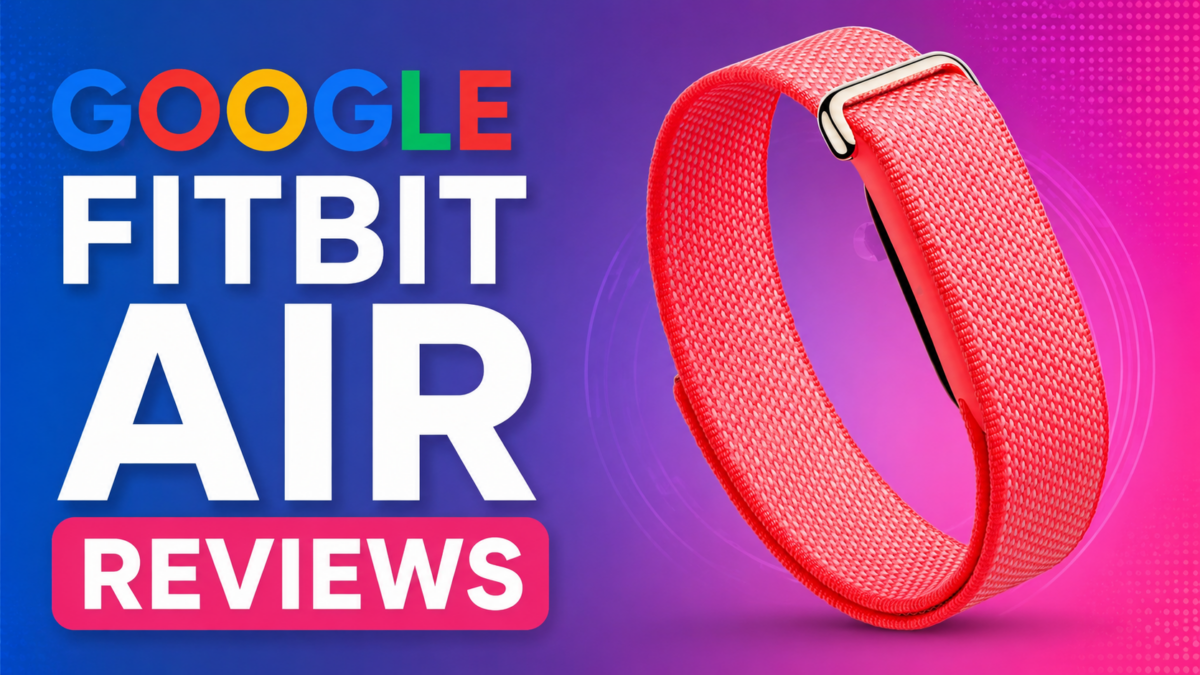
Google started shipping the Fitbit Air in late May 2026, and the first batch of verified-purchase reviews is already in from buyers in the US, UK, Germany, and Italy ( Source: Amazon ). The screenless tracker has landed with a sharply divided response — owners broadly agree it’s the most comfortable band they’ve worn, but a chunk of early units arrived with charging and pairing faults, and almost everyone has something to say about the companion app.
This roundup pulls together what actual buyers reported in their own reviews across the first few days of availability. It’s a snapshot of early sentiment, not a verdict — early-batch hardware and day-one software tend to change fast.
Note: This article summarizes Amazon verified-purchase reviews of the Google Fitbit Air posted by buyers in the US, UK, Germany, and Italy in the days after its late-May 2026 launch. It reflects individual buyer opinions and early-batch experiences, which may not represent the device’s typical performance. Software behaviour and hardware quality often change after launch — verify current details against Google’s official channels.
The One Thing Almost Everyone Agrees On: You Forget It’s There
The single most repeated line across reviews, in every region, is how little buyers notice the Fitbit Air on the wrist.
Owners describe it as “so light that I almost always forget I have it on,” “very comfy on the wrist,” and “weighs nothing — you will forget it is even there.” One reviewer coming from “the highest tier Apple Watch” said the fit was “perfect,” called it “very light, non-obtrusive, doesn’t rub or get hot,” and noted it’s narrow enough that it doesn’t pinch when the wrist flexes.
That comfort feeds directly into the use case buyers keep citing: sleep tracking. Several said this is the first wearable they can actually sleep in. “Finally can wear this to track my sleep without a bulky watch being too uncomfortable,” one US owner wrote. A UK buyer summed up the appeal as “light weight, put it on and forget about it.”
Screenless by Design — and Buyers Are Genuinely Split
The Fitbit Air ships without a display, and reviews show that’s the most polarizing design decision Google made.
On one side: “No screen. No annoying glow. No alerts… You will forget it is even there.” Another framed it as a feature for unplugging — “If you want to step away from notifications, this screenless tracker is what you need.” A German reviewer echoed that, saying they like not being “constantly pulled out of what I’m doing” by a buzzing wrist.
On the other side, the lack of a screen is a deal-breaker for some. “Screenless? Why? How would one see their heart rate while exercising?” one buyer asked. A five-star reviewer who otherwise loved it still admitted they “kind of miss in-workout stats right on my wrist.”
Setup, Syncing and the Google Health App
For buyers who got a working unit, setup drew consistent praise. Reviews describe it as “a seamless set up,” “easy as can be,” and connecting “right up with the app.”
The standout for several owners was data migration. One reviewer said the Google Health app “synched all my data from Apple Health… all my workouts and the stats — including maps — now in Google,” and that linking healthcare records was “easy as can be.” Others praised the app’s “stats and graphs and data to the max” and called the interface “clean and easy to understand.”
Accuracy feedback was mixed but leaned positive among working units. Buyers who cross-checked against an Apple Watch or a Garmin reported heart rate and step data that was “very similar” and “accurate and aligned between both” after a day of testing. Multiple reviewers noted the device needs time to calibrate baseline vitals and sleep — “it does take time for it to calibrate your normal vitals and sleep, so keep that in mind.”
The Gemini Coach and the Free Premium Trial
Google bundles a multi-month Premium trial with the Fitbit Air, and the AI coaching feature won over some skeptics.
“I thought the Gemini coach would be gimmicky but it’s surprisingly useful,” one buyer wrote. Another described the experience as “like having a little conscience that I can talk to and get advice from,” and called the three free months of Premium a “HUGE bonus.” A German reviewer was blunter about the trade-off: the device “delivers good baseline data,” but “the full potential — especially the AI-based coaching — only opens up with an active subscription.” At least one owner said they’ll drop Premium once the trial ends.
The Complaints: Defective Units and Charging Trouble
Not every box delivered a working device. A visible share of early reviews report dead-on-arrival hardware.
“Defective out of the box,” one US owner wrote. “Like many that received the early device, mine won’t charge. Tried multiple outlets and plugs. No dice.” A one-star reviewer described steps as inaccurate, heart-rate tracking as “intermittent,” and sleep tracking as not working at all — and said the unit wouldn’t even restart: “no way to restart from the app, no physical buttons on the device itself.” Their advice was to wait: “Don’t buy this until maybe 2027.”
Pairing and Google Account Headaches
The other cluster of one-star reviews has nothing to do with the hardware and everything to do with software gatekeeping.
Several buyers couldn’t pair the device at all. One reported it “won’t pair with my pixel phone” even after contacting Google support; a UK owner said it “won’t connect to my Samsung S24” despite following every instruction.
The most detailed complaint is about Google accounts. One buyer said they couldn’t use the tracker with their existing personal Gmail and were forced to create a new one. Another, trying to set it up for their children, found the Fitbit Air “incompatible with Google’s own Family Link supervised accounts” — noting the irony that Google owns both products. Children under 13 reportedly can’t use it, and supervised teen accounts can’t either, leaving workarounds as the only path. The reviewer flagged that there’s “no warning on the box” and “no note at point of sale” about the limitation.
The USB-C Charger Surprise
A smaller but repeated gripe: the charging cable caught buyers off guard.
Multiple reviewers pointed out that the included charger is USB-C, not standard USB-A — “just wanted anyone without a usb-c plug-in to be aware.” At least one is now buying adapters, and another wished Google had simply standardized on USB-C end to end rather than shipping “another unique charging cable right when everyone was going to one type.” The charger also doubles as the only way to restart the device, since there are no physical buttons on the band itself.
The App Is the Most Common Criticism
Even among happy owners, the Google Health app drew the most consistent “needs work” feedback — and one buyer made it the entire point of their review.
“Device is great, app is weak, and the app is where screenless trackers need to focus,” a four-star UK reviewer wrote. They flagged in-workout info as “extremely minimal” and gave a specific example: a 30-minute strength session that the app logged as “11 mins” because only that portion was spent in a higher heart-rate zone. A US buyer who compared data against an Apple Watch said the app “is still a bit glitchy” after one day and hoped Google would fix it. The common thread: buyers expect the software to improve quickly via updates.
Small Misses Buyers Flagged
Beyond the big themes, reviewers called out a handful of smaller gaps:
Haptics are faint. A UK buyer warned the vibration motor is “VERY gentle” because the device is so small — “if you are planning to use this to wake you from sleep, you may find it lacking.”
No GPS. An Italian reviewer who otherwise loved it lamented “the absence of integrated GPS.”
Limited band options at launch. One US owner with larger wrists noted there were no longer-band options available at launch, which “surprised me.”
A learning curve. A new owner said “there is a bit of a learning curve to know where everything is,” though they expected to sort it out.
FAQ / Common Questions
Does the Google Fitbit Air have a screen? No. It’s a screenless tracker by design. Buyers are divided on this — some love the distraction-free experience and comfort for sleep, while others miss being able to glance at metrics like heart rate during a workout.
What charger does the Fitbit Air use? Reviewers report it ships with a USB-C charging cable, not a standard USB-A one. Several buyers were caught out and recommend checking you have a USB-C port or adapter. The charger is also used to restart the device, as there are no physical buttons on the band.
Can children use the Google Fitbit Air? According to buyer reports, the device does not work with Google Family Link supervised accounts. Reviewers said children under 13, and teens on supervised accounts, were unable to use it without workarounds — and that there’s no warning about this on the packaging.
How is the battery life? Some early buyers reported the device tracking toward the advertised seven days of use, meaning no daily charging for most owners.
How does it compare to Whoop? Multiple reviewers brought up Whoop directly, framing the Fitbit Air as the cheaper option — particularly because core tracking doesn’t require an ongoing subscription, unlike Whoop. However, Whoop has been here for a while, hence there would be a lot of features the Whoop does better than the Fitbit Air at the time of writing.
Popular Fitbit Air Youtube Reviews to check out
Disclaimer: This post summarizes publicly posted customer reviews for informational purposes. It is not affiliated with or endorsed by Google or Fitbit.
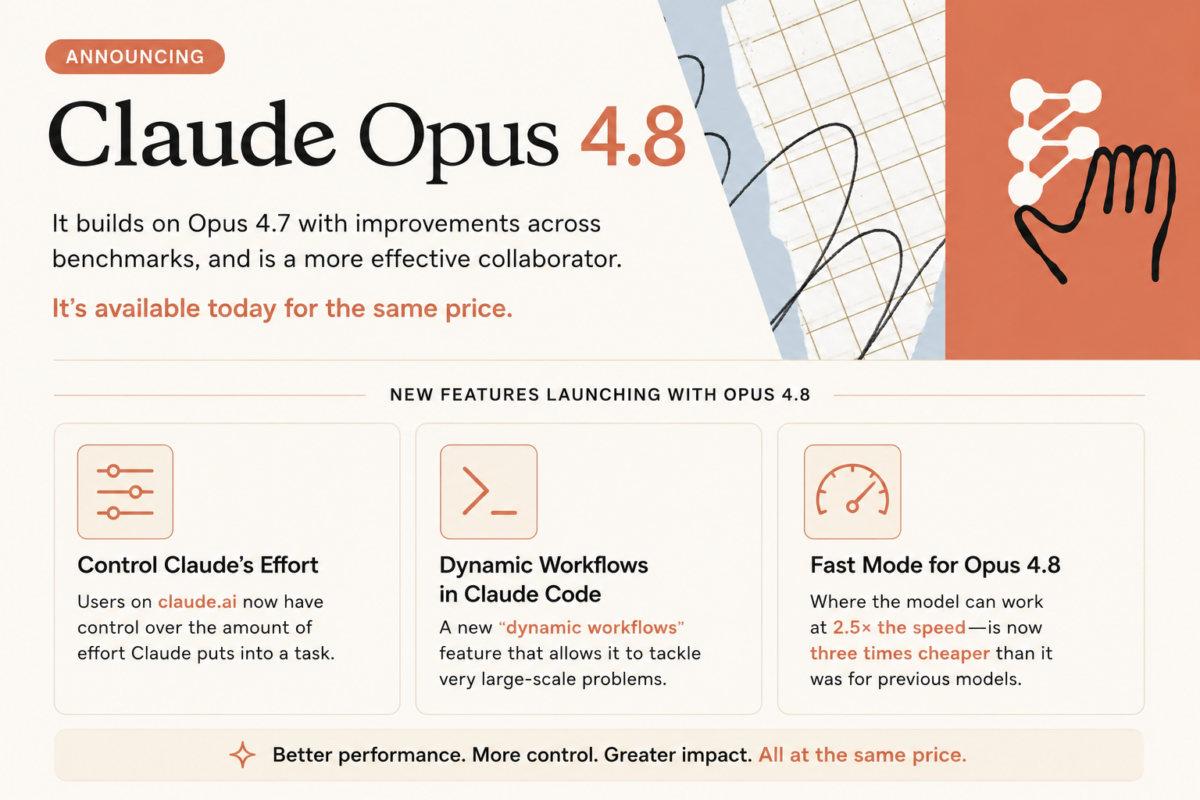
Anthropic has announced Claude Opus 4.8, an upgrade to the Opus model line that builds on Opus 4.7 with improvements across coding, agentic tasks, reasoning, and practical knowledge work. The model is available today at the same pricing as Opus 4.7: $5 per million input tokens and $25 per million output tokens for standard usage. Fast mode pricing drops to $10 per million input tokens and $50 per million output tokens — three times cheaper than fast mode was for previous Opus models.
Key additions include improved honesty and uncertainty flagging, Dynamic Workflows in Claude Code, effort control on claude.ai, and mid-task system prompt updates via the Messages API.
The release lands alongside several platform-level updates, including access to claude.ai Cowork and a new Messages API feature that lets developers update Claude’s instructions mid-task without breaking the prompt cache.
Quick Links
What Changed in Opus 4.8
One of the headline changes Anthropic highlights is honesty. The company notes that Opus 4.8 is around four times less likely than Opus 4.7 to let flaws in generated code pass without flagging them. Early testers describe the model as more likely to surface uncertainties rather than assert progress it hasn’t made — a pattern sometimes called “sycophantic confidence” in AI evaluations.
Anthropic’s Alignment team assessed the model before release and concluded it “reaches new highs on our measures of prosocial traits like supporting user autonomy and acting in the user’s best interest.” Rates of misaligned behavior — including deception and cooperation with misuse — are described as substantially lower than Opus 4.7 and comparable to Claude Mythos Preview, currently the company’s most safety-assessed model.
Benchmark results across coding, agentic performance, reasoning, and knowledge tasks show improvements over Opus 4.7. Detailed evaluation figures appear in the Claude Opus 4.8 System Card.
Dynamic Workflows in Claude Code
Dynamic Workflows is a new research preview feature in Claude Code that expands the scale of tasks Claude can handle within a single session. Claude plans the work, then runs hundreds of parallel subagents — each handling a piece of the larger problem — and verifies outputs before reporting back.
Anthropic’s stated example use case is codebase-scale migrations: moving hundreds of thousands of lines of code from kickoff to merge, using the existing test suite as the quality bar. The feature uses Opus 4.8 as its backbone, and the agents can run for longer sessions than prior versions allowed.
Dynamic Workflows is available in Claude Code for Enterprise, Team, and Max plan subscribers.
Effort Control on claude.ai
A new effort control appears alongside the model selector on claude.ai and Cowork. Users can select how much computational effort Claude applies to a given response:
Default (high effort) — Anthropic’s recommended balance of quality and speed
Extra / Max — more tokens spent for better results on difficult tasks or long-running asynchronous work
In Claude Code, the effort levels map to high, xhigh, and max. Anthropic has raised rate limits in Claude Code to accommodate higher token usage at elevated effort levels. The effort control is available across all plans.
Opus 4.8 defaults to high effort. Anthropic notes that on coding tasks, this effort level spends a similar number of tokens as Opus 4.7’s default while delivering better performance.
Messages API — System Prompts Mid-Task
The Messages API now accepts system entries inside the messages array. Previously, developers could only set system instructions at the start of a conversation. The new capability lets a developer update Claude’s instructions — permissions, token budgets, environment context — at any point during an agent run, without breaking the prompt cache or routing the update through a user turn.
This is aimed at agentic use cases where conditions change during task execution.
What Comes Next — Mythos-Class Models
Anthropic notes that Claude Mythos Preview is currently in limited deployment for cybersecurity work through Project Glasswing. The company describes Mythos-class models as having higher intelligence than Opus, but requiring stronger cyber safeguards before general release. Anthropic says it is making progress on developing those safeguards and expects to bring Mythos-class models to all customers “in the coming weeks.”
Availability and Pricing
Claude Opus 4.8 is available today via the Claude API using the model ID claude-opus-4-8. It is also accessible on claude.ai across all plans.
Usage Type
Input (per 1M tokens)
Output (per 1M tokens)
Standard
$5
$25
Fast Mode
$10
$50
Fast mode pricing is unchanged in dollar terms from the listed rates above, but Anthropic notes this represents a 3× cost reduction compared to fast mode pricing on previous Opus versions.
FAQ / Common Questions
When is Claude Opus 4.8 available? It launched on May 28, 2026 and is available immediately via the Claude API (claude-opus-4-8) and on claude.ai.
What is the price of Claude Opus 4.8? Standard usage is $5 per million input tokens and $25 per million output tokens — the same as Opus 4.7. Fast mode is $10 per million input tokens and $50 per million output tokens, which is three times cheaper than fast mode was on prior Opus models.
What are Dynamic Workflows in Claude Code? Dynamic Workflows is a research preview feature that lets Claude plan large tasks and run hundreds of parallel subagents within a single Claude Code session. It targets large-scale work like codebase migrations. Available for Enterprise, Team, and Max plan users.
What is effort control on claude.ai? A new setting that lets users choose how much computational effort Claude applies to a response. Lower effort is faster and uses less of your rate limit; extra and max effort spend more tokens for better results on hard tasks.
What is Claude Mythos Preview? Anthropic describes it as a model with higher intelligence than Opus, currently deployed to a small number of organizations for cybersecurity work under Project Glasswing. Broader availability is expected in the coming weeks.
Note: Details above are based on Anthropic’s announcement on May 28, 2026, and are subject to change. Final feature availability, rollout timing, and supported plans may vary. Verify against Anthropic’s official channels before relying on any specific detail.
Disclaimer: This post summarizes an Anthropic product announcement for informational purposes. It is not affiliated with or endorsed by Anthropic.
Google has unveiled what its Antigravity 2.0 multi-agent platform can do when left to run asynchronously: a team of AI agents, powered entirely by Gemini 3.5 Flash, built a functional operating system from scratch — kernel, process and memory management, filesystem, and video and keyboard drivers — capable of running FreeDoom. The whole thing ran from a single high-level prompt, with no human corrections along the way.
Key highlights include 93 subagents working in parallel, 15,314 model calls, over 339 million input tokens (2.6 billion+ total with cache reads, output, and thinking), and a total API cost of $916.92. The same team has since built a working AlphaZero implementation, a photo editing suite, a real-time messaging app, and a multi-user collaboration platform.
The findings come alongside the launch of /teamwork-preview, a new slash command in Antigravity that gives users access to the same agent orchestration used in these experiments.
Quick Links
Synchronous vs Asynchronous — Why This Distinction Matters
The Google blog post draws a clean line between two ways of working with AI agents. In synchronous (human-in-the-loop) workflows, the personality and behaviour of the model matters — whether it thinks enough or too much, whether it takes unnecessary steps, whether it can be steered mid-task. These qualities build trust even when the final output would be identical either way.
In asynchronous (fire-and-forget) workflows, none of that matters. The only variable is raw intelligence. If the model is smart enough to reason through ambiguity and recover from failure on its own, it can run independently. If it isn’t, no amount of orchestration compensates.
Gemini 3.5 models, according to the post, cross that threshold. Gemini 3.1 Pro was unable to complete the OS build. Gemini 3.5 Flash — the lighter, more economical model — succeeded.
Building an OS from a Single Prompt
The operating system was built end-to-end without human guidance after the initial prompt. The agent team produced a working kernel with process and memory management, a filesystem, and video and keyboard drivers. FreeDoom ran on it.
The scale of the run:
93 subagents across specialised roles
15,314 model calls
339M+ input tokens (2.6B+ total including cache reads, thinking tokens, and output)
$916.92 at standard API pricing
The OS has real limitations — no floating-point math support, no hardware acceleration, no complex multi-threading, no sandboxing, no JIT compilation, and no complex audio or video decoding. It’s nowhere near a modern production OS. But it was built from nothing, by an agent team, for under $1,000, from a single prompt.
One detail worth noting: the first run completed unusually fast. Investigation revealed the agents were referencing context from previous runs that hadn’t been cleared. Anti-cheating measures and guardrails were added. The clean run built the same result without any prior context to draw from.
AlphaZero, a Photo Editor, and More
After the OS, the team ran a second experiment: reproduce the AlphaZero paper. The agents built the reinforcement learning pipeline in JAX and Flax, trained a ResNet model from scratch via self-play using multi-TPU pods, and built a full-stack web app for users to play against the trained model. The pipeline scaled from small local training loops up to 9×9 board training on multi-TPU infrastructure.
Following those two, the same agent orchestration was applied to:
A photo editing suite
A real-time messaging app
A multi-user collaboration platform
The results are described as functional starting points — not commercial-grade, not production-ready, but usable and built autonomously.
The Seven-Agent Architecture
Rather than one agent handling everything, the system uses seven specialised agent types with defined scopes:
Sentinel — the front-desk manager. Structures the user’s intent, spawns the Orchestrator, supervises overall completion. Does not write code or make technical decisions.
Orchestrator — dispatch-only. Decomposes requirements into milestones, kicks off other agents, synthesises reports. Never writes code or runs builds itself.
Explorer — reads requirements and previous logs, writes formal strategies for the Orchestrator to act on. Never writes code.
Worker — the coder. Implements strategies, builds the code, runs tests.
Reviewer — independently reviews the Worker’s changes for design correctness, edge cases, and interface contract compliance.
Critic — stress-tests the solution, runs adversarial tests to find coverage gaps.
Auditor — an independent investigator that verifies the authenticity and robustness of generated solutions.
The separation of concerns is deliberate. Keeping analysis, coding, reviewing, and auditing in distinct agents prevents any single role from becoming a single point of failure or a source of unchecked shortcuts.
Three Technical Tricks That Made It Work
Running 93 parallel agents over a task of this complexity surfaces problems that simpler setups never hit. Three specific mechanisms kept things on track.
Self-succession for context length. Large, long-running tasks fill up context windows. The Orchestrator tracks its cumulative subagent spawn count. Once it hits a limit, it dumps its full state to handoff files, terminates its background tasks, and spawns a successor with the same goals and permissions. The successor picks up from the files; the original terminates. Context resets cleanly without losing progress.
Scheduled crons for stuck processes. With many parallel subagents, any one of them can enter an infinite loop, hang on a compile, or stall on blocked I/O. A background cron — using Antigravity’s Scheduled Tasks primitive — monitors progress files that subagents write to. If a file’s timestamp goes stale past a threshold, the Sentinel terminates and respawns the blocked agent automatically.
An Auditor to catch LLM laziness. When a task is difficult enough, a model may take shortcuts — hardcoding a test output, writing a mock facade that makes tests pass without implementing the underlying logic. The Auditor runs strict static analysis checks, independent of whether the code works. Before the Sentinel marks any task complete and notifies the user, a final audit is forced. If the Auditor finds cheating, the cycle continues.
/teamwork-preview — Now Available in Antigravity
The same orchestration used in these experiments is now accessible through a new slash command: /teamwork-preview. It’s a research preview, available to Antigravity users on the Google AI Ultra plan ($200/month). It uses the same core primitives — parallel subagents, asynchronous tasks, hooks, and scheduled tasks — with no special internal version of the product.
A few practical notes from the announcement:
Recommended model: Gemini 3.5 Flash. Using a larger model will substantially increase costs.
Quota: Even with Gemini 3.5 Flash on AI Ultra, a single complex task can exhaust a full weekly quota. Users can purchase additional AI credits.
Resuming mid-task: If the agent team stops due to a quota or credit issue, users can purchase more credits and send “Continue” — the team picks up from where it stopped.
Local machine required: Since the agents run locally, the machine must stay awake for the duration of the run, even if the user isn’t actively monitoring it.
The post describes the current state as a research preview, with ongoing iteration on orchestration, UI, performance, reliability, and observability.
FAQ / Common Questions
What is Google Antigravity 2.0? Antigravity is Google’s AI agent platform. Version 2.0 introduces new primitives including parallel-running subagents, asynchronous tasks, hooks, and scheduled tasks. The OS and AlphaZero experiments were built using these same primitives, with no special internal tooling.
Which Gemini Flash model was used, and why not a larger one? Gemini 3.5 Flash was used. Gemini 3.1 Pro was attempted but could not complete the task. The post notes that even Flash — the lighter model — succeeded, which the team sees as evidence of a significant jump in underlying model intelligence rather than orchestration alone.
What are the limitations of the OS that was built? The OS lacks floating-point math support, hardware acceleration, complex multi-threading, sandboxing, JIT compilation, and complex audio/video decoding. It is a functional barebones OS, not comparable to a modern production operating system.
Who can access /teamwork-preview? It’s available to Antigravity users on the Google AI Ultra plan ($200/month) as a research preview. The post recommends pairing it with Gemini 3.5 Flash and warns that complex tasks will consume significant quota, possibly within the first run.
Note: Details above are based on Google’s announcement published at antigravity.google/blog, and are subject to change. Final feature availability, rollout timing, and supported plans may vary. Verify against Google’s official channels before relying on any specific detail.
Disclaimer: This post summarises a Google product announcement for informational purposes. It is not affiliated with or endorsed by Google or any platform mentioned.
Microsoft has detailed the Surface Pro for Business 13-inch (12th Edition), the new 2-in-1 in the Surface for Business lineup. Pricing starts at $1,949.99 (MSRP) in select markets.
Key highlights include Intel Core Ultra Series 3 processors (Core Ultra 5 335 and Core Ultra 7 366H), an Intel AI Boost NPU rated at 50 TOPS, an optional 13-inch OLED PixelSense Flow display with 120Hz refresh, a removable Gen 4 SSD, up to 64GB LPDDR5x RAM, and up to 17 hours of local video playback on Wi-Fi configurations.
The device ships in Platinum and Black with a strengthened glass display, an anodized aluminum casing, and a 165-degree full-friction kickstand. Wi-Fi 7 is standard; an optional Wi-Fi + 5G SKU adds NanoSIM and eSIM support.
As an Amazon Associate, we earn from qualifying purchases.
Quick Links
Processor and NPU — Intel Core Ultra Series 3 With 50 TOPS AI Boost
Two CPU options anchor the lineup: the Intel Core Ultra 5 335 (Series 3) and the Intel Core Ultra 7 366H (Series 3). Both pair with Intel Graphics and the Intel AI Boost NPU rated at 50 TOPS for on-device AI workloads.
Microsoft is positioning the NPU as the engine for things like real-time meeting transcription, live captions and translation, image enhancement in Click to Do, and Studio Effects on the front camera — offloading those workloads from the CPU to keep system responsiveness up and power draw down.
The touchscreen is a 13-inch PixelSense Flow panel at 2880 × 1920 (267 PPI) in a 3:2 aspect ratio, with a dynamic refresh rate up to 120Hz and 10-point multi-touch.
Both panels carry adaptive colour, adaptive contrast, and auto colour management. The glass is strengthened, and the display has been certified for reflectance reduction.
Memory and Storage — Up to 64GB LPDDR5x, Removable Gen 4 SSD
The Surface Pro for Business 13-inch ships in 16GB, 32GB, or 64GB LPDDR5x RAM configurations, and 256GB, 512GB, or 1TB Gen 4 SSD storage.
The SSD is removable — a serviceability feature Microsoft is highlighting for enterprise data-retention scenarios, where IT teams may want to physically retain the drive when reassigning or retiring the device.
Cameras — 1440p Quad HD Front, 10MP 4K Rear, Studio Effects
Camera hardware is the same across configurations:
Front: Quad HD 1440p Surface Studio Camera with ultrawide field of view; supports Windows Studio Effects (automatic framing, eye contact, portrait blur, background blur)
Rear:10MP Ultra HD camera
IR camera for Windows Hello facial recognition with Enhanced Sign-in Security
Audio — Dual Studio Mics, 2W Dolby Atmos Speakers
Two studio mics with voice focus handle calls and dictation. Audio output runs through 2W stereo speakers with Dolby Atmos, and there’s support for Bluetooth LE Audio for accessory pairing.
Battery and Charging — Up to 17 Hours, Fast Charge via USB-C or Surface Connect
Microsoft rates Wi-Fi only configurations at up to 17 hours of local video playback and up to 11 hours of active web usage. Battery capacity differs by panel:
Fast charging is supported via either Surface Connect or USB-C with a 60W+ charger. The retail box includes a 39W power supply with Surface Connect in select markets and on specific configurations.
Ports and Expansion — Two USB4 / Thunderbolt 4, Surface Connect, Three 4K Monitors
The Surface Pro 13-inch carries two USB-C ports with USB4 and Thunderbolt 4 support, used for charging, data transfer, and DisplayPort 2.1 output. With a Surface Thunderbolt 4 Dock or compatible accessory, the device drives up to three 4K external monitors at 60Hz, including via daisy chain.
Also onboard: a Surface Connect port, a dedicated Surface Pro 13-inch Keyboard port, and a NanoSIM tray on Wi-Fi + 5G models.
Connectivity — Wi-Fi 7, Bluetooth 5.4, Optional 5G
Wi-Fi only models ship with Wi-Fi 7 and Bluetooth Core 5.4.
Wi-Fi + 5G models add 5G-NR SA/NSA (Release 15) with downlink speeds up to 2.9 Gbps, 4×4 MIMO, 256 QAM, and 4G Gigabit LTE-Advanced Pro with downlink up to 1.6 Gbps. The 5G option also brings eSIM and NanoSIM support, full GNSS (GPS, Galileo, BeiDou, QZSS, NAVIC), and Wi-Fi hotspot for up to 8 devices.
Pen and Keyboard — Slim Pen 2 With Wireless Charging, Flex Keyboard Option
The device is designed for the Surface Slim Pen (2nd Edition), with integrated storage and wireless charging when paired with either the Surface Pro 13-inch Keyboard or the Surface Pro 13-inch Flex Keyboard. Tactile signal support is on Slim Pen 2; protocol support is Microsoft Pen Protocol (MPP).
The Flex Keyboard can be used attached or detached, includes a precision haptic touchpad with adjustable click and haptic response, and is available with a bold keyset option (larger high-contrast font, brighter backlighting) for accessibility.
Security — Secured-core PC, Microsoft Pluton, Memory-Safe Firmware
The Surface Pro for Business 13-inch is a Windows 11 Secured-core PC with TPM 2.0, BitLocker support, and the Microsoft Pluton security processor.
Sign-in covers Windows Hello facial recognition with Enhanced Sign-in Security across the line, and NFC authentication on Wi-Fi only models for passwordless workflows.
On the firmware side, Microsoft is calling out the Surface UEFI built with Patina and Project Mu open-source components through the Open Device Partnership (ODP), and a Secured Embedded Controller built from ODP open-source components. Firmware updates ship through Windows Update — no third-party update channel needed.
Microsoft Surface Pro for Business 13-inch (12th Edition) Specifications
Up to 17 hr local video playback; up to 11 hr active web (Wi-Fi only)
Pen
Surface Slim Pen (2nd Edition), MPP
Keyboard
Surface Pro 13-inch Keyboard / Surface Pro 13-inch Flex Keyboard (bold keyset option)
Security
Windows 11 Secured-core PC, TPM 2.0, BitLocker, Microsoft Pluton
Firmware
Surface UEFI (Patina + Project Mu via ODP), Secured Embedded Controller via ODP, Windows Update delivery
Sensors
Ambient colour, accelerometer, gyroscope, magnetometer; NFC on Wi-Fi only
Kickstand
165° full-friction hinge
Casing
Anodized aluminum
Colours
Platinum, Black
Dimensions
287 × 209 × 9.3 mm (11.3 × 8.2 × 0.37 in)
Weight
Wi-Fi: 895 g (1.97 lb) / Wi-Fi + 5G: 906 g (2.00 lb)
OS
Windows 11 Pro
Software trial
Microsoft 365 Business Standard / Premium / Apps — 30-day trial
Warranty
1-year limited hardware warranty
Starting price
$1,949.99 (MSRP)
Sustainability and Repairability
The enclosure carries 86% recycled content, including 100% recycled aluminum alloy and 100% recycled rare earth metals in the magnets. The battery cell uses 100% recycled cobalt, and the motherboard uses 100% recycled gold, copper, and tin (solder paste). The thermal assembly cold plate uses 50% recycled copper. Commercial packaging is paper-based with 77% recycled wood-based fiber content; 100% of virgin paper is sourced from responsibly managed forests.
Replacement components cover the display module, removable SSD, battery, motherboard (with main processor and memory), Surface Connect, thermal module, microphone module (including IR camera), SSD door, speakers, enclosure (bucket), front camera, rear camera, power and volume buttons, and the kickstand. Repair instructions are accessible directly on the device with visual icons, and a device entry kit is documented. Wi-Fi + 5G models also include a SIM card access tool in the parts list.
Pre-installed Software
Windows 11 Pro
Microsoft 365 Apps (preloaded)
30-day trial of Microsoft 365 Business Standard, Microsoft 365 Business Premium, or Microsoft 365 Apps
What’s in the Box
Surface Pro for Business 13-inch (12th Edition)
39W Power Supply with Surface Connect (select markets, specific configurations only)
Quick Start Guide
Safety and warranty documents
FAQ / Common Questions
What is the starting price of the Microsoft Surface Pro for Business 13-inch (12th Edition)? It starts at $1,949.99 (MSRP) in select markets. Final retail pricing varies by configuration — processor tier, memory, storage, panel type (OLED vs LCD), and whether the unit is Wi-Fi only or Wi-Fi + 5G.
Which processors does the Surface Pro for Business 13-inch (12th Edition) use? There are two options: the Intel Core Ultra 5 335 and the Intel Core Ultra 7 366H, both from the Series 3 family. Both pair with Intel Graphics and the Intel AI Boost NPU rated at 50 TOPS.
Does the Surface Pro for Business 13-inch (12th Edition) have an OLED option? Yes. The 13-inch PixelSense Flow display is available as either an OLED panel (1,000,000:1 contrast, 900 nits peak HDR) or an LCD panel (1300:1 contrast, 600 nits peak HDR). Both run at 2880 × 1920 with up to 120Hz refresh, Dolby Vision IQ, and an anti-reflective finish.
Is the SSD on the Surface Pro for Business 13-inch (12th Edition) user-replaceable? The Gen 4 SSD is removable. Microsoft positions this for enterprise serviceability and data retention — IT teams can retain the drive when reassigning or retiring the unit.
How long does the battery last? Microsoft rates the Wi-Fi only configuration at up to 17 hours of local video playback and up to 11 hours of active web usage. OLED units carry a 53 Wh nominal battery; LCD units carry 47 Wh nominal.
Does the Surface Pro for Business 13-inch (12th Edition) support 5G? 5G is offered as an optional SKU. The Wi-Fi + 5G model adds NanoSIM, eSIM, 5G NR SA/NSA with downlink up to 2.9 Gbps, 4G LTE-Advanced Pro up to 1.6 Gbps, and full GNSS (GPS, Galileo, BeiDou, QZSS, NAVIC). The Wi-Fi only model gets NFC authentication instead.
How many external monitors does it support? Up to three 4K external monitors at 60Hz, via a compatible dock (such as the Surface Thunderbolt 4 Dock) or daisy chain through the USB-C / Thunderbolt 4 ports.
Note: Specifications listed above are based on Microsoft’s published product details and may not be 100% accurate. Pricing and configuration availability vary by region and over time. Verify against Microsoft’s official Surface for Business channels before relying on any specific detail.
Disclaimer: This post summarizes Microsoft product information for informational purposes. It is not affiliated with or endorsed by Microsoft.
Microsoft has announced the next generation of its Surface for Business portfolio. The new Surface Pro for Business and Surface Laptop for Business are powered by Intel Core Ultra Series 3 and are available starting May 19, 2026 in select markets, with a Snapdragon X2 wave following later in the year.
Key additions include the Intel Core Ultra Series 3 platform, an optional integrated privacy screen with anti-glare on the 13.8-inch Surface Laptop for Business, a removable Gen 4 SSD on the new 13-inch Surface Laptop, and Wi-Fi 7 across the line. Microsoft is also positioning the lineup as the reference hardware for Windows AI APIs and the Foundry platform, with on-device inferencing as a first-class capability.
Pricing starts at $1,499 MSRP for the Surface Laptop for Business 13-inch (16GB), with the new Surface Pro for Business 13-inch and the 13.8-inch / 15-inch Surface Laptop for Business both starting at $1,949.99 MSRP.
As an Amazon Associate, we earn from qualifying purchases.
Quick Links
Rollout Timing — What’s Live When
Wave
When
What
Intel wave
May 19, 2026 (today)
Surface Pro for Business 13-inch, Surface Laptop for Business 13-inch, 13.8-inch, 15-inch on Intel Core Ultra Series 3
8GB Laptop 13-inch
Later in 2026
Surface Laptop for Business 13-inch, 8GB configuration, starting at $1,299.99 MSRP
Snapdragon wave
Later in 2026
Surface for Business models on Snapdragon X2 processors
Devices are sold through Surface for Business and Microsoft authorized commercial resellers.
Surface Laptop for Business 13-inch — Entry-Premium Tier With Removable Gen 4 SSD
The new 13-inch model is the most portable Surface Laptop. It launches today in 16GB and 24GB configurations starting at $1,499 MSRP, with an 8GB configuration arriving later in the year at $1,299.99 MSRP.
What stands out for IT: a removable Gen 4 SSD designed for enterprise serviceability, Wi-Fi 7 (6 GHz band availability varies by region), and on-device AI processing. Microsoft is framing this as the model that brings the full Surface experience to the entry-premium tier without asking IT or employees to give up performance for portability.
Surface Laptop for Business 13.8-inch and 15-inch — Up to 23 Hours Battery, Haptic Touchpad
The 13.8-inch and 15-inch sizes start at $1,949.99 MSRP and ship today in select markets. Battery life is rated up to 23 hours based on local video playback.
The touchpad uses advanced haptics, with tactile feedback for window snapping, resizing, dragging, dropping, and navigation, and the feedback extends into select third-party apps. Display options include a high-resolution touchscreen and, on select configurations, the new optional integrated privacy screen detailed below.
Optional Integrated Privacy Screen With Anti-Glare — First on a Surface Device
For the first time on Surface, Microsoft is offering an optional integrated privacy screen with anti-glare, built directly into select configurations of the 13.8-inch Surface Laptop for Business display.
It’s a software-driven visual privacy filter — not a third-party physical screen protector. IT can manage it centrally, or an employee can toggle it with a single keystroke. Microsoft describes it as security-by-design, made possible by the tight integration of Surface hardware and software.
Surface Pro for Business 13-inch — 2-in-1 With Optional 5G
The new Surface Pro for Business 13-inch starts at $1,949.99 MSRP, available today in select markets. The 2-in-1 form factor supports touch, voice, pen, and keyboard input, with on-device AI processing alongside the Intel Core Ultra Series 3 platform.
There are 5G options for users who need cellular connectivity outside the office — availability depends on carrier network and region.
Intel Core Ultra Series 3 — Microsoft’s Performance Numbers
Microsoft cites two benchmark comparisons, both run in April 2026 using Cinebench 2024 Multi-Core on select Intel Core Ultra X7 configurations:
Up to 35% more graphics performance than MacBook Air with M5 (10-core CPU, 13.5-inch)
Up to 95% faster than Surface Laptop 5 15-inch with Intel Core i7; up to 93% faster than Surface Laptop 5 13.5-inch with Intel Core i7
Microsoft is pitching this as sustained, fluid GPU performance for tasks like analysis, presentations, and on-the-go content work — without trading off mobility, battery life, or security.
Snapdragon X2 Coming Later in 2026 — Up to 80% Faster Local AI Inferencing
The Intel wave isn’t the whole portfolio. Microsoft says it will extend Surface for Business later this year with models featuring Snapdragon X2 processors.
The headline number: up to 80% faster local AI inferencing than the previous Snapdragon-based Surface Laptop generation, measured with Procyon AI benchmark comparing the 8th-edition Surface Laptop (13.8-inch and 15-inch) with Snapdragon to the 7th edition. Microsoft is also calling out longer battery life on this wave, though performance varies by configuration.
Every new Surface for Business device ships as a Secured-core PC, with chip-to-cloud protection aligned with the Microsoft security stack. Firmware updates are delivered through Windows Update, with no third-party update tooling in the mix.
Microsoft is also calling out a deeper firmware change: Surface is the first PC built on memory-safe firmware through the open-source Project Mu and Open Device Partnership (ODP) UEFI, with Rust-based drivers and a secure embedded controller rooted in hardware-based protection. That’s framed as a direct response to one of the industry’s most persistent classes of vulnerabilities — memory-corruption bugs in firmware.
AI on the Edge — Microsoft’s Pitch
Surface for Business is positioned for hybrid AI: cloud when it makes sense, on-device when it doesn’t. Microsoft cites real-time meeting transcription, intelligent writing assistance, select on-device image generation, and live translation as scenarios that work whether the user is in a server room, on a plane, or in a hospital ward (some features require an internet connection, compatible hardware, or a Microsoft 365 subscription).
For developers, Surface is being positioned as the reference platform for Windows AI APIs and the Foundry platform — a consistent hardware baseline for teams building enterprise AI applications that need to offload everyday workloads from the cloud to the device.
Eric Sedore, AVP and CTO at Syracuse University, is quoted in the announcement: “Surface allows us to run AI where learning happens, on the device itself. The future of AI is not everything going to the cloud; it’s AI at the edge.”
IT Management — Intune, Autopilot, Surface Management Portal
From UEFI to browser, the whole portfolio can be managed through Microsoft Intune. Each device supports Windows Autopilot and the Surface Management Portal, giving IT a single plane for provisioning at scale, policy enforcement, and full lifecycle management, including zero-touch deployment.
Microsoft’s framing here is that when the hardware, OS, management platform, and productivity suite are all built and optimized by the same vendor, the operational story tightens — fewer integration seams, fewer third-party update channels.
Sustainability and Repairability — Recycled Aluminum, Replaceable Components
The Surface Laptop 13.8-inch, 15-inch, and Surface Pro 13-inch use 100% recycled aluminum in the enclosure (Pro 13-inch enclosure at 86% recycled content overall; Laptop 13.8-inch and 15-inch at 64%; both validated by Underwriter Laboratories using ECVP 2809-2). Magnets across these models use 100% recycled rare earth metals.
Each device is ENERGY STAR certified, outperforming the baseline by at least 45%. A new Automatic Keyboard Backlight setting on the 13-inch, 13.8-inch, and 15-inch Surface Laptop keyboards (and the Surface Pro 13-inch keyboard) helps reduce power use — note the feature isn’t supported with wireless detach on the Surface Pro 13-inch Flex Keyboard.
On repairability: nearly every major component is replaceable, with a parts supply chain for IT teams and a service guide that uses commonly available tools. Replacement components are available through Surface Commercial authorized device resellers. Repairs done outside the documented process aren’t covered under Microsoft’s Hardware Warranty.
FAQ / Common Questions
When does the new Surface for Business lineup go on sale? The Intel Core Ultra Series 3 models — Surface Pro for Business 13-inch, Surface Laptop for Business 13-inch, 13.8-inch, and 15-inch — are available starting May 19, 2026 in select markets. The Snapdragon X2 models arrive later in 2026.
What is the starting price of the Surface Laptop for Business 13-inch? It starts at $1,499 MSRP for the 16GB configuration. A 24GB option is also available today, and an 8GB configuration is coming later in 2026 at $1,299.99 MSRP.
How does the new integrated privacy screen work? It’s a software-driven visual privacy filter built into select configurations of the 13.8-inch Surface Laptop for Business display. IT can manage it centrally, and employees can toggle it with a single keystroke — no separate physical screen protector required.
Does the Surface Pro for Business 13-inch support 5G? Yes, 5G is offered as an option on the Surface Pro for Business 13-inch. Availability and performance depend on the carrier network, plan, and region.
Is on-device AI processing supported on these new Surface devices? Yes. All new Surface for Business devices in this lineup support on-device AI processing. Microsoft is also positioning Surface as the reference platform for Windows AI APIs and the Foundry platform for developers building enterprise AI applications.
Will the Snapdragon X2 Surface for Business models replace the Intel versions? No. Microsoft is shipping both. The Intel Core Ultra Series 3 models are available today, and the Snapdragon X2 models will join the same Surface for Business portfolio later in 2026.
Note: Details above are based on Microsoft’s announcement on May 19, 2026, and are subject to change. Final feature availability, pricing, rollout timing, and supported markets may vary by region. Verify against Microsoft’s official Surface for Business channels before relying on any specific detail.
Disclaimer: This post summarizes a Microsoft product announcement for informational purposes. It is not affiliated with or endorsed by Microsoft.