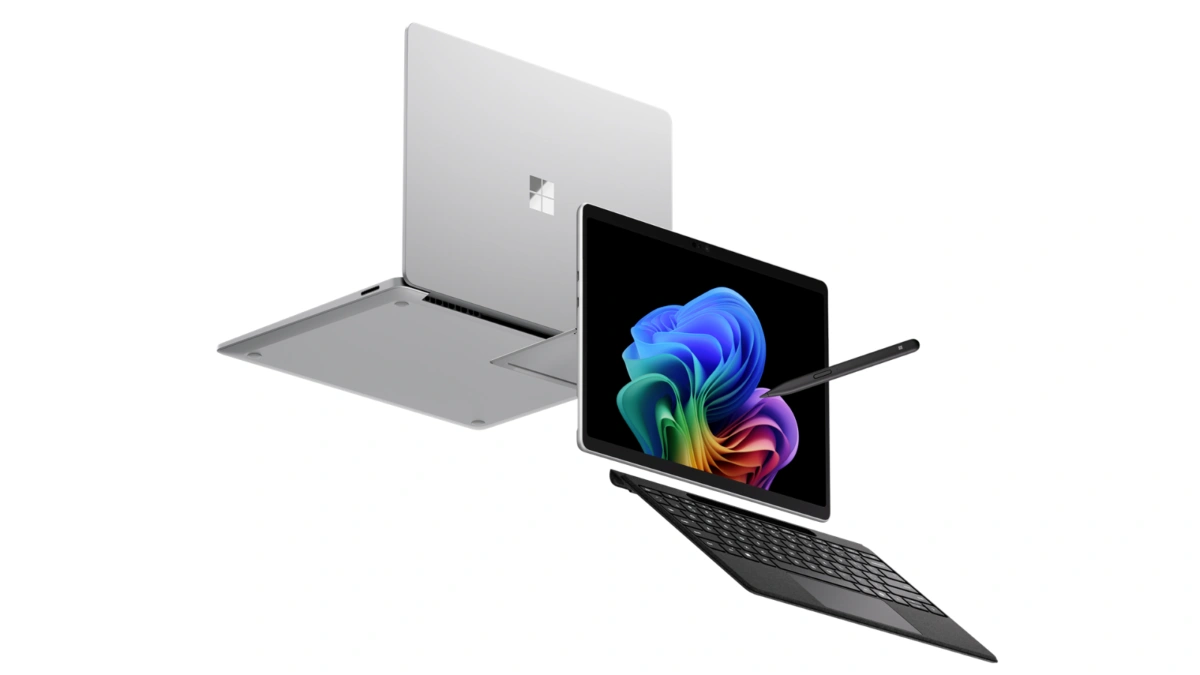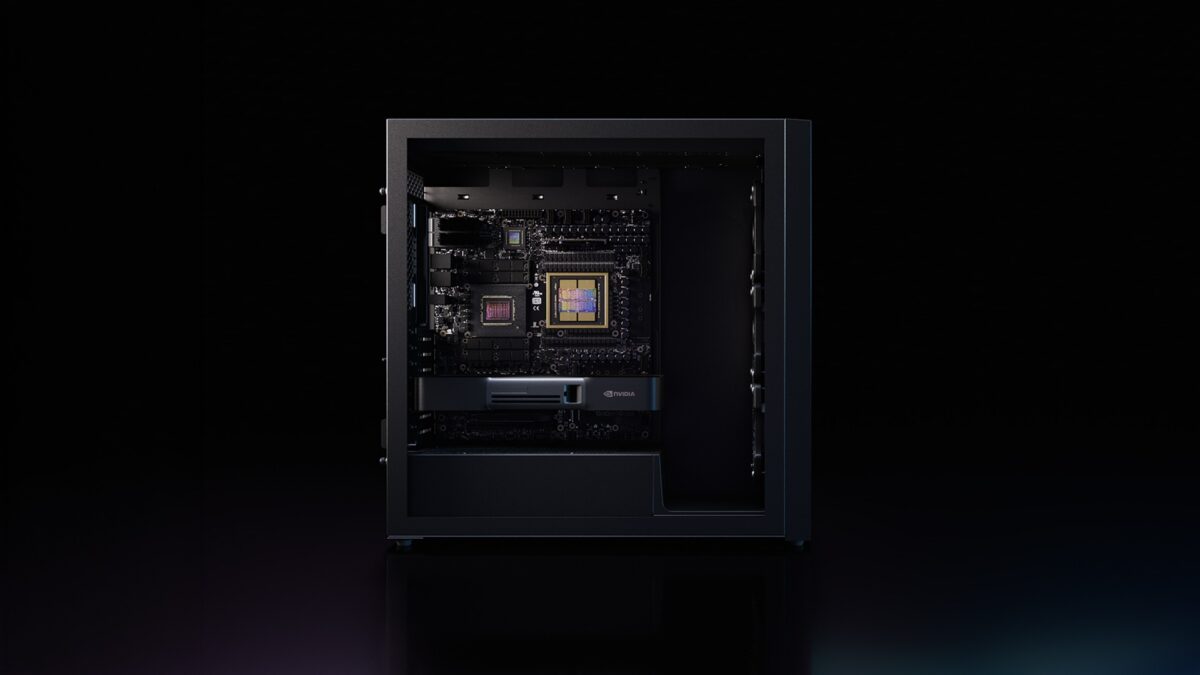
NVIDIA DGX Station for Windows — GB300 Grace Blackwell Ultra, 20 Petaflops FP4, 748GB Memory, Trillion-Parameter AI Agents on the Desktop

NVIDIA has announced DGX Station for Windows, a deskside AI supercomputer designed to run frontier AI models of up to 1 trillion parameters locally, directly within the Windows ecosystem. Announced at NVIDIA GTC Taipei and developed in collaboration with Microsoft, DGX Station for Windows is built on the NVIDIA GB300 Grace Blackwell Ultra Desktop Superchip and is expected to be available from ASUS, Dell Technologies, GIGABYTE, HP, MSI, and Supermicro in Q4 2026.

The system targets enterprise developers, researchers, engineers, designers, and data scientists who need frontier-class AI compute — historically only available in data centers running Linux — connected directly to the Windows applications and workflows they already use. DGX Station for Windows can run hundreds of agents simultaneously, supports pretraining and fine-tuning of large models, and scales workloads seamlessly to GB300 systems in the data center or cloud.

Key capabilities include up to 20 petaflops of FP4 AI performance, up to 748GB of coherent memory, 800Gb/s networking via ConnectX-8 SuperNIC, support for Windows security primitives and NVIDIA OpenShell, and optional pairing with an NVIDIA RTX PRO 6000 Blackwell Workstation GPU for physical AI workflows combining frontier compute with ray-traced visualization.

GB300 Grace Blackwell Ultra — The Superchip Inside

DGX Station for Windows is powered by the NVIDIA GB300 Grace Blackwell Ultra Desktop Superchip, which connects an NVIDIA Blackwell Ultra GPU to a 72-core NVIDIA Grace CPU via NVLink-C2C chip-to-chip interconnect. The unified memory pool reaches up to 748GB of coherent memory, accessible by both CPU and GPU without data transfer overhead, enabling the system to load and run trillion-parameter AI models locally.

AI compute tops out at up to 20 petaflops of FP4 performance, which NVIDIA positions as sufficient for pretraining, fine-tuning, large-scale inference, and multi-agent deployment on a single deskside unit.

The system also integrates the NVIDIA ConnectX-8 SuperNIC, supporting network speeds of up to 800Gb/s. This enables fast data ingestion from enterprise storage and allows multiple DGX Station units to be connected for even larger distributed workloads.

AI Workflows DGX Station for Windows Supports

The system is designed to handle the full range of enterprise AI workloads, all within the Windows environment:

AI Agents — Build and run multiple frontier agents in parallel, connected directly to enterprise Windows applications and workflows. Hundreds of agents can execute simultaneously on a single DGX Station.

AI Development — Pretrain, fine-tune, and iterate on large AI models within Windows, with access to Linux AI toolchains via Windows Subsystem for Linux (WSL).

Data Science — Ingest large datasets directly into up to 748GB of coherent memory, removing data movement bottlenecks across data preparation, machine learning, and analytics pipelines.

AI Inference — Run high-throughput inference on AI models, including models up to 1 trillion parameters.

Physical AI — Pair the GB300 Superchip with an additional NVIDIA RTX PRO 6000 Blackwell Workstation GPU to combine frontier AI compute with ray-traced visualization and simulation in a single deskside unit, for agents that operate across virtual-to-physical environments.

DGX Station for Windows can function as a dedicated AI supercomputer for a single developer or as a shared local compute node for entire teams, with workloads scaling to GB300 data center systems or the cloud.

NVIDIA OpenShell — Secure Agent Runtime on Windows

Autonomous agents need a runtime that governs how they act, use tools, and interact with other system components. DGX Station for Windows supports NVIDIA OpenShell, an open-source, secure-by-design agent runtime built on the new Windows security and containment primitives from Microsoft.

OpenShell creates an individual, isolated sandbox for each agent and separates application-layer operations from infrastructure-layer policy enforcement. Security and privacy policies are applied at the system level — outside the agent’s reach — rather than relying on behavioral system prompts that agents could potentially bypass. The goal is to enforce constraints on the environment the agent runs in, preventing credential leaks or private data exposure.

For enterprise IT teams, this means agents deploy and operate within the same managed Windows environment, governed through familiar Microsoft security, compliance, and fleet management tools. Linux workloads receive the same manageability support through Windows Subsystem for Linux.

Enterprise IT and Fleet Management

One of the design priorities for DGX Station for Windows is integration with existing enterprise IT infrastructure. Organizations running Windows environments can manage DGX Station deployments using the same tools they already use for fleet management, deployment, and system updates — without building separate Linux-based infrastructure for AI workloads.

The system is positioned as both a dedicated workstation for individual developers and a shared local compute node for teams, making it applicable to engineering groups, research labs, design studios, and data science teams within the same organization.

Availability

OEM PartnerAvailability
ASUSQ4 2026
Dell TechnologiesQ4 2026
GIGABYTEQ4 2026
HPQ4 2026
MSIQ4 2026
SupermicroQ4 2026

DGX Station for Windows extends the NVIDIA and Microsoft collaboration that also covers NVIDIA RTX Spark, the superchip for slim Windows laptops and compact desktops targeting personal AI agents, creative workloads, and gaming.

FAQ / Common Questions

What is NVIDIA DGX Station for Windows?
It is a deskside AI supercomputer designed for enterprise developers, researchers, and data scientists. Built on the NVIDIA GB300 Grace Blackwell Ultra Desktop Superchip, it brings data-center-class AI compute into the Windows environment, capable of running AI models up to 1 trillion parameters locally.

What are the key specs of DGX Station for Windows?
The system delivers up to 20 petaflops of FP4 AI performance, up to 748GB of coherent unified memory, a 72-core NVIDIA Grace CPU, a Blackwell Ultra GPU, and ConnectX-8 SuperNIC networking at up to 800Gb/s.

What is NVIDIA OpenShell and why does it matter for enterprises?
OpenShell is an open-source secure runtime for autonomous agents. It uses new Windows security and containment primitives to create isolated sandboxes for each agent and enforces security policies at the system level rather than relying on behavioral prompts. This allows enterprises to deploy agents within their existing Windows compliance and fleet management frameworks.

When will DGX Station for Windows be available?
It is expected from ASUS, Dell Technologies, GIGABYTE, HP, MSI, and Supermicro in Q4 2026.

Can DGX Station for Windows run existing Linux AI toolchains?
Yes. Access to Linux AI toolchains is available through Windows Subsystem for Linux, allowing developers to use Python-based frameworks, model training libraries, and other Linux-native tools within the Windows environment.

How does DGX Station for Windows relate to NVIDIA RTX Spark?
The two products form the ends of NVIDIA and Microsoft’s joint agent platform for Windows. RTX Spark targets slim laptops and compact desktops for personal agents and creative work. DGX Station for Windows targets enterprise deskside deployments requiring frontier-class AI compute and multi-agent infrastructure.


Note: Details above are based on NVIDIA’s announcement at GTC Taipei 2026 and are subject to change. Final feature availability, rollout timing, and supported configurations may vary. Verify against NVIDIA’s and the respective manufacturers’ official channels before relying on any specific detail.

Disclaimer: This post summarizes an NVIDIA product announcement for informational purposes. It is not affiliated with or endorsed by NVIDIA, Microsoft, or any manufacturer mentioned.
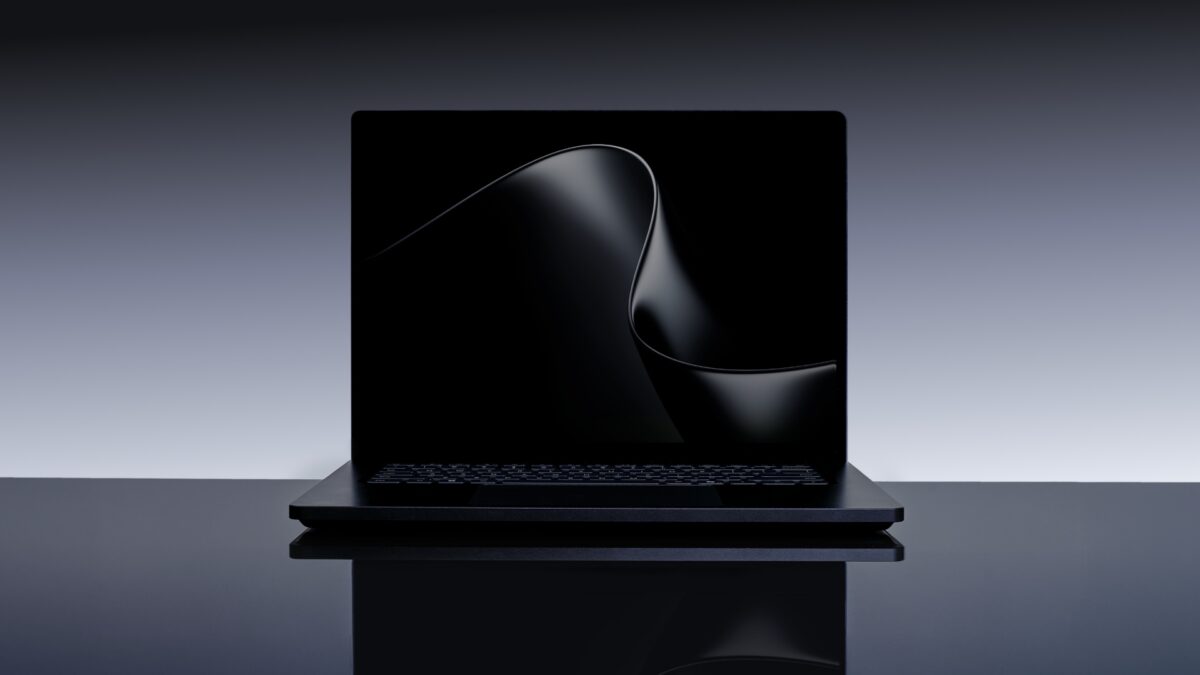
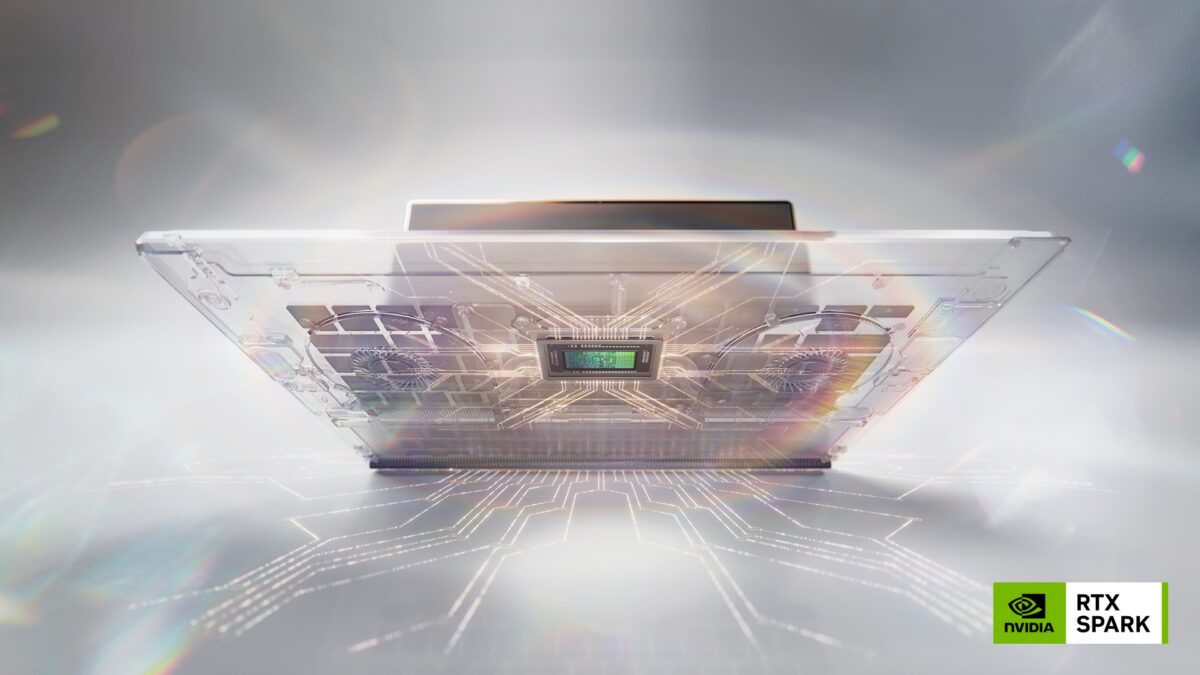
Microsoft Surface Laptop Ultra and RTX Spark Partner Laptops — ASUS ProArt, Dell XPS 16, HP OmniBook, Lenovo Yoga Pro 9n, MSI Prestige N16 Flip AI+

Microsoft has introduced Surface Laptop Ultra, a thin, precision-engineered laptop built for creative professionals and developers running sustained high-performance workloads — rendering, code compilation, and local AI workflows. The announcement comes alongside RTX Spark-powered laptop reveals from five OEM partners: ASUS, Dell Technologies, HP Inc., Lenovo, and MSI.

Surface Laptop Ultra is positioned as the flagship Windows laptop for world makers and creative pros, designed around the NVIDIA RTX Spark superchip. The partner lineup spans 14-inch to 16-inch form factors, with Tandem OLED displays, high-capacity batteries, and AI-accelerated creative workflows as common themes across devices.

Microsoft Surface Laptop Ultra — 15-inch Mini-LED, 2,000 Nits, 128GB Unified Memory, Blackwell RTX GPU

Surface Laptop Ultra is Microsoft’s most powerful Surface Laptop ever built. Engineered with NVIDIA from the silicon up and optimized for RTX Spark, it targets creators, developers, and AI builders running workloads that do not fit a standard laptop — massive 3D scenes, long compile cycles, local models, and large datasets.

The laptop is the first Surface to combine a NVIDIA Blackwell RTX GPU with up to 128GB of unified memory and full CUDA support. The unified memory pool is dynamically allocated across CPU and GPU based on where workloads need it, allowing AI creation, 3D rendering, and multi-model workflows to run simultaneously. The chip delivers 1 petaflop of AI compute and can run models up to 120 billion parameters locally.

Display

The 15-inch mini-LED PixelSense Ultra touchscreen runs at 262 pixels per inch with up to 2,000 nits of peak HDR brightness and high-precision color accuracy — the brightest display Microsoft has shipped on a Surface.

Design and Ports

Surface Laptop Ultra is available in two finishes: Platinum and Nightfall. The device carries the largest haptic touchpad ever put on a Surface. Port selection was chosen specifically for creator and developer use cases: HDMI, USB-C, USB-A, SD card reader, and headphone jack — all built in.

The internal architecture and external form were designed as a single system, with mechanical, electrical, thermal, acoustic, materials, and industrial design engineers working together from the start. The design priorities include performance, durability, and repairability together rather than trading one against another.

Battery life is rated for all-day use, with an ultra-efficient CPU architecture giving headroom for sustained demanding workloads.

ASUS ProArt P16 and ProArt P14 — Nano Black and Neo White, Lumina Pro OLED

ASUS is entering the RTX Spark generation with two ProArt models: the ProArt P16 (16-inch) and ProArt P14 (14-inch). Both are built around slim and lightweight chassis targeting creators who need to work on the go.

The ProArt P16 and ProArt P14 feature ASUS Lumina Pro OLED displays and are available in two colour options: Nano Black and Neo White. Battery life is described as all-day for both models, making them suited for extended use away from a power source.

Both devices carry NVIDIA AI acceleration through RTX Spark, covering creative workloads, AI development, and performance tasks in the same portable form factor.

Dell XPS 16 Creator Edition — Tandem OLED with True Black HDR 600, Built-in SD and HDMI

Dell’s RTX Spark laptop is the XPS 16 Creator Edition, a 16-inch device built specifically around creative production workflows. The machine targets smoother playback on 4K timelines, faster exports, and more responsive AI tool usage.

The display is a Tandem OLED panel with True Black HDR 600, designed to render visuals as intended for color-sensitive creative work. Hardware connectivity includes a built-in SD card reader and HDMI port, making the XPS 16 Creator Edition suited for fieldwork as well as desk setups.

The RTX Spark GPU handles the AI-accelerated portions of the creative pipeline, including integration with tools like Adobe Premiere and Photoshop that are being rearchitected for the new chip.

HP OmniBook Ultra 16 and OmniBook X 14 — Creators, Gamers, and AI Developers

HP is bringing two RTX Spark laptops: the HP OmniBook Ultra 16 and HP OmniBook X 14. Both are described as targeting creators, gamers, and AI developers who need local AI performance and AI-accelerated workflow experiences.

The HP OmniBook Ultra 16 was previously described by HP as one of the thinnest RTX Spark laptops in the lineup. Specific display and battery specs for both models have not been disclosed in this announcement.

Lenovo Yoga Pro 9n — Portability and Extended Battery

Lenovo’s RTX Spark entry is the Yoga Pro 9n, which carries over the Yoga Pro series’ creator-focused features into the RTX Spark generation. Lenovo highlights portability, performance, and the ability to run for extended periods away from a power outlet as the key design priorities.

The Yoga Pro 9n fits NVIDIA’s newest chip into a device designed for creators who move between locations and cannot rely on constant access to charging. Detailed display and battery specifications have not been announced.

MSI Prestige N16 Flip AI+ — 16-inch UHD+ Tandem OLED, 99.9Wh Battery, 2-in-1 Design

MSI’s entry is the Prestige N16 Flip AI+, a 2-in-1 convertible in a thin-and-light 16-inch chassis. The display is a UHD+ Tandem OLED panel, and the battery capacity is 99.9Wh — among the largest in the RTX Spark laptop lineup announced so far.

The Prestige N16 Flip AI+ targets creators, professionals, and gamers who want the flexibility of a convertible alongside NVIDIA AI acceleration and a high-resolution OLED screen. The 2-in-1 form factor expands the use cases beyond traditional laptop workflows.

RTX Spark Partner Laptop Summary

Device Size Display Notable Spec
Microsoft Surface Laptop Ultra 15-inch Mini-LED PixelSense Ultra, 2,000 nits, 262 PPI Up to 128GB unified memory, Platinum / Nightfall
ASUS ProArt P16 16-inch Lumina Pro OLED Nano Black / Neo White, all-day battery
ASUS ProArt P14 14-inch Lumina Pro OLED Slim and lightweight, creator-focused
Dell XPS 16 Creator Edition 16-inch Tandem OLED, True Black HDR 600 SD card reader, HDMI port
HP OmniBook Ultra 16 16-inch TBA One of thinnest RTX Spark laptops
HP OmniBook X 14 14-inch TBA AI developer and creator target
Lenovo Yoga Pro 9n TBA TBA Extended battery life, portable
MSI Prestige N16 Flip AI+ 16-inch UHD+ Tandem OLED 99.9Wh battery, 2-in-1 convertible

FAQ / Common Questions

What is Surface Laptop Ultra? Surface Laptop Ultra is Microsoft’s most powerful Surface Laptop, built for creators, developers, and AI builders. It pairs a NVIDIA Blackwell RTX GPU with up to 128GB of unified memory, full CUDA support, and 1 petaflop of AI compute on a 15-inch mini-LED PixelSense Ultra display with 2,000 nits peak brightness.

What display does Surface Laptop Ultra have? It has a 15-inch mini-LED PixelSense Ultra touchscreen with 262 PPI and up to 2,000 nits of peak HDR brightness — the brightest display Microsoft has shipped on a Surface.

How much memory does Surface Laptop Ultra support? Up to 128GB of unified memory, dynamically allocated across CPU and GPU depending on workload demand. This allows AI creation, 3D rendering, and multi-model workflows to run simultaneously.

Can Surface Laptop Ultra run large AI models locally? Yes. With 1 petaflop of AI compute and up to 128GB of unified memory, it can run models up to 120 billion parameters locally.

What ports does Surface Laptop Ultra have? HDMI, USB-C, USB-A, SD card reader, and a headphone jack — all built in.

What colours is Surface Laptop Ultra available in? Platinum and Nightfall.

Which OEMs are launching RTX Spark laptops alongside Surface Laptop Ultra? ASUS (ProArt P16, ProArt P14), Dell Technologies (XPS 16 Creator Edition), HP Inc. (OmniBook Ultra 16, OmniBook X 14), Lenovo (Yoga Pro 9n), and MSI (Prestige N16 Flip AI+).

When will these laptops be available? Surface Laptop Ultra and the RTX Spark partner lineup are expected to be available later in 2026. Specific per-model launch dates have not been disclosed.


Note: Details above are based on Microsoft’s announcement at NVIDIA GTC Taipei 2026 and are subject to change. Full specifications, pricing, and availability timelines will be confirmed closer to launch by each manufacturer.

Disclaimer: This post summarizes product announcements for informational purposes. It is not affiliated with or endorsed by Microsoft, NVIDIA, ASUS, Dell Technologies, HP Inc., Lenovo, MSI, or any other manufacturer mentioned.

NVIDIA RTX Spark Superchip Unveiled — 1 Petaflop AI, 128GB Unified Memory, Windows-Native Agents, Blackwell GPU + Grace CPU in One Chip

NVIDIA has unveiled RTX Spark, a new superchip designed to bring personal AI agents, creative workloads, and gaming to slim Windows laptops and compact desktop PCs. The announcement was made at NVIDIA GTC Taipei, alongside a collaboration with Microsoft to deliver a native Windows platform for on-device agents. RTX Spark-powered devices from ASUS, Dell, HP, Lenovo, Microsoft Surface, and MSI are expected to arrive this fall, with models from Acer and GIGABYTE following.

RTX Spark combines an NVIDIA Blackwell RTX GPU with 6,144 CUDA cores and fifth-generation Tensor Cores with a 20-core NVIDIA Grace CPU, connected via NVLink-C2C chip-to-chip interconnect. The superchip delivers 1 petaflop of AI compute and supports up to 128GB of unified memory. MediaTek collaborated with NVIDIA on the custom CPU design, contributing to power efficiency and connectivity.

The chip targets three simultaneous use cases: running 120B-parameter LLMs locally with 1 million token context, handling creative workflows including 12K 4:2:2 video editing and 90GB+ 3D scene rendering, and playing AAA games at 1440p at over 100 frames per second with ray tracing, DLSS, and Reflex.

Related blog to check out: NVIDIA’s Vera CPU for AI Agents — 1.8x Faster Than x86, 88 Olympus Cores, Adopted by Anthropic, OpenAI, Oracle Cloud, Dell, HPE, and More.

Blackwell GPU + Grace CPU — The RTX Spark Architecture

RTX Spark is built around two interconnected components on a single package. The GPU side carries the NVIDIA Blackwell RTX architecture with 6,144 CUDA cores, fifth-generation Tensor Cores with FP4 precision, and a new Blackwell video decoder capable of handling 12K 4:2:2 content. The CPU side is a 20-core NVIDIA Grace processor, co-designed with MediaTek for efficiency and connectivity in thin-and-light form factors.

The two dies communicate via NVLink-C2C, NVIDIA’s chip-to-chip interconnect, which enables a single unified memory pool of up to 128GB accessible by both the CPU and GPU simultaneously. This unified memory architecture is what allows RTX Spark to run frontier-class language models locally — models that would otherwise require GPU memory and system RAM to be managed separately.

The full NVIDIA AI and graphics stack ships with RTX Spark: CUDA, TensorRT, OptiX, DLSS, Reflex, and G-SYNC are all supported.

Windows-Native Agents — NVIDIA OpenShell and Microsoft Security Primitives

NVIDIA and Microsoft are partnering to bring a secure, on-device agent platform to Windows. The collaboration centers on two components.

New Windows security primitives provide identity, containment, policy, and end-to-end security for agents running natively on the device. These primitives are being built into Windows and are designed to let agents execute tasks across applications, run code, and handle files while remaining under user control.

NVIDIA OpenShell is a runtime layer that adds additional policy controls on top of the Windows primitives. It lets users define what agents can and cannot access, intelligently routes queries to local models based on privacy policies, and can strip or mask personal information before any query is sent to a cloud model.

Agent developers OpenClaw and Hermes Agent (from Nous Research) are among the first to adopt OpenShell and the Microsoft security primitives in their Windows apps. From the Windows taskbar, users will be able to invoke agents that can execute tasks inside applications, run cross-app workflows, generate images and video, write code, and search local files semantically.

Microsoft CEO Satya Nadella described the goal as delivering “unmetered intelligence to every home and every desk with Windows.”

Creative Capabilities — Adobe Rearchitects Premiere and Photoshop for RTX Spark

Adobe is rebuilding Photoshop and Premiere specifically for RTX Spark, targeting up to 2x faster AI, editing, coloring, and effects performance compared with existing workflows.

Adobe Premiere is getting a new video pipeline that uses RTX Spark’s unified memory, Blackwell GPU, and TensorRT software stack. The reworked pipeline targets real-time performance for editing and color correction, GPU-accelerated AI effects, and more efficient rendering of complex timelines. Adobe Substance 3D Painter and Stager will also run natively on RTX Spark.

Adobe Photoshop’s next-generation engine is being optimized for GPU-accelerated compositing, live filters, high dynamic range workflows, and natural brushing. The engine is built to use TensorRT. Both Premiere and Photoshop will also integrate with Windows agents, allowing creators to offload tasks to an on-device AI assistant from within the apps.

Firefly-powered Generative Fill in Photoshop and Generative Extend in Premiere are among the tools that will see direct performance gains from RTX Spark. Updates are expected to roll out alongside RTX Spark device availability in fall 2026.

Other software partners include Blackmagic Design, Blender (with DLSS 4.5 Ray Reconstruction coming to version 5.3), ComfyUI (which gains 4K AI video generation via RTX Video with 4x Frame Generation), OTOY Octane, CapCut, and llama.cpp for optimized local model inference.

Gaming on RTX Spark — DLSS 4.5, Ray Tracing, G-SYNC

For gaming, RTX Spark supports AAA titles at 1440p and over 100 frames per second with ray tracing, DLSS, and Reflex. RTX technology is active in over 1,000 games and applications, and over 100 Windows software providers are embracing the platform.

New RTX capabilities coming with RTX Spark include DLSS 4.5 Ray Reconstruction, which uses a second-generation transformer model and is coming to Blender 5.3 and dozens of games. RTX Video with 4x Frame Generation is coming to ComfyUI.

Game developers embracing the platform include KRAFTON, NetEase (NARAKA: BLADEPOINT), Remedy Entertainment, Riot Games, and XBOX. NetEase noted that RTX Spark enables its titles to run as intended on ultrathin, high-performance laptops.

Device Form Factors — Slim Laptops and Compact Desktops

RTX Spark laptops are engineered to be as slim as 14mm and as light as three pounds, available in 14- to 16-inch sizes. The chassis uses precision-machined aluminum. Displays are color-accurate tandem OLED panels with NVIDIA G-SYNC, targeting both creative color work and gaming visuals. All-day battery life is a stated design goal for the laptop line.

Compact RTX Spark desktop PCs are also in development, positioned for agentic AI workloads, creative production, gaming, and everyday productivity in a small-footprint chassis.

Named devices and OEM commitments:

  • Dell XPS 16 Creator Edition — RTX Spark with large unified memory, designed for creators
  • HP OmniBook — described as one of the thinnest RTX Spark laptops
  • Microsoft Surface Laptop Ultra — targeting creators, developers, and engineers
  • Additional designs from ASUS, Lenovo, MSI, with Acer and GIGABYTE following

NVIDIA DGX Station for Windows will extend the Blackwell architecture to enterprise developers who need a deskside AI supercomputer for running agents at scale.

Rollout Timing — What’s Live When

PhaseWhenScope
AnnouncementGTC Taipei 2026 (now)RTX Spark superchip unveiled
Windows agent developer detailsMicrosoft Build, June 2–3, 2026Security primitives, OpenShell for developers
RTX Spark devices availableFall 2026Laptops and compact desktops from ASUS, Dell, HP, Lenovo, Microsoft Surface, MSI
Acer and GIGABYTE modelsAfter fall 2026Additional OEM devices to follow
Adobe app updatesAlongside fall 2026 RTX Spark availabilityPremiere, Photoshop, Substance 3D updates

FAQ / Common Questions

What is NVIDIA RTX Spark?
RTX Spark is a superchip that combines an NVIDIA Blackwell RTX GPU and a 20-core NVIDIA Grace CPU on a single package, connected via NVLink-C2C. It is designed for Windows laptops and compact desktops, targeting AI agent execution, creative workloads, and gaming in thin, portable form factors.

How much AI compute and memory does RTX Spark offer?
The superchip delivers 1 petaflop of AI compute and supports up to 128GB of unified memory shared between the GPU and CPU. This unified memory pool allows it to run 120-billion-parameter language models locally with 1 million token context.

Which laptops and PCs will use RTX Spark?
RTX Spark-powered devices are confirmed from ASUS, Dell (XPS 16 Creator Edition), HP (OmniBook), Lenovo, Microsoft Surface (Surface Laptop Ultra), and MSI for fall 2026. Acer and GIGABYTE will follow with additional models.

What is NVIDIA OpenShell?
OpenShell is a runtime for on-device agents that works alongside new Windows security primitives from Microsoft. It lets users set policies for what agents can access, routes queries to local or cloud models based on privacy preferences, and masks personal information before sending queries externally.

Will Adobe apps like Photoshop and Premiere work differently on RTX Spark?
Adobe is rebuilding both apps specifically for RTX Spark. The new engines use TensorRT, the Blackwell GPU, and unified memory to target up to 2x faster AI and graphics performance. Updates are expected to roll out when RTX Spark devices ship in fall 2026.

When will RTX Spark devices be available?
Laptops and compact desktops powered by RTX Spark are expected to be available from system builders and cloud partners starting fall 2026.


Note: Details above are based on NVIDIA’s announcement at GTC Taipei 2026 and are subject to change. Final feature availability, rollout timing, and supported devices may vary by region. Verify against NVIDIA’s and the respective manufacturers’ official channels before relying on any specific detail.

Disclaimer: This post summarizes an NVIDIA product announcement for informational purposes. It is not affiliated with or endorsed by NVIDIA, Microsoft, Adobe, or any device manufacturer mentioned.

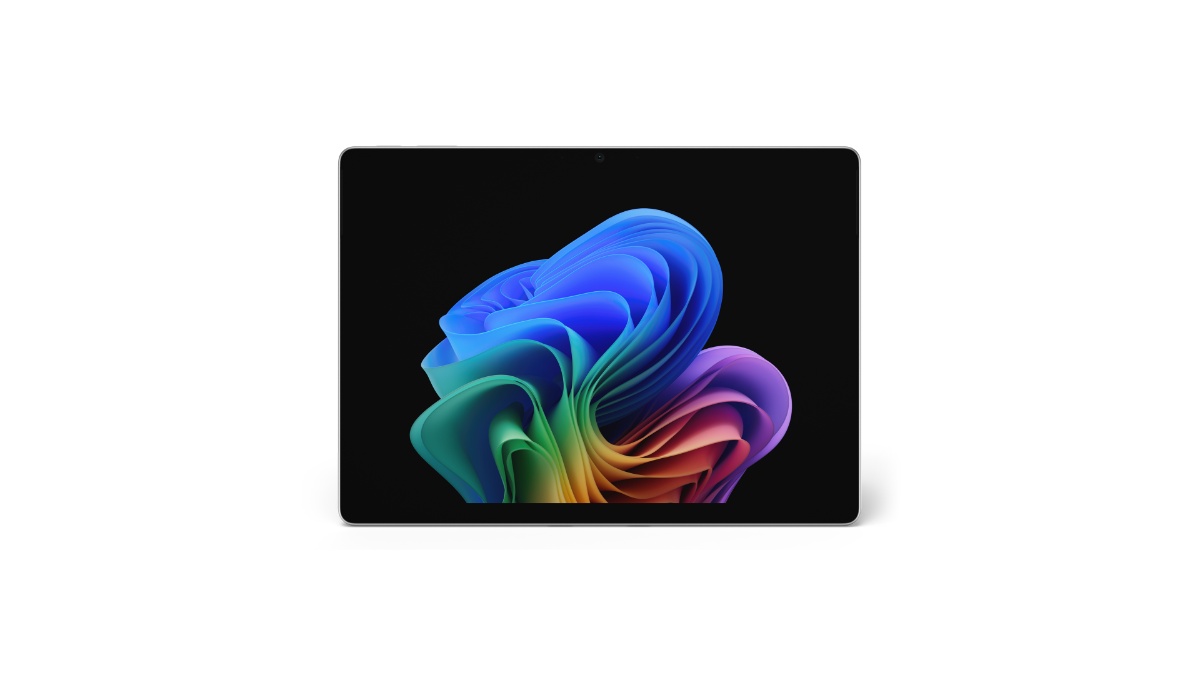
Microsoft Surface Pro for Business 13-inch (12th Edition) — Intel Core Ultra Series 3, Optional OLED, Up to 17 Hours Battery, Removable Gen 4 SSD, Starting at $1,949.99

Microsoft has detailed the Surface Pro for Business 13-inch (12th Edition), the new 2-in-1 in the Surface for Business lineup. Pricing starts at $1,949.99 (MSRP) in select markets.

Key highlights include Intel Core Ultra Series 3 processors (Core Ultra 5 335 and Core Ultra 7 366H), an Intel AI Boost NPU rated at 50 TOPS, an optional 13-inch OLED PixelSense Flow display with 120Hz refresh, a removable Gen 4 SSD, up to 64GB LPDDR5x RAM, and up to 17 hours of local video playback on Wi-Fi configurations.

The device ships in Platinum and Black with a strengthened glass display, an anodized aluminum casing, and a 165-degree full-friction kickstand. Wi-Fi 7 is standard; an optional Wi-Fi + 5G SKU adds NanoSIM and eSIM support.

VariantLaunch PriceLink
EP2-66386 – X2 Plus, LCD, 16GB, 256GB, Platinum$1,499.99Amazon US↗
EP2-73249 – X2 Plus, LCD, 16GB, 512GB, Platinum$1,599.99Amazon US↗
EP2-73275 – X2 Plus, LCD, 16GB, 512GB, Black$1,599.99Amazon US↗
EP2-73301 – X2 Plus, LCD, 16GB, 512GB, Dune$1,599.99Amazon US↗
EP2-65013 – X2 Elite, OLED, 16GB, 1TB, Platinum$2,099.99Amazon US↗
EP2-65033 – X2 Elite, OLED, 16GB, 1TB, Dune$2,099.99Amazon US↗
As an Amazon Associate, we earn from qualifying purchases.

Processor and NPU — Intel Core Ultra Series 3 With 50 TOPS AI Boost

Two CPU options anchor the lineup: the Intel Core Ultra 5 335 (Series 3) and the Intel Core Ultra 7 366H (Series 3). Both pair with Intel Graphics and the Intel AI Boost NPU rated at 50 TOPS for on-device AI workloads.

Microsoft is positioning the NPU as the engine for things like real-time meeting transcription, live captions and translation, image enhancement in Click to Do, and Studio Effects on the front camera — offloading those workloads from the CPU to keep system responsiveness up and power draw down.

13-inch PixelSense Flow Display — OLED Option, 120Hz, Dolby Vision IQ

The touchscreen is a 13-inch PixelSense Flow panel at 2880 × 1920 (267 PPI) in a 3:2 aspect ratio, with a dynamic refresh rate up to 120Hz and 10-point multi-touch.

Two panel options:

  • OLED: 1,000,000:1 contrast, 600 nits typical SDR, 900 nits peak HDR, Dolby Vision IQ, individually colour-calibrated, anti-reflective (ISO 9241-307 certified)
  • LCD: 1300:1 contrast, 600 nits typical SDR, 600 nits peak HDR, Dolby Vision IQ, individually colour-calibrated, anti-reflective (ISO 9241-307 certified)

Both panels carry adaptive colour, adaptive contrast, and auto colour management. The glass is strengthened, and the display has been certified for reflectance reduction.

Memory and Storage — Up to 64GB LPDDR5x, Removable Gen 4 SSD

The Surface Pro for Business 13-inch ships in 16GB, 32GB, or 64GB LPDDR5x RAM configurations, and 256GB, 512GB, or 1TB Gen 4 SSD storage.

The SSD is removable — a serviceability feature Microsoft is highlighting for enterprise data-retention scenarios, where IT teams may want to physically retain the drive when reassigning or retiring the device.

Cameras — 1440p Quad HD Front, 10MP 4K Rear, Studio Effects

Camera hardware is the same across configurations:

  • Front: Quad HD 1440p Surface Studio Camera with ultrawide field of view; supports Windows Studio Effects (automatic framing, eye contact, portrait blur, background blur)
  • Rear: 10MP Ultra HD camera
  • IR camera for Windows Hello facial recognition with Enhanced Sign-in Security

Audio — Dual Studio Mics, 2W Dolby Atmos Speakers

Two studio mics with voice focus handle calls and dictation. Audio output runs through 2W stereo speakers with Dolby Atmos, and there’s support for Bluetooth LE Audio for accessory pairing.

Battery and Charging — Up to 17 Hours, Fast Charge via USB-C or Surface Connect

Microsoft rates Wi-Fi only configurations at up to 17 hours of local video playback and up to 11 hours of active web usage. Battery capacity differs by panel:

  • LCD configurations: 47 Wh nominal (46 Wh minimum)
  • OLED configurations: 53 Wh nominal (51 Wh minimum)

Fast charging is supported via either Surface Connect or USB-C with a 60W+ charger. The retail box includes a 39W power supply with Surface Connect in select markets and on specific configurations.

Ports and Expansion — Two USB4 / Thunderbolt 4, Surface Connect, Three 4K Monitors

The Surface Pro 13-inch carries two USB-C ports with USB4 and Thunderbolt 4 support, used for charging, data transfer, and DisplayPort 2.1 output. With a Surface Thunderbolt 4 Dock or compatible accessory, the device drives up to three 4K external monitors at 60Hz, including via daisy chain.

Also onboard: a Surface Connect port, a dedicated Surface Pro 13-inch Keyboard port, and a NanoSIM tray on Wi-Fi + 5G models.

Connectivity — Wi-Fi 7, Bluetooth 5.4, Optional 5G

Wi-Fi only models ship with Wi-Fi 7 and Bluetooth Core 5.4.

Wi-Fi + 5G models add 5G-NR SA/NSA (Release 15) with downlink speeds up to 2.9 Gbps, 4×4 MIMO, 256 QAM, and 4G Gigabit LTE-Advanced Pro with downlink up to 1.6 Gbps. The 5G option also brings eSIM and NanoSIM support, full GNSS (GPS, Galileo, BeiDou, QZSS, NAVIC), and Wi-Fi hotspot for up to 8 devices.

5G-NR Bands

n1, n2, n3, n5, n7, n8, n12, n14, n20, n25, n26, n28, n29, n30, n38, n40, n41, n48, n66, n71, n77, n78, n79

LTE Bands

1, 2, 3, 4, 5, 7, 8, 12, 13, 14, 19, 20, 25, 26, 28, 29, 30, 38, 39, 40, 41, 42, 48, 66, 71

Pen and Keyboard — Slim Pen 2 With Wireless Charging, Flex Keyboard Option

The device is designed for the Surface Slim Pen (2nd Edition), with integrated storage and wireless charging when paired with either the Surface Pro 13-inch Keyboard or the Surface Pro 13-inch Flex Keyboard. Tactile signal support is on Slim Pen 2; protocol support is Microsoft Pen Protocol (MPP).

The Flex Keyboard can be used attached or detached, includes a precision haptic touchpad with adjustable click and haptic response, and is available with a bold keyset option (larger high-contrast font, brighter backlighting) for accessibility.

Security — Secured-core PC, Microsoft Pluton, Memory-Safe Firmware

The Surface Pro for Business 13-inch is a Windows 11 Secured-core PC with TPM 2.0, BitLocker support, and the Microsoft Pluton security processor.

Sign-in covers Windows Hello facial recognition with Enhanced Sign-in Security across the line, and NFC authentication on Wi-Fi only models for passwordless workflows.

On the firmware side, Microsoft is calling out the Surface UEFI built with Patina and Project Mu open-source components through the Open Device Partnership (ODP), and a Secured Embedded Controller built from ODP open-source components. Firmware updates ship through Windows Update — no third-party update channel needed.

Microsoft Surface Pro for Business 13-inch (12th Edition) Specifications

SpecificationDetails
Edition12th Edition
ProcessorIntel Core Ultra 5 335 (Series 3) / Intel Core Ultra 7 366H (Series 3)
GraphicsIntel Graphics
NPUIntel AI Boost, 50 TOPS
RAM16GB / 32GB / 64GB LPDDR5x
Storage256GB / 512GB / 1TB removable Gen 4 SSD
Display13-inch PixelSense Flow, 2880 × 1920 (267 PPI), 3:2, up to 120Hz, OLED or LCD
Display brightness600 nits typical SDR; OLED 900 nits peak HDR / LCD 600 nits peak HDR
ContrastOLED 1,000,000:1 / LCD 1300:1
HDRDolby Vision IQ
Touch10-point multi-touch, strengthened glass, anti-reflective (ISO 9241-307)
Front camera1440p Quad HD ultrawide, Windows Studio Effects
Rear camera10MP Ultra HD
BiometricWindows Hello facial recognition (IR), Enhanced Sign-in Security; NFC on Wi-Fi only models
Audio2W stereo speakers, Dolby Atmos; dual studio mics with voice focus; Bluetooth LE Audio
Wi-FiWi-Fi 7
BluetoothBluetooth Core 5.4
Cellular (optional)5G NR SA/NSA Rel 15, 4×4 MIMO, DL up to 2.9 Gbps; 4G LTE-Advanced Pro DL up to 1.6 Gbps
SIMNanoSIM + eSIM (5G models)
GNSS (5G models)GPS, Galileo, BeiDou, QZSS, NAVIC
Ports2× USB-C with USB4 / Thunderbolt 4, Surface Connect, Surface Pro 13-inch Keyboard port
External displayUp to three 4K monitors at 60Hz via compatible dock or daisy chain
ChargingFast charge with 60W+ via Surface Connect or USB-C
Battery capacityLCD 47 Wh nominal (46 Wh min); OLED 53 Wh nominal (51 Wh min)
Battery lifeUp to 17 hr local video playback; up to 11 hr active web (Wi-Fi only)
PenSurface Slim Pen (2nd Edition), MPP
KeyboardSurface Pro 13-inch Keyboard / Surface Pro 13-inch Flex Keyboard (bold keyset option)
SecurityWindows 11 Secured-core PC, TPM 2.0, BitLocker, Microsoft Pluton
FirmwareSurface UEFI (Patina + Project Mu via ODP), Secured Embedded Controller via ODP, Windows Update delivery
SensorsAmbient colour, accelerometer, gyroscope, magnetometer; NFC on Wi-Fi only
Kickstand165° full-friction hinge
CasingAnodized aluminum
ColoursPlatinum, Black
Dimensions287 × 209 × 9.3 mm (11.3 × 8.2 × 0.37 in)
WeightWi-Fi: 895 g (1.97 lb) / Wi-Fi + 5G: 906 g (2.00 lb)
OSWindows 11 Pro
Software trialMicrosoft 365 Business Standard / Premium / Apps — 30-day trial
Warranty1-year limited hardware warranty
Starting price$1,949.99 (MSRP)

Sustainability and Repairability

The enclosure carries 86% recycled content, including 100% recycled aluminum alloy and 100% recycled rare earth metals in the magnets. The battery cell uses 100% recycled cobalt, and the motherboard uses 100% recycled gold, copper, and tin (solder paste). The thermal assembly cold plate uses 50% recycled copper. Commercial packaging is paper-based with 77% recycled wood-based fiber content; 100% of virgin paper is sourced from responsibly managed forests.

Replacement components cover the display module, removable SSD, battery, motherboard (with main processor and memory), Surface Connect, thermal module, microphone module (including IR camera), SSD door, speakers, enclosure (bucket), front camera, rear camera, power and volume buttons, and the kickstand. Repair instructions are accessible directly on the device with visual icons, and a device entry kit is documented. Wi-Fi + 5G models also include a SIM card access tool in the parts list.

Pre-installed Software

  • Windows 11 Pro
  • Microsoft 365 Apps (preloaded)
  • 30-day trial of Microsoft 365 Business Standard, Microsoft 365 Business Premium, or Microsoft 365 Apps

What’s in the Box

  • Surface Pro for Business 13-inch (12th Edition)
  • 39W Power Supply with Surface Connect (select markets, specific configurations only)
  • Quick Start Guide
  • Safety and warranty documents

FAQ / Common Questions

What is the starting price of the Microsoft Surface Pro for Business 13-inch (12th Edition)?
It starts at $1,949.99 (MSRP) in select markets. Final retail pricing varies by configuration — processor tier, memory, storage, panel type (OLED vs LCD), and whether the unit is Wi-Fi only or Wi-Fi + 5G.

Which processors does the Surface Pro for Business 13-inch (12th Edition) use?
There are two options: the Intel Core Ultra 5 335 and the Intel Core Ultra 7 366H, both from the Series 3 family. Both pair with Intel Graphics and the Intel AI Boost NPU rated at 50 TOPS.

Does the Surface Pro for Business 13-inch (12th Edition) have an OLED option?
Yes. The 13-inch PixelSense Flow display is available as either an OLED panel (1,000,000:1 contrast, 900 nits peak HDR) or an LCD panel (1300:1 contrast, 600 nits peak HDR). Both run at 2880 × 1920 with up to 120Hz refresh, Dolby Vision IQ, and an anti-reflective finish.

Is the SSD on the Surface Pro for Business 13-inch (12th Edition) user-replaceable?
The Gen 4 SSD is removable. Microsoft positions this for enterprise serviceability and data retention — IT teams can retain the drive when reassigning or retiring the unit.

How long does the battery last?
Microsoft rates the Wi-Fi only configuration at up to 17 hours of local video playback and up to 11 hours of active web usage. OLED units carry a 53 Wh nominal battery; LCD units carry 47 Wh nominal.

Does the Surface Pro for Business 13-inch (12th Edition) support 5G?
5G is offered as an optional SKU. The Wi-Fi + 5G model adds NanoSIM, eSIM, 5G NR SA/NSA with downlink up to 2.9 Gbps, 4G LTE-Advanced Pro up to 1.6 Gbps, and full GNSS (GPS, Galileo, BeiDou, QZSS, NAVIC). The Wi-Fi only model gets NFC authentication instead.

How many external monitors does it support?
Up to three 4K external monitors at 60Hz, via a compatible dock (such as the Surface Thunderbolt 4 Dock) or daisy chain through the USB-C / Thunderbolt 4 ports.

Note: Specifications listed above are based on Microsoft’s published product details and may not be 100% accurate. Pricing and configuration availability vary by region and over time. Verify against Microsoft’s official Surface for Business channels before relying on any specific detail.

Disclaimer: This post summarizes Microsoft product information for informational purposes. It is not affiliated with or endorsed by Microsoft.

Source: Microsoft Blog.

Microsoft Surface for Business 2026 — New Surface Pro and Surface Laptop on Intel Core Ultra Series 3, Optional Integrated Privacy Screen, Snapdragon X2 Models Later This Year

Microsoft has announced the next generation of its Surface for Business portfolio. The new Surface Pro for Business and Surface Laptop for Business are powered by Intel Core Ultra Series 3 and are available starting May 19, 2026 in select markets, with a Snapdragon X2 wave following later in the year.

Key additions include the Intel Core Ultra Series 3 platform, an optional integrated privacy screen with anti-glare on the 13.8-inch Surface Laptop for Business, a removable Gen 4 SSD on the new 13-inch Surface Laptop, and Wi-Fi 7 across the line. Microsoft is also positioning the lineup as the reference hardware for Windows AI APIs and the Foundry platform, with on-device inferencing as a first-class capability.

Pricing starts at $1,499 MSRP for the Surface Laptop for Business 13-inch (16GB), with the new Surface Pro for Business 13-inch and the 13.8-inch / 15-inch Surface Laptop for Business both starting at $1,949.99 MSRP.

VariantLaunch PriceLink
EP2-66386 – X2 Plus, LCD, 16GB, 256GB, Platinum$1,499.99Amazon US↗
EP2-73249 – X2 Plus, LCD, 16GB, 512GB, Platinum$1,599.99Amazon US↗
EP2-73275 – X2 Plus, LCD, 16GB, 512GB, Black$1,599.99Amazon US↗
EP2-73301 – X2 Plus, LCD, 16GB, 512GB, Dune$1,599.99Amazon US↗
EP2-65013 – X2 Elite, OLED, 16GB, 1TB, Platinum$2,099.99Amazon US↗
EP2-65033 – X2 Elite, OLED, 16GB, 1TB, Dune$2,099.99Amazon US↗
As an Amazon Associate, we earn from qualifying purchases.

Rollout Timing — What’s Live When

WaveWhenWhat
Intel waveMay 19, 2026 (today)Surface Pro for Business 13-inch, Surface Laptop for Business 13-inch, 13.8-inch, 15-inch on Intel Core Ultra Series 3
8GB Laptop 13-inchLater in 2026Surface Laptop for Business 13-inch, 8GB configuration, starting at $1,299.99 MSRP
Snapdragon waveLater in 2026Surface for Business models on Snapdragon X2 processors

Devices are sold through Surface for Business and Microsoft authorized commercial resellers.

Surface Laptop for Business 13-inch — Entry-Premium Tier With Removable Gen 4 SSD

The new 13-inch model is the most portable Surface Laptop. It launches today in 16GB and 24GB configurations starting at $1,499 MSRP, with an 8GB configuration arriving later in the year at $1,299.99 MSRP.

What stands out for IT: a removable Gen 4 SSD designed for enterprise serviceability, Wi-Fi 7 (6 GHz band availability varies by region), and on-device AI processing. Microsoft is framing this as the model that brings the full Surface experience to the entry-premium tier without asking IT or employees to give up performance for portability.

Surface Laptop for Business 13.8-inch and 15-inch — Up to 23 Hours Battery, Haptic Touchpad

The 13.8-inch and 15-inch sizes start at $1,949.99 MSRP and ship today in select markets. Battery life is rated up to 23 hours based on local video playback.

The touchpad uses advanced haptics, with tactile feedback for window snapping, resizing, dragging, dropping, and navigation, and the feedback extends into select third-party apps. Display options include a high-resolution touchscreen and, on select configurations, the new optional integrated privacy screen detailed below.

Optional Integrated Privacy Screen With Anti-Glare — First on a Surface Device

For the first time on Surface, Microsoft is offering an optional integrated privacy screen with anti-glare, built directly into select configurations of the 13.8-inch Surface Laptop for Business display.

It’s a software-driven visual privacy filter — not a third-party physical screen protector. IT can manage it centrally, or an employee can toggle it with a single keystroke. Microsoft describes it as security-by-design, made possible by the tight integration of Surface hardware and software.

Surface Pro for Business 13-inch — 2-in-1 With Optional 5G

The new Surface Pro for Business 13-inch starts at $1,949.99 MSRP, available today in select markets. The 2-in-1 form factor supports touch, voice, pen, and keyboard input, with on-device AI processing alongside the Intel Core Ultra Series 3 platform.

There are 5G options for users who need cellular connectivity outside the office — availability depends on carrier network and region.

Intel Core Ultra Series 3 — Microsoft’s Performance Numbers

Microsoft cites two benchmark comparisons, both run in April 2026 using Cinebench 2024 Multi-Core on select Intel Core Ultra X7 configurations:

  • Up to 35% more graphics performance than MacBook Air with M5 (10-core CPU, 13.5-inch)
  • Up to 95% faster than Surface Laptop 5 15-inch with Intel Core i7; up to 93% faster than Surface Laptop 5 13.5-inch with Intel Core i7

Microsoft is pitching this as sustained, fluid GPU performance for tasks like analysis, presentations, and on-the-go content work — without trading off mobility, battery life, or security.

Snapdragon X2 Coming Later in 2026 — Up to 80% Faster Local AI Inferencing

The Intel wave isn’t the whole portfolio. Microsoft says it will extend Surface for Business later this year with models featuring Snapdragon X2 processors.

The headline number: up to 80% faster local AI inferencing than the previous Snapdragon-based Surface Laptop generation, measured with Procyon AI benchmark comparing the 8th-edition Surface Laptop (13.8-inch and 15-inch) with Snapdragon to the 7th edition. Microsoft is also calling out longer battery life on this wave, though performance varies by configuration.

Security — Secured-Core PCs, Memory-Safe Firmware, Rust-Based Drivers

Every new Surface for Business device ships as a Secured-core PC, with chip-to-cloud protection aligned with the Microsoft security stack. Firmware updates are delivered through Windows Update, with no third-party update tooling in the mix.

Microsoft is also calling out a deeper firmware change: Surface is the first PC built on memory-safe firmware through the open-source Project Mu and Open Device Partnership (ODP) UEFI, with Rust-based drivers and a secure embedded controller rooted in hardware-based protection. That’s framed as a direct response to one of the industry’s most persistent classes of vulnerabilities — memory-corruption bugs in firmware.

AI on the Edge — Microsoft’s Pitch

Surface for Business is positioned for hybrid AI: cloud when it makes sense, on-device when it doesn’t. Microsoft cites real-time meeting transcription, intelligent writing assistance, select on-device image generation, and live translation as scenarios that work whether the user is in a server room, on a plane, or in a hospital ward (some features require an internet connection, compatible hardware, or a Microsoft 365 subscription).

For developers, Surface is being positioned as the reference platform for Windows AI APIs and the Foundry platform — a consistent hardware baseline for teams building enterprise AI applications that need to offload everyday workloads from the cloud to the device.

Eric Sedore, AVP and CTO at Syracuse University, is quoted in the announcement: “Surface allows us to run AI where learning happens, on the device itself. The future of AI is not everything going to the cloud; it’s AI at the edge.”

IT Management — Intune, Autopilot, Surface Management Portal

From UEFI to browser, the whole portfolio can be managed through Microsoft Intune. Each device supports Windows Autopilot and the Surface Management Portal, giving IT a single plane for provisioning at scale, policy enforcement, and full lifecycle management, including zero-touch deployment.

Microsoft’s framing here is that when the hardware, OS, management platform, and productivity suite are all built and optimized by the same vendor, the operational story tightens — fewer integration seams, fewer third-party update channels.

Sustainability and Repairability — Recycled Aluminum, Replaceable Components

The Surface Laptop 13.8-inch, 15-inch, and Surface Pro 13-inch use 100% recycled aluminum in the enclosure (Pro 13-inch enclosure at 86% recycled content overall; Laptop 13.8-inch and 15-inch at 64%; both validated by Underwriter Laboratories using ECVP 2809-2). Magnets across these models use 100% recycled rare earth metals.

Each device is ENERGY STAR certified, outperforming the baseline by at least 45%. A new Automatic Keyboard Backlight setting on the 13-inch, 13.8-inch, and 15-inch Surface Laptop keyboards (and the Surface Pro 13-inch keyboard) helps reduce power use — note the feature isn’t supported with wireless detach on the Surface Pro 13-inch Flex Keyboard.

On repairability: nearly every major component is replaceable, with a parts supply chain for IT teams and a service guide that uses commonly available tools. Replacement components are available through Surface Commercial authorized device resellers. Repairs done outside the documented process aren’t covered under Microsoft’s Hardware Warranty.

FAQ / Common Questions

When does the new Surface for Business lineup go on sale?
The Intel Core Ultra Series 3 models — Surface Pro for Business 13-inch, Surface Laptop for Business 13-inch, 13.8-inch, and 15-inch — are available starting May 19, 2026 in select markets. The Snapdragon X2 models arrive later in 2026.

What is the starting price of the Surface Laptop for Business 13-inch?
It starts at $1,499 MSRP for the 16GB configuration. A 24GB option is also available today, and an 8GB configuration is coming later in 2026 at $1,299.99 MSRP.

How does the new integrated privacy screen work?
It’s a software-driven visual privacy filter built into select configurations of the 13.8-inch Surface Laptop for Business display. IT can manage it centrally, and employees can toggle it with a single keystroke — no separate physical screen protector required.

Does the Surface Pro for Business 13-inch support 5G?
Yes, 5G is offered as an option on the Surface Pro for Business 13-inch. Availability and performance depend on the carrier network, plan, and region.

Is on-device AI processing supported on these new Surface devices?
Yes. All new Surface for Business devices in this lineup support on-device AI processing. Microsoft is also positioning Surface as the reference platform for Windows AI APIs and the Foundry platform for developers building enterprise AI applications.

Will the Snapdragon X2 Surface for Business models replace the Intel versions?
No. Microsoft is shipping both. The Intel Core Ultra Series 3 models are available today, and the Snapdragon X2 models will join the same Surface for Business portfolio later in 2026.

Note: Details above are based on Microsoft’s announcement on May 19, 2026, and are subject to change. Final feature availability, pricing, rollout timing, and supported markets may vary by region. Verify against Microsoft’s official Surface for Business channels before relying on any specific detail.

Disclaimer: This post summarizes a Microsoft product announcement for informational purposes. It is not affiliated with or endorsed by Microsoft.

Source: Microsoft Blog.