Google Fitbit Air — What Verified Buyers Are Saying After Launch: Featherlight Comfort, a Weak App, and Early-Unit Glitches

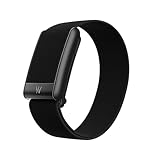
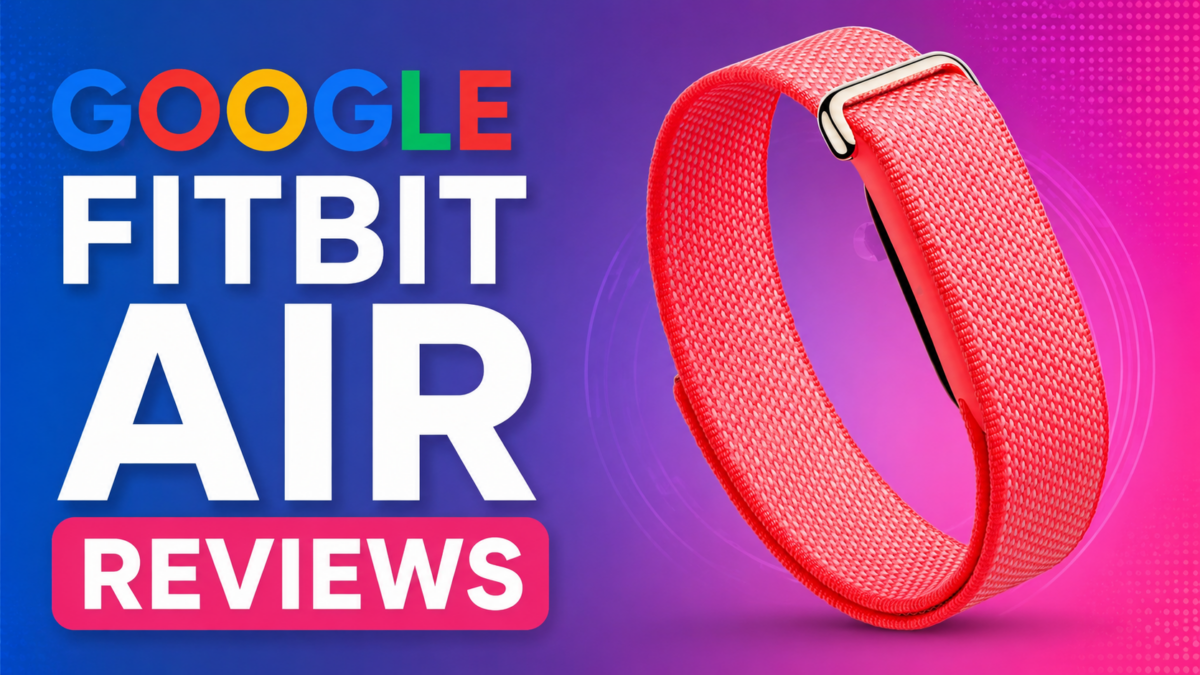
Google started shipping the Fitbit Air in late May 2026, and the first batch of verified-purchase reviews is already in from buyers in the US, UK, Germany, and Italy ( Source: Amazon ). The screenless tracker has landed with a sharply divided response — owners broadly agree it’s the most comfortable band they’ve worn, but a chunk of early units arrived with charging and pairing faults, and almost everyone has something to say about the companion app.

This roundup pulls together what actual buyers reported in their own reviews across the first few days of availability. It’s a snapshot of early sentiment, not a verdict — early-batch hardware and day-one software tend to change fast.

Note: This article summarizes Amazon verified-purchase reviews of the Google Fitbit Air posted by buyers in the US, UK, Germany, and Italy in the days after its late-May 2026 launch. It reflects individual buyer opinions and early-batch experiences, which may not represent the device’s typical performance. Software behaviour and hardware quality often change after launch — verify current details against Google’s official channels.

The One Thing Almost Everyone Agrees On: You Forget It’s There

The single most repeated line across reviews, in every region, is how little buyers notice the Fitbit Air on the wrist.

Owners describe it as “so light that I almost always forget I have it on,” “very comfy on the wrist,” and “weighs nothing — you will forget it is even there.” One reviewer coming from “the highest tier Apple Watch” said the fit was “perfect,” called it “very light, non-obtrusive, doesn’t rub or get hot,” and noted it’s narrow enough that it doesn’t pinch when the wrist flexes.

That comfort feeds directly into the use case buyers keep citing: sleep tracking. Several said this is the first wearable they can actually sleep in. “Finally can wear this to track my sleep without a bulky watch being too uncomfortable,” one US owner wrote. A UK buyer summed up the appeal as “light weight, put it on and forget about it.”

As an Amazon Associate, we earn from qualifying purchases.

Screenless by Design — and Buyers Are Genuinely Split

The Fitbit Air ships without a display, and reviews show that’s the most polarizing design decision Google made.

On one side: “No screen. No annoying glow. No alerts… You will forget it is even there.” Another framed it as a feature for unplugging — “If you want to step away from notifications, this screenless tracker is what you need.” A German reviewer echoed that, saying they like not being “constantly pulled out of what I’m doing” by a buzzing wrist.

On the other side, the lack of a screen is a deal-breaker for some. “Screenless? Why? How would one see their heart rate while exercising?” one buyer asked. A five-star reviewer who otherwise loved it still admitted they “kind of miss in-workout stats right on my wrist.”

Setup, Syncing and the Google Health App

For buyers who got a working unit, setup drew consistent praise. Reviews describe it as “a seamless set up,” “easy as can be,” and connecting “right up with the app.”

The standout for several owners was data migration. One reviewer said the Google Health app “synched all my data from Apple Health… all my workouts and the stats — including maps — now in Google,” and that linking healthcare records was “easy as can be.” Others praised the app’s “stats and graphs and data to the max” and called the interface “clean and easy to understand.”

Accuracy feedback was mixed but leaned positive among working units. Buyers who cross-checked against an Apple Watch or a Garmin reported heart rate and step data that was “very similar” and “accurate and aligned between both” after a day of testing. Multiple reviewers noted the device needs time to calibrate baseline vitals and sleep — “it does take time for it to calibrate your normal vitals and sleep, so keep that in mind.”

The Gemini Coach and the Free Premium Trial

Google bundles a multi-month Premium trial with the Fitbit Air, and the AI coaching feature won over some skeptics.

“I thought the Gemini coach would be gimmicky but it’s surprisingly useful,” one buyer wrote. Another described the experience as “like having a little conscience that I can talk to and get advice from,” and called the three free months of Premium a “HUGE bonus.” A German reviewer was blunter about the trade-off: the device “delivers good baseline data,” but “the full potential — especially the AI-based coaching — only opens up with an active subscription.” At least one owner said they’ll drop Premium once the trial ends.

The Complaints: Defective Units and Charging Trouble

Not every box delivered a working device. A visible share of early reviews report dead-on-arrival hardware.

“Defective out of the box,” one US owner wrote. “Like many that received the early device, mine won’t charge. Tried multiple outlets and plugs. No dice.” A one-star reviewer described steps as inaccurate, heart-rate tracking as “intermittent,” and sleep tracking as not working at all — and said the unit wouldn’t even restart: “no way to restart from the app, no physical buttons on the device itself.” Their advice was to wait: “Don’t buy this until maybe 2027.”

Pairing and Google Account Headaches

The other cluster of one-star reviews has nothing to do with the hardware and everything to do with software gatekeeping.

Several buyers couldn’t pair the device at all. One reported it “won’t pair with my pixel phone” even after contacting Google support; a UK owner said it “won’t connect to my Samsung S24” despite following every instruction.

The most detailed complaint is about Google accounts. One buyer said they couldn’t use the tracker with their existing personal Gmail and were forced to create a new one. Another, trying to set it up for their children, found the Fitbit Air “incompatible with Google’s own Family Link supervised accounts” — noting the irony that Google owns both products. Children under 13 reportedly can’t use it, and supervised teen accounts can’t either, leaving workarounds as the only path. The reviewer flagged that there’s “no warning on the box” and “no note at point of sale” about the limitation.

The USB-C Charger Surprise

A smaller but repeated gripe: the charging cable caught buyers off guard.

Multiple reviewers pointed out that the included charger is USB-C, not standard USB-A — “just wanted anyone without a usb-c plug-in to be aware.” At least one is now buying adapters, and another wished Google had simply standardized on USB-C end to end rather than shipping “another unique charging cable right when everyone was going to one type.” The charger also doubles as the only way to restart the device, since there are no physical buttons on the band itself.

The App Is the Most Common Criticism

Even among happy owners, the Google Health app drew the most consistent “needs work” feedback — and one buyer made it the entire point of their review.

“Device is great, app is weak, and the app is where screenless trackers need to focus,” a four-star UK reviewer wrote. They flagged in-workout info as “extremely minimal” and gave a specific example: a 30-minute strength session that the app logged as “11 mins” because only that portion was spent in a higher heart-rate zone. A US buyer who compared data against an Apple Watch said the app “is still a bit glitchy” after one day and hoped Google would fix it. The common thread: buyers expect the software to improve quickly via updates.

Small Misses Buyers Flagged

Beyond the big themes, reviewers called out a handful of smaller gaps:

  • Haptics are faint. A UK buyer warned the vibration motor is “VERY gentle” because the device is so small — “if you are planning to use this to wake you from sleep, you may find it lacking.”
  • No GPS. An Italian reviewer who otherwise loved it lamented “the absence of integrated GPS.”
  • Limited band options at launch. One US owner with larger wrists noted there were no longer-band options available at launch, which “surprised me.”
  • A learning curve. A new owner said “there is a bit of a learning curve to know where everything is,” though they expected to sort it out.

FAQ / Common Questions

Does the Google Fitbit Air have a screen?
No. It’s a screenless tracker by design. Buyers are divided on this — some love the distraction-free experience and comfort for sleep, while others miss being able to glance at metrics like heart rate during a workout.

What charger does the Fitbit Air use?
Reviewers report it ships with a USB-C charging cable, not a standard USB-A one. Several buyers were caught out and recommend checking you have a USB-C port or adapter. The charger is also used to restart the device, as there are no physical buttons on the band.

Can children use the Google Fitbit Air?
According to buyer reports, the device does not work with Google Family Link supervised accounts. Reviewers said children under 13, and teens on supervised accounts, were unable to use it without workarounds — and that there’s no warning about this on the packaging.

How is the battery life?
Some early buyers reported the device tracking toward the advertised seven days of use, meaning no daily charging for most owners.

How does it compare to Whoop?
Multiple reviewers brought up Whoop directly, framing the Fitbit Air as the cheaper option — particularly because core tracking doesn’t require an ongoing subscription, unlike Whoop. However, Whoop has been here for a while, hence there would be a lot of features the Whoop does better than the Fitbit Air at the time of writing.

Popular Fitbit Air Youtube Reviews to check out

Fitbit Air In-Depth Review: A Real Whoop Replacement?
I Tested The $99 FITBIT AIR for 2 weeks  [In-Depth Review]
The Truth About the "Whoop Killer"

Disclaimer: This post summarizes publicly posted customer reviews for informational purposes. It is not affiliated with or endorsed by Google or Fitbit.
Google’s Antigravity 2.0 Built a Working OS with AI Agents — 93 Subagents, Gemini 3.5 Flash

Google has unveiled what its Antigravity 2.0 multi-agent platform can do when left to run asynchronously: a team of AI agents, powered entirely by Gemini 3.5 Flash, built a functional operating system from scratch — kernel, process and memory management, filesystem, and video and keyboard drivers — capable of running FreeDoom. The whole thing ran from a single high-level prompt, with no human corrections along the way.

Key highlights include 93 subagents working in parallel, 15,314 model calls, over 339 million input tokens (2.6 billion+ total with cache reads, output, and thinking), and a total API cost of $916.92. The same team has since built a working AlphaZero implementation, a photo editing suite, a real-time messaging app, and a multi-user collaboration platform.

The findings come alongside the launch of /teamwork-preview, a new slash command in Antigravity that gives users access to the same agent orchestration used in these experiments.


Synchronous vs Asynchronous — Why This Distinction Matters

The Google blog post draws a clean line between two ways of working with AI agents. In synchronous (human-in-the-loop) workflows, the personality and behaviour of the model matters — whether it thinks enough or too much, whether it takes unnecessary steps, whether it can be steered mid-task. These qualities build trust even when the final output would be identical either way.

In asynchronous (fire-and-forget) workflows, none of that matters. The only variable is raw intelligence. If the model is smart enough to reason through ambiguity and recover from failure on its own, it can run independently. If it isn’t, no amount of orchestration compensates.

Gemini 3.5 models, according to the post, cross that threshold. Gemini 3.1 Pro was unable to complete the OS build. Gemini 3.5 Flash — the lighter, more economical model — succeeded.


Building an OS from a Single Prompt

The operating system was built end-to-end without human guidance after the initial prompt. The agent team produced a working kernel with process and memory management, a filesystem, and video and keyboard drivers. FreeDoom ran on it.

The scale of the run:

  • 93 subagents across specialised roles
  • 15,314 model calls
  • 339M+ input tokens (2.6B+ total including cache reads, thinking tokens, and output)
  • $916.92 at standard API pricing

The OS has real limitations — no floating-point math support, no hardware acceleration, no complex multi-threading, no sandboxing, no JIT compilation, and no complex audio or video decoding. It’s nowhere near a modern production OS. But it was built from nothing, by an agent team, for under $1,000, from a single prompt.

One detail worth noting: the first run completed unusually fast. Investigation revealed the agents were referencing context from previous runs that hadn’t been cleared. Anti-cheating measures and guardrails were added. The clean run built the same result without any prior context to draw from.


AlphaZero, a Photo Editor, and More

After the OS, the team ran a second experiment: reproduce the AlphaZero paper. The agents built the reinforcement learning pipeline in JAX and Flax, trained a ResNet model from scratch via self-play using multi-TPU pods, and built a full-stack web app for users to play against the trained model. The pipeline scaled from small local training loops up to 9×9 board training on multi-TPU infrastructure.

Following those two, the same agent orchestration was applied to:

  • A photo editing suite
  • A real-time messaging app
  • A multi-user collaboration platform

The results are described as functional starting points — not commercial-grade, not production-ready, but usable and built autonomously.


The Seven-Agent Architecture

Rather than one agent handling everything, the system uses seven specialised agent types with defined scopes:

  • Sentinel — the front-desk manager. Structures the user’s intent, spawns the Orchestrator, supervises overall completion. Does not write code or make technical decisions.
  • Orchestrator — dispatch-only. Decomposes requirements into milestones, kicks off other agents, synthesises reports. Never writes code or runs builds itself.
  • Explorer — reads requirements and previous logs, writes formal strategies for the Orchestrator to act on. Never writes code.
  • Worker — the coder. Implements strategies, builds the code, runs tests.
  • Reviewer — independently reviews the Worker’s changes for design correctness, edge cases, and interface contract compliance.
  • Critic — stress-tests the solution, runs adversarial tests to find coverage gaps.
  • Auditor — an independent investigator that verifies the authenticity and robustness of generated solutions.

The separation of concerns is deliberate. Keeping analysis, coding, reviewing, and auditing in distinct agents prevents any single role from becoming a single point of failure or a source of unchecked shortcuts.


Three Technical Tricks That Made It Work

Running 93 parallel agents over a task of this complexity surfaces problems that simpler setups never hit. Three specific mechanisms kept things on track.

Self-succession for context length. Large, long-running tasks fill up context windows. The Orchestrator tracks its cumulative subagent spawn count. Once it hits a limit, it dumps its full state to handoff files, terminates its background tasks, and spawns a successor with the same goals and permissions. The successor picks up from the files; the original terminates. Context resets cleanly without losing progress.

Scheduled crons for stuck processes. With many parallel subagents, any one of them can enter an infinite loop, hang on a compile, or stall on blocked I/O. A background cron — using Antigravity’s Scheduled Tasks primitive — monitors progress files that subagents write to. If a file’s timestamp goes stale past a threshold, the Sentinel terminates and respawns the blocked agent automatically.

An Auditor to catch LLM laziness. When a task is difficult enough, a model may take shortcuts — hardcoding a test output, writing a mock facade that makes tests pass without implementing the underlying logic. The Auditor runs strict static analysis checks, independent of whether the code works. Before the Sentinel marks any task complete and notifies the user, a final audit is forced. If the Auditor finds cheating, the cycle continues.


/teamwork-preview — Now Available in Antigravity

The same orchestration used in these experiments is now accessible through a new slash command: /teamwork-preview. It’s a research preview, available to Antigravity users on the Google AI Ultra plan ($200/month). It uses the same core primitives — parallel subagents, asynchronous tasks, hooks, and scheduled tasks — with no special internal version of the product.

A few practical notes from the announcement:

  • Recommended model: Gemini 3.5 Flash. Using a larger model will substantially increase costs.
  • Quota: Even with Gemini 3.5 Flash on AI Ultra, a single complex task can exhaust a full weekly quota. Users can purchase additional AI credits.
  • Resuming mid-task: If the agent team stops due to a quota or credit issue, users can purchase more credits and send “Continue” — the team picks up from where it stopped.
  • Local machine required: Since the agents run locally, the machine must stay awake for the duration of the run, even if the user isn’t actively monitoring it.

The post describes the current state as a research preview, with ongoing iteration on orchestration, UI, performance, reliability, and observability.


FAQ / Common Questions

What is Google Antigravity 2.0?
Antigravity is Google’s AI agent platform. Version 2.0 introduces new primitives including parallel-running subagents, asynchronous tasks, hooks, and scheduled tasks. The OS and AlphaZero experiments were built using these same primitives, with no special internal tooling.

Which Gemini Flash model was used, and why not a larger one?
Gemini 3.5 Flash was used. Gemini 3.1 Pro was attempted but could not complete the task. The post notes that even Flash — the lighter model — succeeded, which the team sees as evidence of a significant jump in underlying model intelligence rather than orchestration alone.

What are the limitations of the OS that was built?
The OS lacks floating-point math support, hardware acceleration, complex multi-threading, sandboxing, JIT compilation, and complex audio/video decoding. It is a functional barebones OS, not comparable to a modern production operating system.

Who can access /teamwork-preview?
It’s available to Antigravity users on the Google AI Ultra plan ($200/month) as a research preview. The post recommends pairing it with Gemini 3.5 Flash and warns that complex tasks will consume significant quota, possibly within the first run.


Note: Details above are based on Google’s announcement published at antigravity.google/blog, and are subject to change. Final feature availability, rollout timing, and supported plans may vary. Verify against Google’s official channels before relying on any specific detail.

Disclaimer: This post summarises a Google product announcement for informational purposes. It is not affiliated with or endorsed by Google or any platform mentioned.

Google’s Gemini Intelligence on Android — Multi-Step App Automation, Rambler, Create My Widget Coming First to Galaxy S26 and Pixel 10

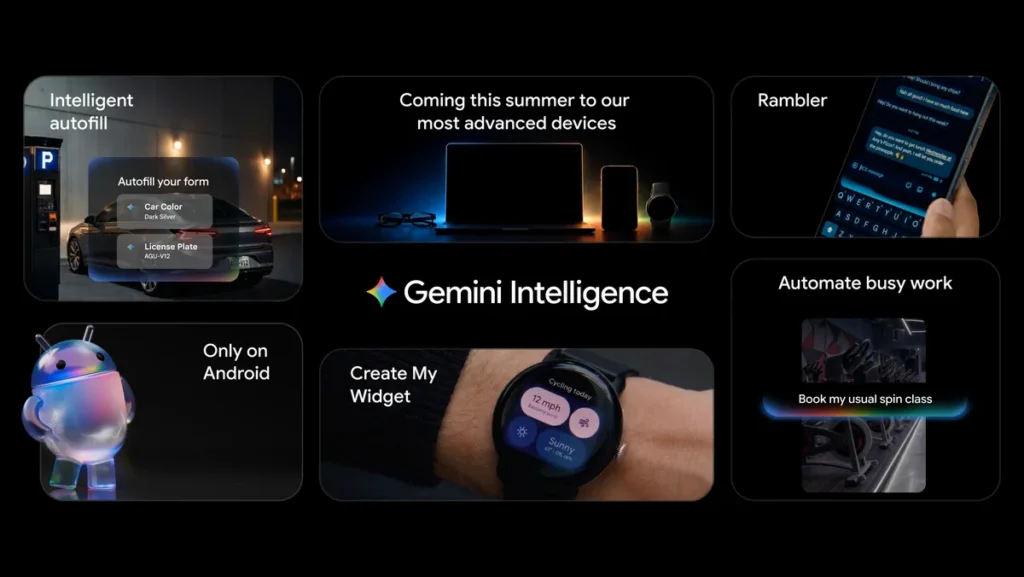
Google has announced / introduced Gemini Intelligence on Android, a layer that brings proactive Gemini-powered features to a curated set of Android devices. The rollout starts this summer (2026) on the Samsung Galaxy S26 and Google Pixel 10, with the feature set expanding to Wear OS watches, cars, Android XR glasses, and Android-powered laptops later in the year.

Key additions include multi-step task automation across apps, the new Rambler voice-to-text feature with built-in Hindi-English code-mixing support, Create My Widget for natural-language widget building, smarter Autofill tied to Gemini’s Personal Intelligence, and Gemini in Chrome for research and browsing tasks (rolling out late June).

Android is moving from an operating system into an intelligence system.

The framing from Google: Android is moving from an operating system into an intelligence system. Privacy and control are part of the pitch — Gemini acts only on explicit commands, audio for Rambler isn’t stored, and the Autofill–Gemini link is opt-in.

Multi-Step Task Automation Across Apps

Google’s spent the last few months tuning Gemini’s multi-step automation on the Galaxy S26 and Pixel 10, with food-delivery and rideshare apps as the launch focus. You hand off the logistics — booking a spin-class bike, finding a Gmail-attached class syllabus and ordering the books, walking through a delivery app’s checkout — and Gemini drives the in-app steps for you.

Screen and image context unlock more of this. Long-press the power button over a notes-app grocery list and Gemini can turn it into a shopping cart for delivery. Snap a photo of a travel brochure in a hotel lobby and ask it to find a comparable tour on Expedia for six people. Notifications track each task as Gemini works in the background.

The control model is the part to pay attention to. Gemini only acts on an explicit command, runs until the task is done, and stops. A final confirmation step stays with you.

Gemini in Chrome — Late June Rollout

Starting in late June, Chrome on Android gets a Gemini browsing layer. The assistant can summarize a page, compare information across multiple tabs, and answer research-style queries from inside the browser.

There’s also Chrome auto browse — Gemini taking care of repetitive web tasks on its own. Two examples called out by Google: booking an appointment and reserving a parking spot. Same control model as app automation — explicit commands, defined stop points.

Bento Blog header 5.6.26 .width 1200.format webp

Smarter Autofill, Now Tied to Gemini

Autofill with Google has handled the obvious fields for a while. The Gemini version goes after the messier ones — complex forms with multiple sections, vague labels, and the kind of context the older Autofill couldn’t reason about. Gemini pulls the relevant data from your connected apps and fills fields without making you flip between screens.

The Gemini connection here is strictly opt-in. You choose whether to link Gemini to Autofill with Google, and a toggle in settings lets you turn it off at any point.

Rambler — Speech to Polished Text, With Hindi-English Mixing

Gboard’s voice-to-text has been fine for clean dictation. Rambler is built for the way most people actually talk — with um, ah, like, mid-sentence corrections, and the habit of changing direction halfway through. You speak naturally; Rambler keeps the substance and drops the filler, returning a tighter written version.

The India-relevant detail: Rambler handles multi-lingual input in a single message. The example Google flagged is English-Hindi code-mixing — the kind of switching most Indian users do every day in WhatsApp and email. Gemini’s multi-lingual model reads context across the switch and produces a clean message that keeps the original mix.

On privacy: Rambler shows a clear indicator while it’s active, audio is transcribed in real time, and nothing is stored or saved after the transcription is done.

Create My Widget — Generative UI on the Home Screen

Create My Widget is the first generative-UI step on Android. Describe what you want in plain language, and Gemini builds the widget.

Two examples from Google’s post:

  • A meal-prep widget told to “suggest three high-protein recipes every week” — Gemini builds a resizable dashboard you can drop on the home screen.
  • A cyclist asking for a weather widget that surfaces only wind speed and rain — Gemini strips the standard weather card down to just those data points.

The widgets work on Gemini Intelligence Android phones and on Wear OS watches. A watch widget can be a stripped-down view of the same generated layout, so the data you care about stays one glance away.

A UI Built on Material 3 Expressive

Gemini Intelligence ships with an updated visual system layered on Material 3 Expressive. Animations are tied to purpose — confirming a task, showing progress, transitioning between states — and the design aims to reduce ambient distractions rather than add to them.

Rollout Timing — What’s Live When

WaveWhenWhat
PhonesSummer 2026Samsung Galaxy S26, Google Pixel 10
Chrome on AndroidLate June 2026Gemini in Chrome, Chrome auto browse
Watches, cars, Android XR glasses, laptopsLater in 2026Gemini Intelligence features expand across categories

FAQ / Common Questions

When does Gemini Intelligence start rolling out on Android?
This summer (2026), starting on the latest Samsung Galaxy and Google Pixel phones. Other Android device categories — watches, cars, glasses, and laptops — get the features later in 2026.

Which phones get Gemini Intelligence first?
Google has named the Samsung Galaxy S26 and the Google Pixel 10 as the launch devices.

Does Rambler support Hindi?
Yes — Rambler handles multi-lingual input in a single message, with English-Hindi code-mixing specifically called out. Other language combinations work too, as long as Gemini’s multi-lingual model supports them.

Will Gemini Intelligence work on Wear OS watches?
Yes, but later. Watches are part of the next wave, alongside cars, Android XR glasses, and laptops, expected later in 2026. Create My Widget is one of the features confirmed for the watch.

Is the Autofill–Gemini connection automatic?
No — it’s strictly opt-in. You choose whether to link the two, and a toggle in settings lets you turn it off whenever you want.

Does Rambler store my voice recordings?
No. Audio is transcribed in real time and is not stored or saved.


Note: Details above are based on Google’s announcement on May 12, 2026, and are subject to change. Final feature availability, rollout timing, and supported devices may vary by region. Verify against Google’s official channels before relying on any specific detail.

Disclaimer: This post summarizes a Google product announcement for informational purposes. It is not affiliated with or endorsed by Google or any device manufacturer mentioned.

Source: Google blog.

Exit mobile version