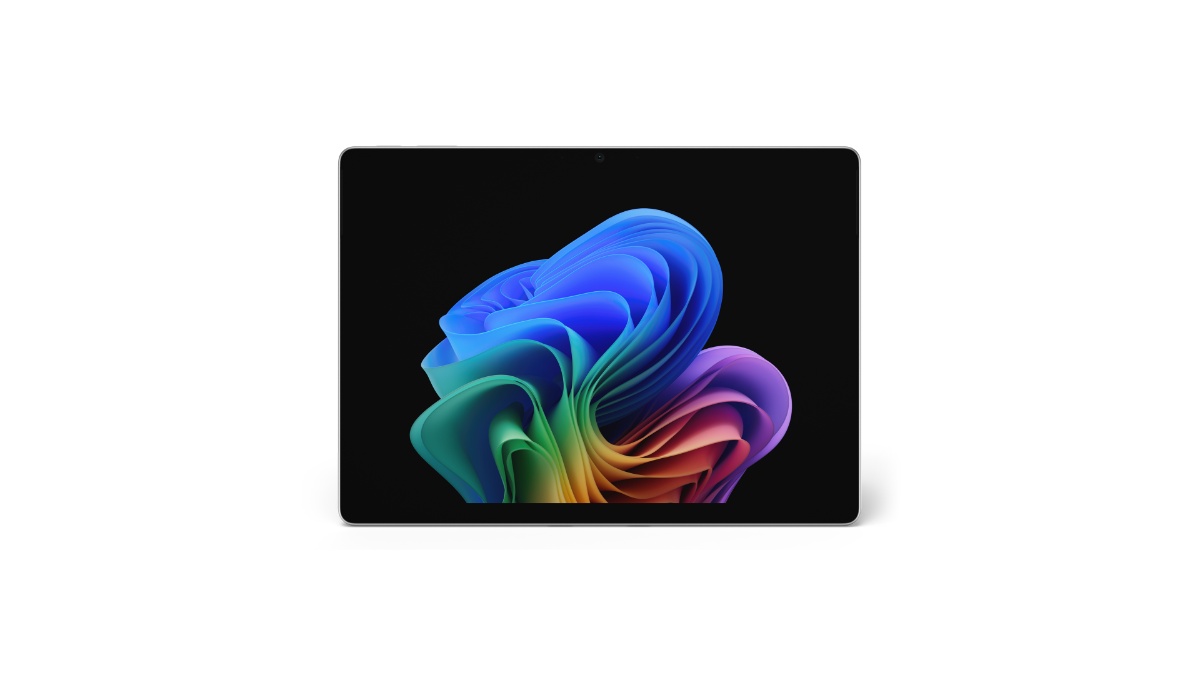
Microsoft has detailed the Surface Pro for Business 13-inch (12th Edition), the new 2-in-1 in the Surface for Business lineup. Pricing starts at $1,949.99 (MSRP) in select markets.
Key highlights include Intel Core Ultra Series 3 processors (Core Ultra 5 335 and Core Ultra 7 366H), an Intel AI Boost NPU rated at 50 TOPS, an optional 13-inch OLED PixelSense Flow display with 120Hz refresh, a removable Gen 4 SSD, up to 64GB LPDDR5x RAM, and up to 17 hours of local video playback on Wi-Fi configurations.
The device ships in Platinum and Black with a strengthened glass display, an anodized aluminum casing, and a 165-degree full-friction kickstand. Wi-Fi 7 is standard; an optional Wi-Fi + 5G SKU adds NanoSIM and eSIM support.
| Variant | Launch Price | Link |
|---|---|---|
| EP2-66386 – X2 Plus, LCD, 16GB, 256GB, Platinum | $1,499.99 | Amazon US↗ |
| EP2-73249 – X2 Plus, LCD, 16GB, 512GB, Platinum | $1,599.99 | Amazon US↗ |
| EP2-73275 – X2 Plus, LCD, 16GB, 512GB, Black | $1,599.99 | Amazon US↗ |
| EP2-73301 – X2 Plus, LCD, 16GB, 512GB, Dune | $1,599.99 | Amazon US↗ |
| EP2-65013 – X2 Elite, OLED, 16GB, 1TB, Platinum | $2,099.99 | Amazon US↗ |
| EP2-65033 – X2 Elite, OLED, 16GB, 1TB, Dune | $2,099.99 | Amazon US↗ |


Quick Links
Processor and NPU — Intel Core Ultra Series 3 With 50 TOPS AI Boost
Two CPU options anchor the lineup: the Intel Core Ultra 5 335 (Series 3) and the Intel Core Ultra 7 366H (Series 3). Both pair with Intel Graphics and the Intel AI Boost NPU rated at 50 TOPS for on-device AI workloads.
Microsoft is positioning the NPU as the engine for things like real-time meeting transcription, live captions and translation, image enhancement in Click to Do, and Studio Effects on the front camera — offloading those workloads from the CPU to keep system responsiveness up and power draw down.
13-inch PixelSense Flow Display — OLED Option, 120Hz, Dolby Vision IQ
The touchscreen is a 13-inch PixelSense Flow panel at 2880 × 1920 (267 PPI) in a 3:2 aspect ratio, with a dynamic refresh rate up to 120Hz and 10-point multi-touch.
Two panel options:
- OLED: 1,000,000:1 contrast, 600 nits typical SDR, 900 nits peak HDR, Dolby Vision IQ, individually colour-calibrated, anti-reflective (ISO 9241-307 certified)
- LCD: 1300:1 contrast, 600 nits typical SDR, 600 nits peak HDR, Dolby Vision IQ, individually colour-calibrated, anti-reflective (ISO 9241-307 certified)
Both panels carry adaptive colour, adaptive contrast, and auto colour management. The glass is strengthened, and the display has been certified for reflectance reduction.
Memory and Storage — Up to 64GB LPDDR5x, Removable Gen 4 SSD
The Surface Pro for Business 13-inch ships in 16GB, 32GB, or 64GB LPDDR5x RAM configurations, and 256GB, 512GB, or 1TB Gen 4 SSD storage.
The SSD is removable — a serviceability feature Microsoft is highlighting for enterprise data-retention scenarios, where IT teams may want to physically retain the drive when reassigning or retiring the device.
Cameras — 1440p Quad HD Front, 10MP 4K Rear, Studio Effects
Camera hardware is the same across configurations:
- Front: Quad HD 1440p Surface Studio Camera with ultrawide field of view; supports Windows Studio Effects (automatic framing, eye contact, portrait blur, background blur)
- Rear: 10MP Ultra HD camera
- IR camera for Windows Hello facial recognition with Enhanced Sign-in Security
Audio — Dual Studio Mics, 2W Dolby Atmos Speakers
Two studio mics with voice focus handle calls and dictation. Audio output runs through 2W stereo speakers with Dolby Atmos, and there’s support for Bluetooth LE Audio for accessory pairing.
Battery and Charging — Up to 17 Hours, Fast Charge via USB-C or Surface Connect
Microsoft rates Wi-Fi only configurations at up to 17 hours of local video playback and up to 11 hours of active web usage. Battery capacity differs by panel:
- LCD configurations: 47 Wh nominal (46 Wh minimum)
- OLED configurations: 53 Wh nominal (51 Wh minimum)
Fast charging is supported via either Surface Connect or USB-C with a 60W+ charger. The retail box includes a 39W power supply with Surface Connect in select markets and on specific configurations.
Ports and Expansion — Two USB4 / Thunderbolt 4, Surface Connect, Three 4K Monitors
The Surface Pro 13-inch carries two USB-C ports with USB4 and Thunderbolt 4 support, used for charging, data transfer, and DisplayPort 2.1 output. With a Surface Thunderbolt 4 Dock or compatible accessory, the device drives up to three 4K external monitors at 60Hz, including via daisy chain.
Also onboard: a Surface Connect port, a dedicated Surface Pro 13-inch Keyboard port, and a NanoSIM tray on Wi-Fi + 5G models.
Connectivity — Wi-Fi 7, Bluetooth 5.4, Optional 5G
Wi-Fi only models ship with Wi-Fi 7 and Bluetooth Core 5.4.
Wi-Fi + 5G models add 5G-NR SA/NSA (Release 15) with downlink speeds up to 2.9 Gbps, 4×4 MIMO, 256 QAM, and 4G Gigabit LTE-Advanced Pro with downlink up to 1.6 Gbps. The 5G option also brings eSIM and NanoSIM support, full GNSS (GPS, Galileo, BeiDou, QZSS, NAVIC), and Wi-Fi hotspot for up to 8 devices.
5G-NR Bands
n1, n2, n3, n5, n7, n8, n12, n14, n20, n25, n26, n28, n29, n30, n38, n40, n41, n48, n66, n71, n77, n78, n79
LTE Bands
1, 2, 3, 4, 5, 7, 8, 12, 13, 14, 19, 20, 25, 26, 28, 29, 30, 38, 39, 40, 41, 42, 48, 66, 71
Pen and Keyboard — Slim Pen 2 With Wireless Charging, Flex Keyboard Option
The device is designed for the Surface Slim Pen (2nd Edition), with integrated storage and wireless charging when paired with either the Surface Pro 13-inch Keyboard or the Surface Pro 13-inch Flex Keyboard. Tactile signal support is on Slim Pen 2; protocol support is Microsoft Pen Protocol (MPP).
The Flex Keyboard can be used attached or detached, includes a precision haptic touchpad with adjustable click and haptic response, and is available with a bold keyset option (larger high-contrast font, brighter backlighting) for accessibility.
Security — Secured-core PC, Microsoft Pluton, Memory-Safe Firmware
The Surface Pro for Business 13-inch is a Windows 11 Secured-core PC with TPM 2.0, BitLocker support, and the Microsoft Pluton security processor.
Sign-in covers Windows Hello facial recognition with Enhanced Sign-in Security across the line, and NFC authentication on Wi-Fi only models for passwordless workflows.
On the firmware side, Microsoft is calling out the Surface UEFI built with Patina and Project Mu open-source components through the Open Device Partnership (ODP), and a Secured Embedded Controller built from ODP open-source components. Firmware updates ship through Windows Update — no third-party update channel needed.
Microsoft Surface Pro for Business 13-inch (12th Edition) Specifications
| Specification | Details |
|---|---|
| Edition | 12th Edition |
| Processor | Intel Core Ultra 5 335 (Series 3) / Intel Core Ultra 7 366H (Series 3) |
| Graphics | Intel Graphics |
| NPU | Intel AI Boost, 50 TOPS |
| RAM | 16GB / 32GB / 64GB LPDDR5x |
| Storage | 256GB / 512GB / 1TB removable Gen 4 SSD |
| Display | 13-inch PixelSense Flow, 2880 × 1920 (267 PPI), 3:2, up to 120Hz, OLED or LCD |
| Display brightness | 600 nits typical SDR; OLED 900 nits peak HDR / LCD 600 nits peak HDR |
| Contrast | OLED 1,000,000:1 / LCD 1300:1 |
| HDR | Dolby Vision IQ |
| Touch | 10-point multi-touch, strengthened glass, anti-reflective (ISO 9241-307) |
| Front camera | 1440p Quad HD ultrawide, Windows Studio Effects |
| Rear camera | 10MP Ultra HD |
| Biometric | Windows Hello facial recognition (IR), Enhanced Sign-in Security; NFC on Wi-Fi only models |
| Audio | 2W stereo speakers, Dolby Atmos; dual studio mics with voice focus; Bluetooth LE Audio |
| Wi-Fi | Wi-Fi 7 |
| Bluetooth | Bluetooth Core 5.4 |
| Cellular (optional) | 5G NR SA/NSA Rel 15, 4×4 MIMO, DL up to 2.9 Gbps; 4G LTE-Advanced Pro DL up to 1.6 Gbps |
| SIM | NanoSIM + eSIM (5G models) |
| GNSS (5G models) | GPS, Galileo, BeiDou, QZSS, NAVIC |
| Ports | 2× USB-C with USB4 / Thunderbolt 4, Surface Connect, Surface Pro 13-inch Keyboard port |
| External display | Up to three 4K monitors at 60Hz via compatible dock or daisy chain |
| Charging | Fast charge with 60W+ via Surface Connect or USB-C |
| Battery capacity | LCD 47 Wh nominal (46 Wh min); OLED 53 Wh nominal (51 Wh min) |
| Battery life | Up to 17 hr local video playback; up to 11 hr active web (Wi-Fi only) |
| Pen | Surface Slim Pen (2nd Edition), MPP |
| Keyboard | Surface Pro 13-inch Keyboard / Surface Pro 13-inch Flex Keyboard (bold keyset option) |
| Security | Windows 11 Secured-core PC, TPM 2.0, BitLocker, Microsoft Pluton |
| Firmware | Surface UEFI (Patina + Project Mu via ODP), Secured Embedded Controller via ODP, Windows Update delivery |
| Sensors | Ambient colour, accelerometer, gyroscope, magnetometer; NFC on Wi-Fi only |
| Kickstand | 165° full-friction hinge |
| Casing | Anodized aluminum |
| Colours | Platinum, Black |
| Dimensions | 287 × 209 × 9.3 mm (11.3 × 8.2 × 0.37 in) |
| Weight | Wi-Fi: 895 g (1.97 lb) / Wi-Fi + 5G: 906 g (2.00 lb) |
| OS | Windows 11 Pro |
| Software trial | Microsoft 365 Business Standard / Premium / Apps — 30-day trial |
| Warranty | 1-year limited hardware warranty |
| Starting price | $1,949.99 (MSRP) |
Sustainability and Repairability
The enclosure carries 86% recycled content, including 100% recycled aluminum alloy and 100% recycled rare earth metals in the magnets. The battery cell uses 100% recycled cobalt, and the motherboard uses 100% recycled gold, copper, and tin (solder paste). The thermal assembly cold plate uses 50% recycled copper. Commercial packaging is paper-based with 77% recycled wood-based fiber content; 100% of virgin paper is sourced from responsibly managed forests.
Replacement components cover the display module, removable SSD, battery, motherboard (with main processor and memory), Surface Connect, thermal module, microphone module (including IR camera), SSD door, speakers, enclosure (bucket), front camera, rear camera, power and volume buttons, and the kickstand. Repair instructions are accessible directly on the device with visual icons, and a device entry kit is documented. Wi-Fi + 5G models also include a SIM card access tool in the parts list.
Pre-installed Software
- Windows 11 Pro
- Microsoft 365 Apps (preloaded)
- 30-day trial of Microsoft 365 Business Standard, Microsoft 365 Business Premium, or Microsoft 365 Apps
What’s in the Box
- Surface Pro for Business 13-inch (12th Edition)
- 39W Power Supply with Surface Connect (select markets, specific configurations only)
- Quick Start Guide
- Safety and warranty documents
FAQ / Common Questions
What is the starting price of the Microsoft Surface Pro for Business 13-inch (12th Edition)?
It starts at $1,949.99 (MSRP) in select markets. Final retail pricing varies by configuration — processor tier, memory, storage, panel type (OLED vs LCD), and whether the unit is Wi-Fi only or Wi-Fi + 5G.
Which processors does the Surface Pro for Business 13-inch (12th Edition) use?
There are two options: the Intel Core Ultra 5 335 and the Intel Core Ultra 7 366H, both from the Series 3 family. Both pair with Intel Graphics and the Intel AI Boost NPU rated at 50 TOPS.
Does the Surface Pro for Business 13-inch (12th Edition) have an OLED option?
Yes. The 13-inch PixelSense Flow display is available as either an OLED panel (1,000,000:1 contrast, 900 nits peak HDR) or an LCD panel (1300:1 contrast, 600 nits peak HDR). Both run at 2880 × 1920 with up to 120Hz refresh, Dolby Vision IQ, and an anti-reflective finish.
Is the SSD on the Surface Pro for Business 13-inch (12th Edition) user-replaceable?
The Gen 4 SSD is removable. Microsoft positions this for enterprise serviceability and data retention — IT teams can retain the drive when reassigning or retiring the unit.
How long does the battery last?
Microsoft rates the Wi-Fi only configuration at up to 17 hours of local video playback and up to 11 hours of active web usage. OLED units carry a 53 Wh nominal battery; LCD units carry 47 Wh nominal.
Does the Surface Pro for Business 13-inch (12th Edition) support 5G?
5G is offered as an optional SKU. The Wi-Fi + 5G model adds NanoSIM, eSIM, 5G NR SA/NSA with downlink up to 2.9 Gbps, 4G LTE-Advanced Pro up to 1.6 Gbps, and full GNSS (GPS, Galileo, BeiDou, QZSS, NAVIC). The Wi-Fi only model gets NFC authentication instead.
How many external monitors does it support?
Up to three 4K external monitors at 60Hz, via a compatible dock (such as the Surface Thunderbolt 4 Dock) or daisy chain through the USB-C / Thunderbolt 4 ports.
Note: Specifications listed above are based on Microsoft’s published product details and may not be 100% accurate. Pricing and configuration availability vary by region and over time. Verify against Microsoft’s official Surface for Business channels before relying on any specific detail.
Disclaimer: This post summarizes Microsoft product information for informational purposes. It is not affiliated with or endorsed by Microsoft.
Source: Microsoft Blog.


