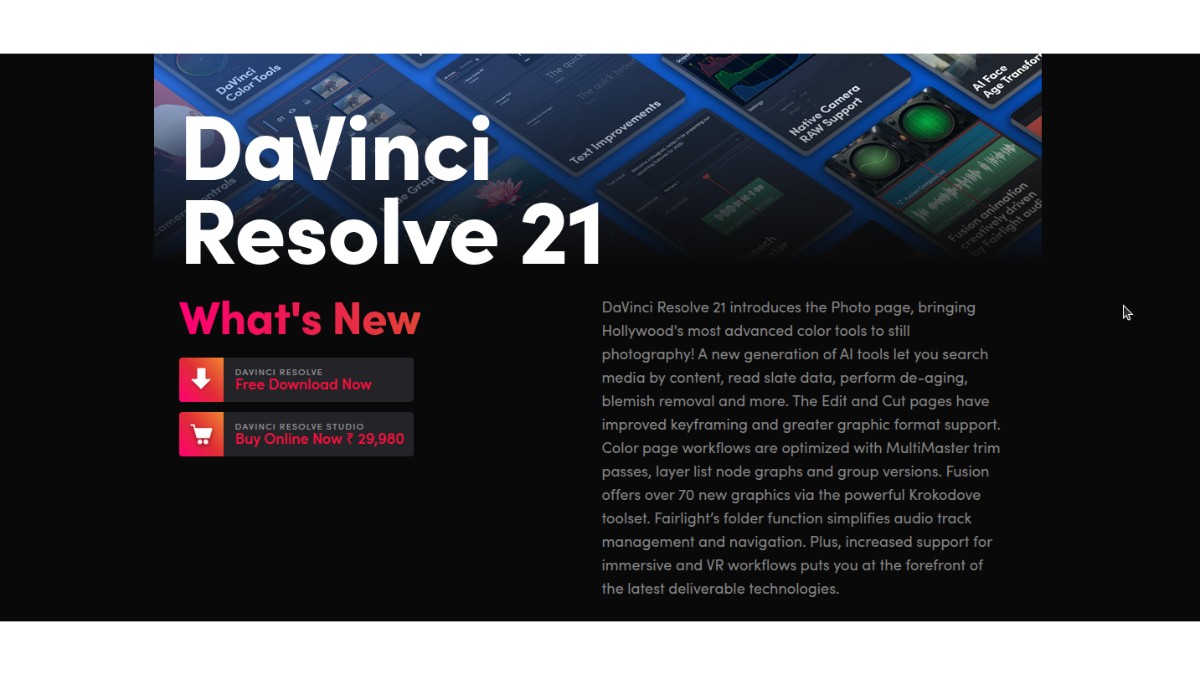
Installing DaVinci Resolve 21.0b1 on Ubuntu 25.10 (Questing) runs into two blockers out of the box: the installer rejects the system because of “missing” APR, ALSA and GLib packages, and after install the binary refuses to launch with a g_once_init_leave_pointer symbol lookup error in libpango-1.0.so.0. Both issues are caused by Ubuntu 25.10’s 64-bit time_t transition and DaVinci Resolve bundling an older GLib. This post walks through the exact fix used on a working system, with the commands copy-paste ready.
System Details
| Item | Value |
|---|---|
| OS | Ubuntu 25.10 (Questing) |
| Kernel | 6.17.0-20-generic |
| DaVinci Resolve | 21.0b1 Linux (public beta) |
| Installer file | DaVinci_Resolve_21.0b1_Linux.run |
| Install location | /opt/resolve |
Issue 1: Installer Complains About Missing Packages
When launching the .run installer on Ubuntu 25.10, it aborts with:
Error: Missing or outdated system packages detected.

Please install the following missing packages:
    libapr1 libaprutil1 libasound2 libglib2.0-0

Use SKIP_PACKAGE_CHECK=1 to bypass the system package check.
Why This Happens
Ubuntu 24.04 and later have transitioned to 64-bit time_t on 32-bit-capable architectures. During the transition, several library packages were renamed with a t64 suffix to signal the new ABI. On Ubuntu 25.10 the legacy names are no longer available in the archive, and the replacements are:
| Legacy name (installer asks for) | Ubuntu 25.10 package (actually installable) |
|---|---|
libapr1 | libapr1t64 |
libaprutil1 | libaprutil1t64 |
libasound2 | libasound2t64 |
libglib2.0-0 | libglib2.0-0t64 |
A plain apt install libasound2 fails with Package 'libasound2' has no installation candidate because it is now a virtual package provided by libasound2t64.
Fix: Install the t64 Variants
Run the following:
sudo apt update
sudo apt install -y libapr1t64 libaprutil1t64 libasound2t64 libglib2.0-0t64
On a fresh Ubuntu 25.10 desktop install, libasound2t64 and libglib2.0-0t64 are usually already present as dependencies of the desktop stack. libapr1t64 and libaprutil1t64 typically need to be pulled in.
Run the Installer With the Package Check Skipped
Because the installer still looks for the legacy package names, pass SKIP_PACKAGE_CHECK=1 to bypass its check (the actual runtime dependencies are satisfied by the t64 packages — ABI-compatible).
cd ~/Downloads/DaVinci_Resolve_21.0b1_Linux
chmod +x DaVinci_Resolve_21.0b1_Linux.run
sudo SKIP_PACKAGE_CHECK=1 ./DaVinci_Resolve_21.0b1_Linux.run -i -y -a
Flag breakdown:
-i— install without GUI (text-mode install, useful over SSH or when zenity/dbus isn’t available)-y— skip confirmation prompts-a—--allowroot; the installer refuses to run as root by default and exits with “The DaVinci Resolve installer is not intended to be run as the root user”, so this flag is required when invoking withsudo
On success the installer copies files to /opt/resolve, drops a desktop entry, installs udev rules for Blackmagic panels, creates /var/BlackmagicDesign/DaVinci Resolve, and ends with:
DaVinci Resolve installed to /opt/resolve
Done
Issue 2: Launch Error – undefined symbol g_once_init_leave_pointer
With install complete, running the binary fails immediately:
$ /opt/resolve/bin/resolve
/opt/resolve/bin/resolve: symbol lookup error: /lib/x86_64-linux-gnu/libpango-1.0.so.0: undefined symbol: g_once_init_leave_pointer
Why This Happens
DaVinci Resolve 21.0b1 ships with its own bundled copy of GLib 2.68.4 inside /opt/resolve/libs/:
libglib-2.0.so.0.6800.4
libgio-2.0.so.0.6800.4
libgmodule-2.0.so.0.6800.4
libgobject-2.0.so.0.6800.4
Because the resolve binary is launched with a wrapper that prepends /opt/resolve/libs to the dynamic linker search path, these bundled libraries take precedence over the system’s GLib. Meanwhile, the system’s libpango (linked against Ubuntu 25.10’s GLib 2.86) expects the symbol g_once_init_leave_pointer, which was only added in GLib 2.80. GLib 2.68 does not export it, so when libpango tries to resolve the symbol against the bundled (older) libglib, the loader fails.
In short: two components that must agree on GLib version are disagreeing — system libpango wants GLib ≥ 2.80, Resolve ships GLib 2.68.
Fix: Move the Bundled GLib Libraries Aside
The safe fix is to move (not delete) the bundled GLib family out of /opt/resolve/libs/ so the dynamic linker falls through to the system copies, which libpango is already happy with.
sudo mkdir -p /opt/resolve/libs/disabled_libs

sudo mv /opt/resolve/libs/libglib-2.0.so*   /opt/resolve/libs/disabled_libs/
sudo mv /opt/resolve/libs/libgio-2.0.so*    /opt/resolve/libs/disabled_libs/
sudo mv /opt/resolve/libs/libgmodule-2.0.so* /opt/resolve/libs/disabled_libs/
sudo mv /opt/resolve/libs/libgobject-2.0.so* /opt/resolve/libs/disabled_libs/
Files moved (all four families, symlinks and real SONAMEs):
libglib-2.0.so       libglib-2.0.so.0       libglib-2.0.so.0.6800.4
libgio-2.0.so        libgio-2.0.so.0        libgio-2.0.so.0.6800.4
libgmodule-2.0.so    libgmodule-2.0.so.0    libgmodule-2.0.so.0.6800.4
libgobject-2.0.so    libgobject-2.0.so.0    libgobject-2.0.so.0.6800.4
Keeping them under disabled_libs/ inside the same tree means they can be restored quickly if a future Resolve update expects them back, without redownloading the 3GB+ installer.
Launch Resolve
/opt/resolve/bin/resolveOn first run the DaVinci_Resolve_Welcome onboarding window opens, which confirms both the installer and the GLib fix are working. From the second launch onwards, the main editor UI comes up directly.
One-Shot Script (All Steps Combined)
For convenience, here is the full sequence in one block. Run it from the folder containing DaVinci_Resolve_21.0b1_Linux.run:
# 1. Install the t64 dependency variants
sudo apt update
sudo apt install -y libapr1t64 libaprutil1t64 libasound2t64 libglib2.0-0t64

# 2. Run the installer, bypassing the legacy package name check
chmod +x DaVinci_Resolve_21.0b1_Linux.run
sudo SKIP_PACKAGE_CHECK=1 ./DaVinci_Resolve_21.0b1_Linux.run -i -y -a

# 3. Move the bundled (older) GLib family out of the way
sudo mkdir -p /opt/resolve/libs/disabled_libs
sudo mv /opt/resolve/libs/libglib-2.0.so*    /opt/resolve/libs/disabled_libs/
sudo mv /opt/resolve/libs/libgio-2.0.so*     /opt/resolve/libs/disabled_libs/
sudo mv /opt/resolve/libs/libgmodule-2.0.so* /opt/resolve/libs/disabled_libs/
sudo mv /opt/resolve/libs/libgobject-2.0.so* /opt/resolve/libs/disabled_libs/

# 4. Launch
/opt/resolve/bin/resolve
Verification
Check that the system GLib is now being picked up by Resolve:
ldd /opt/resolve/bin/resolve | grep -E "glib|gio|gobject|gmodule"Each line should point to /lib/x86_64-linux-gnu/ rather than /opt/resolve/libs/. If any of them still resolve to /opt/resolve/libs/, re-check that the move step captured all SONAME symlinks (.so, .so.0, .so.0.6800.4).
Confirm the system GLib version meets the 2.80 threshold:
dpkg -s libglib2.0-0t64 | grep VersionOn Ubuntu 25.10 this returns Version: 2.86.0-2ubuntu0.3, which is well above the 2.80 requirement and includes g_once_init_leave_pointer.
Running on a hybrid NVIDIA + Intel/AMD laptop? Once Resolve launches, you may hit a second class of problems: photos not loading in the new Photo page, video clips showing black frames in the Edit and Color timelines, and
Failed to register OpenGL object for CUDA interop: cudaErrorUnknownspamming the log. That’s a separate hybrid-GPU issue with its own fix (plus a DNxHR workaround for the H.264/AAC decode limit on Resolve Free Linux), documented in the follow-up post: DaVinci Resolve 21 Photos Not Loading and Videos Showing Black on Ubuntu – Hybrid NVIDIA GPU Fix + H.264/AAC Codec Workaround.
FAQ / Common Questions
Why does DaVinci Resolve 21.0b1 ask for libasound2 when Ubuntu 25.10 only has libasound2t64?
Ubuntu transitioned 32-bit-capable architectures to 64-bit time_t, renaming affected library packages with a t64 suffix. The installer’s hard-coded package check predates this transition and still looks for the legacy names. The t64 variants provide the same SONAMEs at runtime, so the actual library linkage works fine once installed.
Is it safe to use SKIP_PACKAGE_CHECK=1?
On Ubuntu 24.04 and 25.10, yes — only when the t64 equivalents of the listed packages are already installed. The flag disables the installer’s name-based check, not any runtime safety. If a library is genuinely missing the app will fail to launch with a clearer error pointing to the missing SONAME.
Why can’t I just upgrade the bundled GLib inside /opt/resolve/libs/?
Replacing only a few files inside Resolve’s bundled libraries risks breaking Resolve’s own Qt and Fusion libraries that were built against GLib 2.68. Moving the bundled copies aside and letting the system’s 2.86 take over is cleaner because the system libraries are already binary-compatible with everything else on the machine.
Will a DaVinci Resolve update restore the broken GLib files?
A reinstall of the same version will. If a future 21.x update rewrites /opt/resolve/libs/, repeat step 3 (move the four GLib family files into disabled_libs/). The disabled_libs/ folder itself is ignored by the installer.
Does this fix apply to DaVinci Resolve 20 or 19?
The missing-packages part of the fix (installing t64 variants) applies to any Resolve version on Ubuntu 24.04+. The GLib fix applies specifically to versions that bundle GLib older than 2.80, which includes Resolve 21.0b1 and several 20.x releases.
Where is DaVinci Resolve installed?
At /opt/resolve. The launcher binary is /opt/resolve/bin/resolve, bundled libraries live under /opt/resolve/libs/, and the shared project data directory is /var/BlackmagicDesign/DaVinci Resolve.
Note: Steps above are based on a working install on a single Ubuntu 25.10 system with kernel 6.17.0-20. Package versions and Resolve’s bundled library set may change in future updates. Verify file names under /opt/resolve/libs/ match what is being moved before running the mv commands on a different version.
Disclaimer: DaVinci Resolve 21.0b1 is a public beta from Blackmagic Design. Use on production systems at your own discretion. Always back up project files before upgrading.