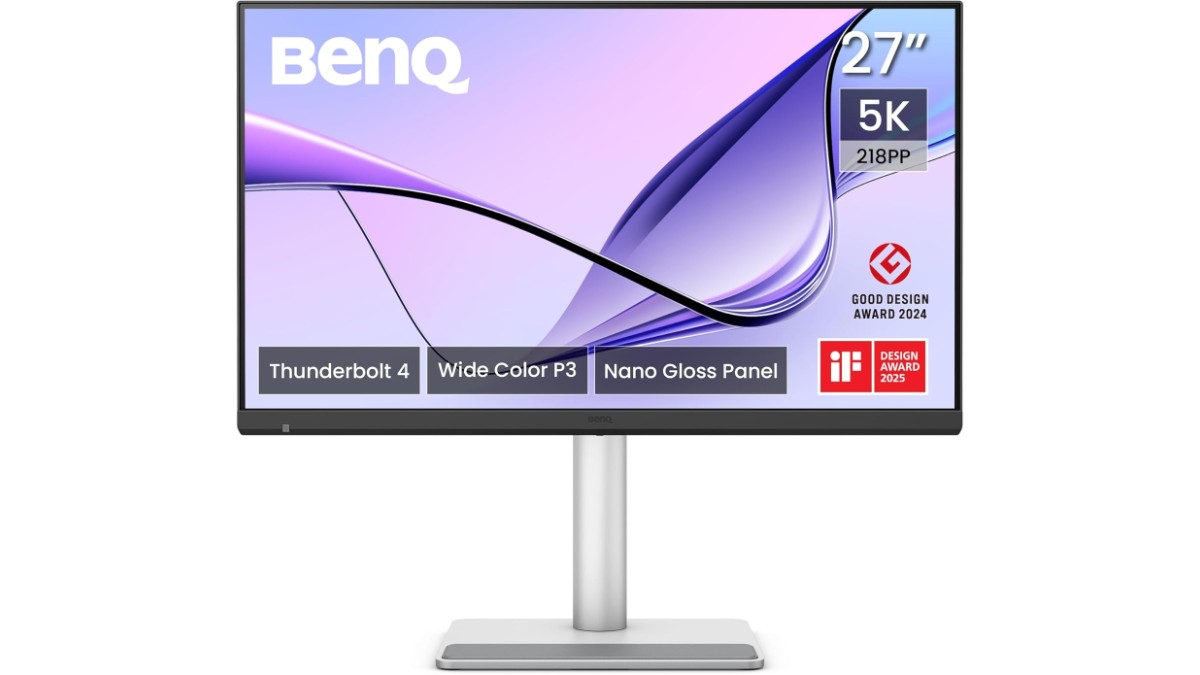
BenQ has launched the MA270S 27-inch 5K Nano Gloss Monitor for Apple Mac creators. The monitor is available for pre-order at $999.99 on Amazon US and £899.97 on Amazon UK (Lowest Prices on March 24, 2026). The UK listing shows a release date of April 1, 2026.
Key highlights include a 27-inch 5K (5120×2880) IPS panel with Nano Gloss coating, 99% P3 and 99% sRGB colour gamut, dual Thunderbolt 4 ports (96W + 15W), Thunderbolt daisy chain, a built-in KVM switch, and Mac-specific colour tuning.
Pricing & Availability
| Model | Price | Link |
|---|---|---|
| BenQ MA270S 27″ 5K Monitor (840046052768) | $999.99 | Amazon US |
| BenQ MA270S 27″ 5K Monitor | £899.97 | Amazon UK |
Release date: April 1, 2026. Available for pre-order.
27-inch 5K (5120×2880) IPS Display – 450 Nits, Nano Gloss, 99% P3, HDR10
The 27-inch IPS panel runs at 5K (5120×2880) resolution with a 16:9 aspect ratio and a pixel density of 218 PPI. That’s the same resolution Apple uses on its Studio Display — every pixel on a MacBook Retina screen maps 1:1.
Brightness reaches 450 nits (both typical and peak HDR), and the panel carries HDR10 and VESA DisplayHDR 400 certification. Native contrast ratio is 2000:1, and the display renders 1.07 billion colours.
Gamut coverage hits 99% P3 and 99% sRGB, with eight colour modes to choose from: Display P3, sRGB, HDR, M-book, User, Game, ePaper, and Cinema. Colour temperature is adjustable between 5000K, 6500K, 9300K, or a user-defined value, and gamma ranges from 1.8 to 2.6 with an sRGB preset.
The panel refreshes at 70 Hz with a 5ms GTG response time, AMA (Advanced Motion Accelerator) for blur reduction, and HDCP 2.3 content protection.
Nano Gloss Panel Coating
Instead of a standard matte or glossy finish, the BenQ MA270S uses a Nano Gloss coating. This sits between the two — reducing reflections without the grain and colour shift that matte anti-glare coatings introduce. Blacks stay deep, highlights stay bright, and contrast holds up closer to what a glossy panel delivers.
Mac-Specific Colour Tuning – M-book Mode, ICCsync, Display Pilot 2
The MA270S is built around the Mac workflow. M-book mode matches the colour output to what a MacBook screen produces, so dragging a window between the laptop and external monitor keeps colours consistent.
ICCsync automatically loads the correct ICC colour profile when switching between colour modes. Display Pilot 2 and Display Quickit are BenQ’s companion apps for macOS, handling brightness, volume, input switching, and colour mode changes directly from the Mac menu bar — no reaching for OSD buttons.
Dual Thunderbolt 4 – 96W Power Delivery, Daisy Chain, 5K Single-Cable
Connectivity runs through two Thunderbolt 4 ports:
- Thunderbolt 4 In — carries the 5K video signal, data, and 96W power delivery to charge a MacBook Pro through one cable
- Thunderbolt 4 Out — passes 15W and supports Thunderbolt daisy chain to connect a second monitor or Thunderbolt device downstream
There’s also a USB-C port with 35W power delivery and DisplayPort Alt mode for non-Thunderbolt laptops.
HDMI 2.1, USB-A, USB-C Downstream Ports
The rest of the I/O:
- 2× HDMI 2.1
- 2× USB 3.2 Gen 2 Type-A downstream (10 Gbps, 7.5W charging)
- 1× USB 3.2 Gen 2 Type-C downstream (10 Gbps, 15W charging)
- 1× Headphone jack
All downstream USB ports act as a hub when connected over Thunderbolt or USB-C — plug peripherals into the monitor, and they pass straight through to the laptop.
KVM Switch, PIP/PBP, DualView Plus
One keyboard and mouse controlling two systems — that’s what the built-in KVM switch does, with switching through the OSD or Display Pilot 2. PIP (Picture-in-Picture) and PBP (Picture-by-Picture) display two sources on screen at once.
DualView Plus splits the screen into two zones with independent colour modes — useful for comparing sRGB and P3 side by side, or editing in one mode while previewing in another.
Eye Care – TÜV Eye Comfort 3.0, EyeSafe 2.0, Flicker-Free, Low Blue Light
Eye comfort certifications run deep on this one:
- TÜV Eye Comfort 3.0
- EyeSafe 2.0
- Flicker-Free technology
- Low Blue Light (hardware solution, not just software)
- Colour Weakness mode
- ePaper mode
- Visual Optimizer
Uniformity Technology, Auto Pivot, VESA MediaSync
Uniformity Technology compensates for brightness and colour variation across the panel surface — keeping the edges consistent with the centre. The monitor supports Auto Pivot (auto-rotates the image when physically rotated) and VESA MediaSync for frame-matched playback.
Firmware updates happen over USB.
Ergonomic Stand – 150mm Height, Pivot, Swivel, VESA 100×100
| Adjustment | Range |
|---|---|
| Height | 150 mm |
| Tilt | -5° to 20° |
| Swivel | 15° left / 15° right |
| Pivot | 90° |
| VESA Mount | 100 × 100 mm |
Dimensions, Weight, and Power
| Spec | Details |
|---|---|
| Dimensions (with stand, landscape) | 614 × 429.91–579.91 × 220.2 mm |
| Dimensions (without stand) | 614 × 368 × 76 mm |
| Dimensions (pivot) | 368 × 724.4 × 220.2 mm |
| Weight (with stand) | 8.64 kg (19.05 lbs) |
| Weight (without stand) | 5.7 kg (12.57 lbs) |
| Power Input | AC 100–240V |
| Power (normal) | 29W |
| Power (max) | 280W |
| Power (sleep) | <0.5W |
Specifications / Technical Details
| Specification | Details |
|---|---|
| Model | BenQ MA270S |
| UPC | 840046052768 |
| Screen Size | 27 inches |
| Panel Type | IPS, LED backlight |
| Resolution | 5120 × 2880 (5K) |
| Aspect Ratio | 16:9 |
| PPI | 218 |
| Coating | Nano Gloss |
| Brightness | 450 nits (typical and peak HDR) |
| HDR | HDR10, VESA DisplayHDR 400 |
| Contrast Ratio | 2000:1 (native) |
| Colours | 1.07 billion |
| Colour Gamut | 99% P3, 99% sRGB |
| Colour Modes | Display P3, sRGB, HDR, M-book, User, Game, ePaper, Cinema |
| Colour Temperature | 5000K, 6500K, 9300K, User Define |
| Gamma | 1.8–2.6, sRGB |
| Refresh Rate | 70 Hz |
| Response Time | 5ms (GTG) |
| AMA | Yes |
| HDCP | 2.3 |
| Viewing Angles | 178° / 178° |
| Thunderbolt 4 In | 1× (96W PD, DP Alt, data) |
| Thunderbolt 4 Out | 1× (15W PD, daisy chain) |
| USB-C In | 1× (35W PD, DP Alt, data) |
| HDMI | 2× HDMI 2.1 |
| USB-A Downstream | 2× USB 3.2 Gen 2 (10 Gbps, 7.5W) |
| USB-C Downstream | 1× USB 3.2 Gen 2 (10 Gbps, 15W) |
| Headphone Jack | Yes |
| Daisy Chain | Thunderbolt |
| KVM Switch | Yes |
| PIP/PBP | Yes |
| DualView Plus | Yes |
| Auto Pivot | Yes |
| Uniformity Technology | Yes |
| ICCsync | Yes |
| VESA MediaSync | Yes |
| Speakers | 3W × 2 |
| Eye Care | TÜV Eye Comfort 3.0, EyeSafe 2.0, Flicker-Free, Low Blue Light (hardware), Colour Weakness, ePaper, Visual Optimizer |
| Software | Display Pilot 2, Display Quickit |
| Height Adjustment | 150 mm |
| Tilt | -5° / 20° |
| Swivel | 15° / 15° |
| Pivot | 90° |
| VESA Mount | 100 × 100 mm |
| Dimensions (with stand) | 614 × 429.91–579.91 × 220.2 mm |
| Weight (with stand) | 8.64 kg |
| Weight (without stand) | 5.7 kg |
| Power (normal) | 29W |
| Power (max) | 280W |
| Power Input | AC 100–240V |
| Certifications | Energy Star, TÜV Eye Comfort 3.0, EyeSafe 2.0 |
| FW Update | Via USB |
What’s in the Box
- BenQ MA270S Monitor
- Thunderbolt 4 Cable (1m)
- USB-C Cable
- Power Cable
- Clean Cloth
- Quick Start Guide
- Warranty Card
- Safety Instruction
Related BenQ Mac Monitors
- BenQ MA270UP (27″ 4K, Nano Gloss panel, for Mac creators)
- BenQ MA320UP (32″ 4K, Nano Gloss panel, for Mac creators)
Note: Specifications listed above are based on available information and may not be 100% accurate. Please visit the official BenQ website or Amazon product page to verify complete and up-to-date specifications before making a purchase decision.
Disclaimer: We strongly recommend reading verified purchase reviews before making any online purchase. Always buy from trusted sellers. Discounts are often based on MRP prices. As an Amazon Associate, we may earn a commission from qualifying purchases made through links on this blog.